PicWish – AI photo editor and background remover

PicWish is an intelligent AI photo editor featuring automatic background removal, photo enhancement, colorization, and professional editing tools for product photos and social media.

About PicWish: AI Photo Editor

PicWish is an intelligent AI photo editor specializing in automatic background removal and professional photo enhancement. The app automates complex editing tasks with 100% AI processing, making it ideal for designers, merchants, and content creators seeking professional results without advanced technical skills.

Featuring batch editing capabilities for up to 30 images simultaneously, PicWish dramatically increases workflow efficiency. The app offers background removal, photo enhancement, colorization, object removal, and AI-powered background generation specifically designed for eCommerce product photography and social media content creation.

Features Of PicWish: AI Photo Editor

  • Automatic background remover with pixel-perfect AI detection and removal
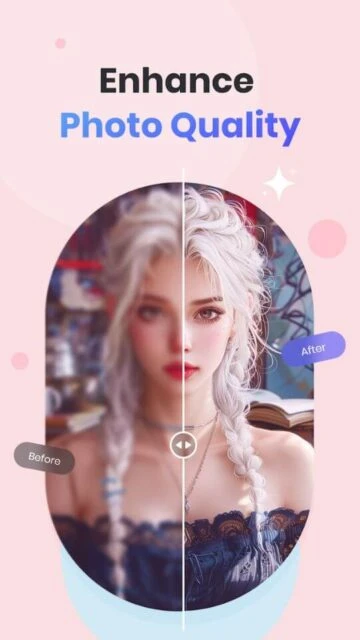
  • Photo enhancer unblurs images and improves overall picture clarity instantly
  • Colorize black-and-white photos restoring color to vintage and old photographs
  • Object remover eliminates unwanted elements including text and photobombs
  • AI background generator creates unique backgrounds for product photography
  • Batch processing mode edits up to 30 images simultaneously for efficiency
  • ID photo editor adjusts background colors and sizes for compliance standards
  • Manual eraser tool provides precise control over background removal
  • Template gallery offers ready-made designs for social media and eCommerce
  • Text and logo tools customize images with branding and messaging
  • Resize functionality adjusts photo dimensions for different platforms
  • One-tap white background conversion for product photography needs
  • Shadow and effects tools add professional finishing touches

Premium Features in the Paid Plan

  • Remove PicWish watermark from all edited photos for professional exports
  • High definition export options for crisp detailed output quality
  • 450 AI credits monthly for unlimited editing capabilities
  • Unlock all premium templates and design collections
  • Batch background removal and enhancement for bulk image processing
  • Priority processing for faster rendering of AI operations
  • Unlimited photo uploads for continuous editing projects
  • Advanced color correction and tone adjustment tools
  • Professional background replacement with custom images
  • AI hairstyle virtual try-on feature for selfies

Free with 3-day trial subscription available

Free vs Premium Comparison

Feature Free Premium
Background removal Limited with PicWish watermark on exports Unlimited removals, watermark-free, HD quality
Batch editing capability Single image editing only Process 30 images simultaneously
Photo enhancement tools Basic enhancement with watermark Advanced enhancement without watermark
Colorization feature Standard colorization available Advanced colorization with color corrections
Template access Limited basic templates 450+ exclusive templates
Monthly AI credits Limited free credits 450 credits monthly
Export quality Standard resolution with watermark High definition export
Advanced features Basic AI features only AI hairstyle, portrait, and background generation

Frequently Asked Questions

How accurate is PicWish's background removal?

PicWish uses advanced AI algorithms achieving pixel-perfect background removal accuracy. The app automatically detects edges and subjects, removing backgrounds cleanly. Manual eraser tools provide additional precision control when needed for professional product photography results.

Can I edit multiple photos at once?

Yes, PicWish's batch mode allows editing up to 30 images simultaneously. This feature is perfect for eCommerce sellers and content creators managing large photo collections, significantly saving time compared to individual editing.

Does PicWish add a watermark to photos?

The free version adds PicWish watermark to exports. Premium subscribers enjoy completely watermark-free downloads in high definition quality, ideal for professional use and commercial applications.

What's included in the free trial?

The 3-day free trial grants full access to all premium features including batch editing, watermark removal, and high definition exports. After trial expiration, subscription fees apply for continued premium access.

Which photo formats does PicWish support?

PicWish supports common image formats including JPEG, PNG, and WebP. The app handles both standard and high-resolution images, making it compatible with photos from smartphones and professional cameras.

Is internet connection required for editing?

Yes, PicWish requires stable internet connection as AI processing occurs on cloud servers. This ensures consistent, high-quality results and enables advanced AI features like background generation and colorization.