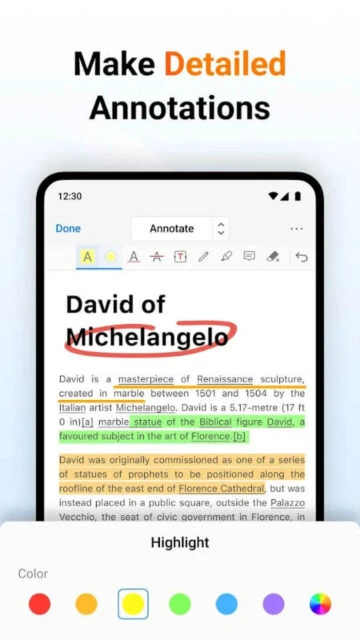
PDFgear is a full-featured document management solution that prioritizes user accessibility and privacy. It breaks down the barriers of paid software by offering premium-grade tools—such as text editing, annotation, and file conversion—completely free of charge.
Designed with a minimalist philosophy, the app avoids feature bloat while delivering high performance. It supports advanced functions like merging multiple files, adding signatures, and even chatting with documents using AI, all while maintaining a lightweight footprint on your device.
Features Of PDFgear: PDF Editor & Reader
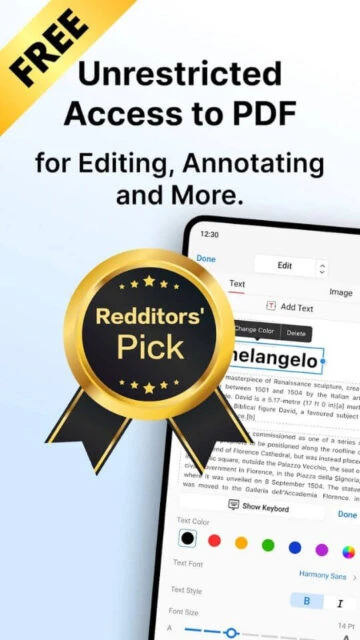
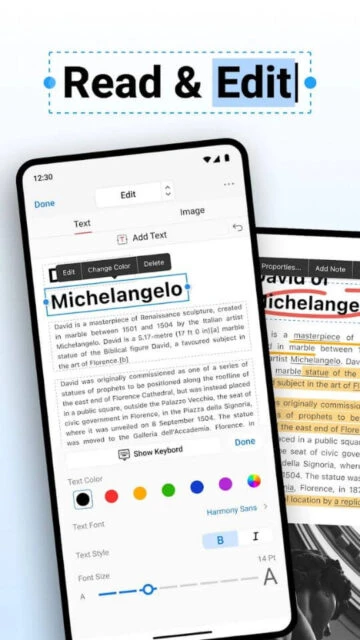
Edit text and images directly within PDF files
Convert PDFs to Word, Excel, PPT, and image formats
Merge multiple PDF documents into one file
Split large PDFs into separate smaller files
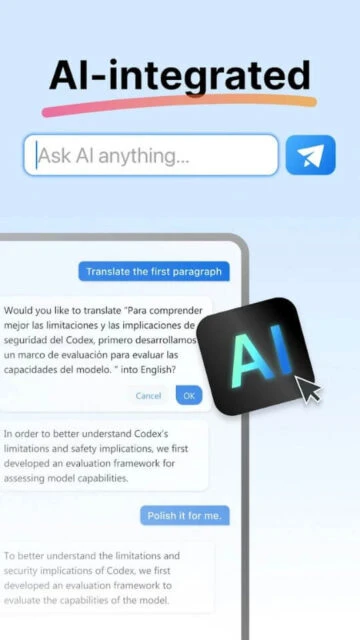
Chat with documents using the built-in AI Copilot
Fill out forms and add legally binding signatures
Manage pages by deleting, rotating, or reordering
No account login or registration required to use
Premium Features in the Paid Plan
All features are included in the free version
No watermarks on any exported documents
Unlimited file conversions with no daily caps
Full access to all editing tools without payment
No advertisements disrupting your workflow
No subscription required for AI features
Offline processing for enhanced data privacy
Regular updates with new features for free
Completely Free
Free vs Premium Comparison
Feature
Free
Premium
Text Editing
Full Access
N/A (All Free)
Watermarks
None
N/A (All Free)
Daily Limits
Unlimited
N/A (All Free)
Registration
Not Required
N/A (All Free)
Ads
No Ads
N/A (All Free)
File Conversion
Unlimited
N/A (All Free)
Frequently Asked Questions
Is PDFgear really free?
Yes, it is completely free to use. There are no hidden in-app purchases, subscriptions, or watermarks on your exported files.
Do I need to create an account?
No, you can download the app and start using all features immediately without signing up or logging in.
Can I convert PDF files to Word?
Yes, PDFgear supports high-quality conversion from PDF to Word, Excel, PowerPoint, and various image formats.
Does it include AI features?
Yes, it features an AI Copilot that helps you summarize documents and find information through a chat interface.
Is my data safe with PDFgear?
The app prioritizes privacy by processing most tasks locally on your device, reducing the need to upload sensitive files to the cloud.
PDFgear disrupts the market by offering a comprehensive suite of PDF tools at absolutely no cost. It is a clean, lightweight, and powerful alternative to paid editors, providing everything from text editing to page management without forcing you to upgrade.
Why Choose PDFgear?
It is arguably the best free PDF editor available in 2025. Unlike “free” tools that add watermarks or limit you to 3 files a day, PDFgear gives you unrestricted access to all features. It respects your privacy by processing files locally on your device whenever possible.
100% Free: No subscriptions, no in-app purchases, and no intrusive ads cluttering your workspace.
Full Privacy: No account registration is required to use the app; simply download and start editing immediately.
AI Copilot: Includes an intelligent chat feature that lets you ask questions about your document’s content.
How It Works
Launch the app and open a PDF to reveal a floating toolbar. Tap “Edit” to modify text instantly, or use the “Organize” menu to drag and drop pages. You can convert files to Word or images with a single tap.
Who Should Use It?
Perfect for students, teachers, and budget-conscious users who need professional editing tools without paying a monthly subscription fee.
User reviews and ratings for PDFgear: PDF Editor & Reader
See what users think about PDFgear: PDF Editor & Reader. Read honest reviews and ratings from real users.
4.7
★★★★★
3 reviews
Truly free and amazing
by Michael K.
★★★★★
2025-11-20
I kept waiting for the 'pay now' screen but it never came. It does everything the paid apps do but for free. Absolutely the best find of the year.
Better than expected
by Sarah W.
★★★★★
2025-10-30
Fast, clean interface, and no ads. I use it for all my college assignments. The convert to Word feature works flawlessly.
Great alternative
by James P.
★★★★★
2025-09-18
It's fantastic for a free app. Sometimes large files take a moment to load, but considering it's free and has no ads, I can't complain.
Write a Review
PDFgear: PDF Editor & Reader Screenshots & Photos
Browse through screenshots and photos of PDFgear: PDF Editor & Reader to see how it looks and works.
PDFgear: PDF Editor & Reader Videos
Watch videos to see how this app works and learn about its features.

 28
28