What video formats does nPlayer support?
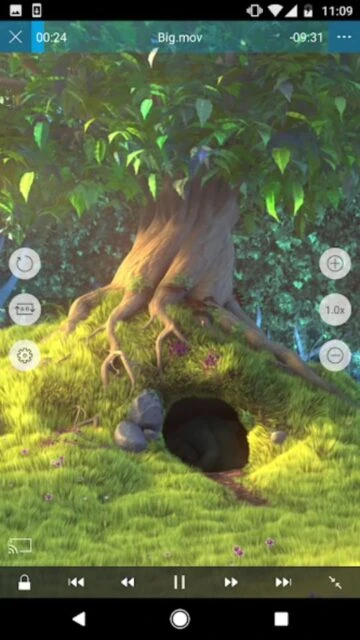
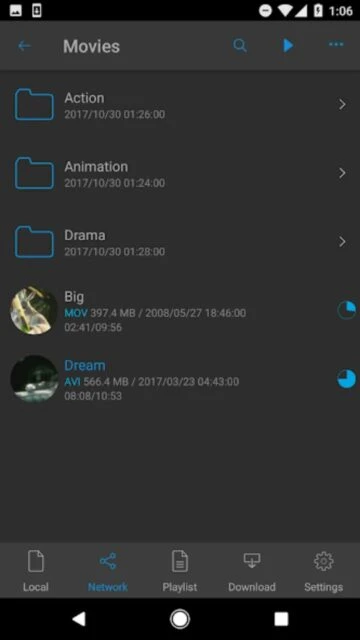
nPlayer supports virtually all major video formats including MP4, MKV, AVI, WMV, MOV, FLV, OGV, RMVB, and more without requiring conversion, making it compatible with any video file.
 71
71

The best media player with professional codec support and universal format compatibility
nPlayer is a professional universal video and audio media player supporting all major formats with advanced playback controls and network streaming capabilities.
nPlayer Plus is a premium universal media player for iOS devices offering professional-grade playback functionality with extensive codec support. Supporting official DTS-HD and Dolby audio formats alongside hundreds of video codecs, nPlayer eliminates format conversion requirements while maintaining exceptional audio and video quality.
The application provides seamless network integration enabling content streaming from NAS drives, cloud services, and remote servers. Advanced subtitle management, gesture-based controls, and intelligent metadata detection deliver professional media playback experience without technical complexity or storage limitations.
$11.99
| Feature | Free | Premium |
|---|---|---|
| Audio Codec Support | Basic audio formats | Official DTS-HD and Dolby Digital support |
| Subtitle Management | Standard subtitle support | Advanced formatting with Dolby Sound Effects |
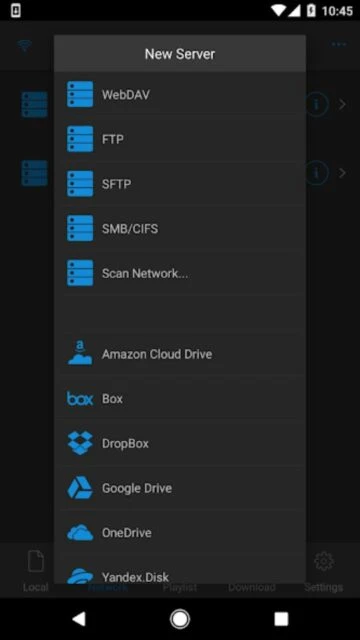
| Network Protocols | WebDAV and basic protocols | Full SMB, FTP, SFTP, NFS support |
| Cloud Integration | Limited cloud access | Box, Dropbox, OneDrive, Yandex.Disk integration |
| Hardware Acceleration | Standard codec support | AV1, HEVC, H.264 hardware acceleration |
| Picture-in-Picture | Not available | Multi-format PiP support |
nPlayer supports virtually all major video formats including MP4, MKV, AVI, WMV, MOV, FLV, OGV, RMVB, and more without requiring conversion, making it compatible with any video file.
Yes, nPlayer Plus officially supports DTS-HD and Dolby audio codecs including Dolby Digital Plus, providing professional-grade audio reproduction for cinema-quality sound experience.
Absolutely. nPlayer supports major cloud services including Box, Dropbox, OneDrive, and Yandex.Disk, plus network protocols like SMB, FTP, and WebDAV for remote server access.
nPlayer handles all common subtitle formats including SRT, SMI, SSA, ASS, IDX, and SUB with advanced customization for font, size, color, position, and synchronization adjustment.
Yes, nPlayer 3.13.0 includes improved Picture-in-Picture support allowing you to watch videos while using other apps, supporting all video formats for flexible multitasking.
Yes, nPlayer offers playback speed control from 0.5x to 4.0x allowing you to speed up, slow down, or watch content at normal pace based on your preferences.