Mobizen has been a staple in the Android ecosystem for years, evolving into a powerful multimedia tool. It allows users to record, capture, and edit seamlessly in a single application. The app is designed to be resource-efficient while delivering high-bitrate video output.
What sets Mobizen apart is its customization depth. From changing the Air Circle icon to your own picture, to fine-tuning quality settings up to 2K resolution, it gives users total control over their recording environment.
Features Of Mobizen Screen Recorder
Quad HD 1440p recording quality
Clean Recording Mode (No UI)
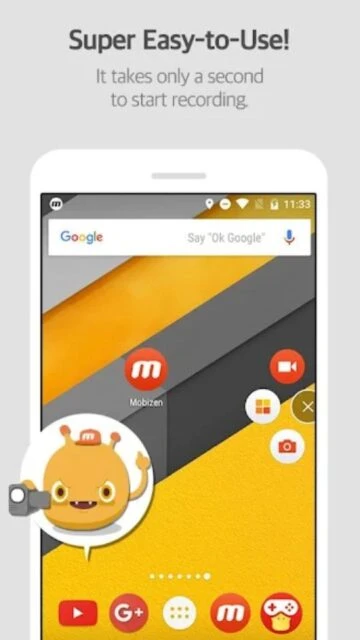
Custom Air Circle icon support
Facecam with shape customization
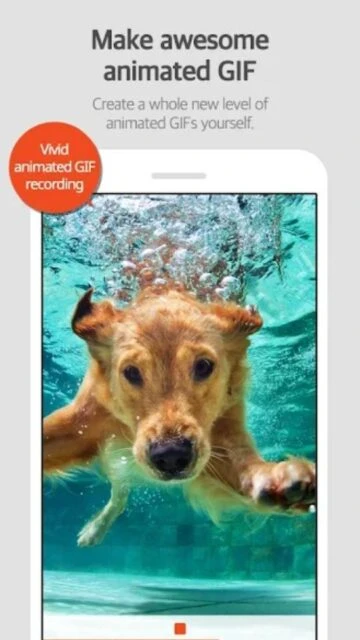
Create animated GIFs from video
Add intro and outro to videos
Personal watermark overlay
Auto-tap and swipe recording
Premium Features in the Paid Plan
Remove Mobizen watermark permanently
Create your own custom watermark
Draw on screen while recording
Mini mode for Air Circle
Create animated GIFs without limits
No advertisements in the app
Advanced video editing features
Priority support service
Free / Premium $3.99/mo
Free vs Premium Comparison
Feature
Free
Premium
Max Resolution
1080p
1440p (2K)
Watermark
Mobizen Logo
Custom / None
Ads
Included
Ad-Free
Draw on Screen
Not Available
Included
GIF Maker
Basic
Advanced
Intro/Outro
Basic
Customizable
Frequently Asked Questions
What is Clean Recording Mode?
It hides the timer and Air Circle button for a completely unobstructed screen recording.
Can I use my own picture for the button?
Yes, you can replace the Mobizen logo with your own photo in the settings.
Does it record internal sound?
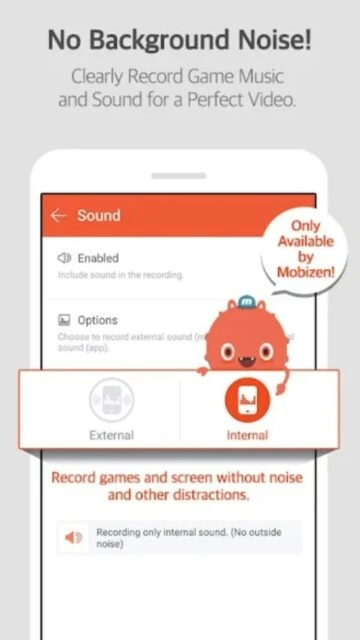
Yes, Mobizen supports internal sound recording for clear audio capture.
Why is the video lagging?
Try lowering the resolution or FPS in settings if your device struggles with 2K quality.
Where is the video stored?
Videos are stored in your device's gallery under the Mobizen folder.
Mobizen is one of the most established names in mobile screen recording, famously used by major YouTubers like PewDiePie. It offers a robust set of features including a unique ‘Clean Recording Mode’ that removes all UI overlays for a purely professional look.
Why Choose Mobizen?
Mobizen excels in compatibility and versatility. It supports recording in Quad HD (2K), offering higher resolution than many competitors. Its PC connectivity allows you to mirror and record your phone screen directly on a larger monitor.
Clean Mode: Records screen without watermarks or air circles.
Quad HD Support: Captures video in 1440p quality at 60fps.
Personal Watermark: Import and use your own logo overlay.
How It Works
Mobizen uses an ‘Air Circle’ interface. Tapping it expands options to record, capture screens, or access settings. The ‘Clean Mode’ can be toggled to hide this circle completely during recording, controlled via the notification bar.
Who Should Use It?
Ideal for users with high-end devices who want 2K quality recordings, and creators who need to brand their content with custom watermarks directly during the capture process.
User reviews and ratings for Mobizen Screen Recorder
See what users think about Mobizen Screen Recorder. Read honest reviews and ratings from real users.
4.2
★★★★★
3 reviews
Reliable and classic
by Chris P.
★★★★★
2025-11-05
Been using Mobizen since 2018 and it still works great. The new clean mode is exactly what I needed.
Good quality but ads
by Maria S.
★★★★★
2025-10-22
The recording quality is amazing, especially the 2K option, but there are too many ads in the free version.
Custom watermark is cool
by TechGuru25
★★★★★
2025-09-15
I love that I can put my channel logo as the watermark. It saves me editing time later.
Write a Review
Mobizen Screen Recorder Screenshots & Photos
Browse through screenshots and photos of Mobizen Screen Recorder to see how it looks and works.
Mobizen Screen Recorder Videos
Watch videos to see how this app works and learn about its features.

 114
114