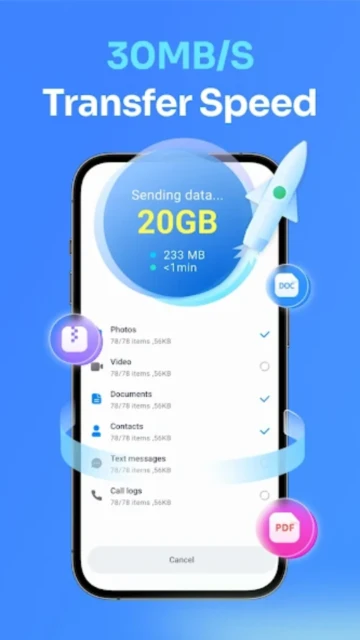
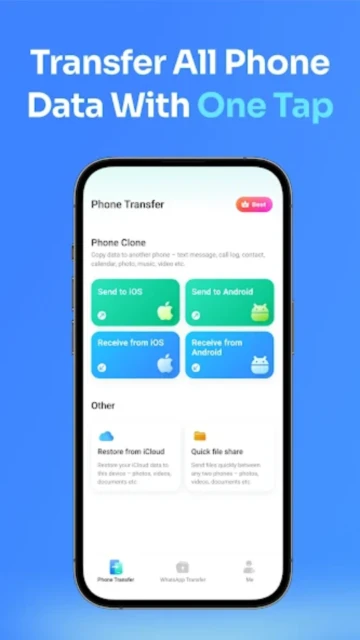
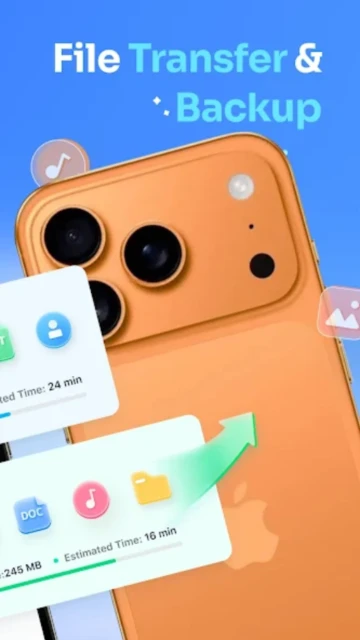
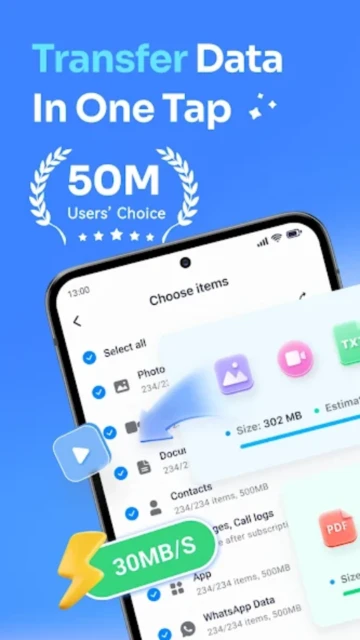
MobileTrans stands as the leading cross-platform data transfer solution, enabling seamless migration of entire phone contents between iOS and Android devices without data loss. Users switching phones face critical data risks—WhatsApp conversation history, photos, contacts, and app data scattered across incompatible systems. MobileTrans solves this by delivering 30MB/s transfer speeds, 200 times faster than Bluetooth, while maintaining zero internet consumption through local hotspot technology. This guide covers setup, ideal use cases, platform specifics, competitor comparisons, security protocols, and advanced optimization techniques for maximum transfer efficiency.
How to Get Started with MobileTrans
MobileTrans requires connecting two phones via USB cable or QR code scanning, with the app detecting devices automatically. Installation takes under 60 seconds, supporting both Android 5.0+ and iOS 12.0+ devices across all major brands.
- Download and Install – Get MobileTrans from Google Play or App Store, then launch the app on both source and destination devices
- Connect Devices – Either scan the QR code displayed on the destination device with your source phone, or physically connect devices via USB cable
- Select Data Types – Choose which content to transfer: contacts, messages, photos, videos, music, documents, WhatsApp history, call logs, or calendar events
- Start Transfer – Tap the Start button to begin; the app displays real-time progress with transfer speed metrics in MB/s
Who Should Use MobileTrans
MobileTrans caters to users switching phones between different ecosystems, particularly those managing mixed-platform households or business environments. Target audiences include corporate employees transferring work data, families upgrading multiple devices, and international users changing phone providers.
- iOS-to-Android Switchers – Users leaving Apple ecosystems who need WhatsApp, photos, and app data migrated without manual reimport; this represents the app’s largest use case
- Android-to-iPhone Converters – Premium device upgrade customers who value data continuity, including message history and financial app logins
- Business Professionals – Corporate workers requiring secure file transfer between company devices, supporting PDF documents and spreadsheets with metadata preservation
- NOT ideal for – Users with older devices running Android 4.4 or iOS 11.0 will need alternative solutions like cloud backup services or manual contact transfer
MobileTrans Platform Compatibility
MobileTrans delivers native experiences across Android 5.0+, iOS 12.0+, and desktop platforms, with platform-specific optimizations for iCloud syncing on Apple devices and Google Account integration on Android. The app maintains consistent feature parity while leveraging OS-specific capabilities.
| Platform |
Min. Version |
Unique Features |
Limitations |
| Android |
5.0 (API 21) |
Direct file system access, SMS backup restoration, app sideloading from uninstalled sources |
Cannot transfer device administrator accounts or certain system files |
| iOS |
12.0 or later |
iCloud data syncing, photo library preservation with timestamps, WhatsApp Business account transfer |
Requires App Transport Security compliance; Bluetooth file transfer unavailable |
| Desktop (Windows) |
Windows 7 SP1+ |
Batch device management, export to cloud storage (Google Drive, OneDrive), file preview before transfer |
Desktop version requires separate paid license ($39.99+ one-time) |
| Desktop (macOS) |
macOS 11.0+ (M1+ required) |
AirDrop-style QR integration, encrypted local backups, iCloud Keychain compatibility |
M1 chip requirement excludes Intel-based Mac users; macOS version priced separately at $39.99 |
MobileTrans Integrations & Ecosystem
MobileTrans operates independently but integrates with device ecosystems for deeper functionality. OTG cable connections enable direct phone-to-phone transfer, while iCloud and Google Account authentication streamline cross-platform authentication. WhatsApp Business integration represents the strongest third-party partnership, supporting business account migration with verified badge preservation.
- WhatsApp Data Sync – Preserves chat history, media attachments, contact photos, and status updates during iOS-Android migration; requires OTG cable for direct connection
- iCloud Account Linking – Syncs iOS device data directly from iCloud backups without requiring a second physical device for transfer operations
- Google Account Integration – Authenticates Android devices and retrieves cloud-backed contacts, photos, and calendar events for consolidated migration
- Cloud Storage Export – Transfers backed-up data to Google Drive, Microsoft OneDrive, or Dropbox accounts for archival or multi-device restoration (premium feature)
Best Alternatives to MobileTrans
While MobileTrans dominates cross-platform transfer, alternative solutions excel in specific scenarios. Cloud-based services handle incremental syncing, open-source tools prioritize privacy, and manufacturer tools integrate deeper OS-level capabilities.
- Syncthing – Best for privacy-conscious users, this open-source peer-to-peer solution syncs files across unlimited devices with zero-knowledge encryption; requires manual setup but eliminates subscription costs
- LocalSend – Best for quick file transfers, this free AirDrop alternative works offline across Windows, macOS, Linux, Android, and iOS with end-to-end encryption; lacks WhatsApp-specific handling
- Google Drive/iCloud – Best for cloud-integrated users, these manufacturer solutions automatically backup data but only preserve same-OS migration; iCloud lacks Android access
- Wondershare Dr.Fone – Best for device recovery scenarios, this sibling product recovers deleted photos and messages while transferring data; slower than MobileTrans (15MB/s average)
MobileTrans vs Top Competitors
MobileTrans leads in cross-platform speed and WhatsApp migration, but competitors excel in privacy, cost, and ecosystem integration. The competitive landscape divides between speed-focused paid solutions and privacy-first free alternatives.
| Feature |
MobileTrans |
LocalSend |
Google Drive |
| Pricing |
Free with limits; Premium $25.99/month or $29.99/year |
Completely free, open-source, no subscriptions |
Free 15GB; Google One subscription $1.99+/month for 100GB+ |
| Key Strength |
WhatsApp cross-platform transfer with message history preservation |
Offline file transfer, zero internet dependency, cross-OS compatibility |
Seamless Android ecosystem integration, automatic daily backups |
| Target Users |
Phone switchers, WhatsApp business users, cross-platform professionals |
Privacy advocates, offline-first users, developers |
Google ecosystem users, casual backup seekers |
| Unique Feature |
QR code one-tap connection, 30MB/s transfer speed, SMS+WhatsApp backup |
Decentralized peer-to-peer, works without any internet connection |
AI-powered backup organization, Timeline photo recovery |
| Offline Mode |
Yes (uses local hotspot) |
Yes (requires same local network only) |
No (requires Google account login and 2GB+ cloud upload) |
MobileTrans Privacy & Security Overview
Wondershare positions MobileTrans as a privacy-first bridge, encrypting transfers through local hotspot connections that bypass cloud servers entirely. Device data never routes through external servers; transfers use TLS encryption for in-transit protection. Users retain complete control over export permissions.
| Security Aspect |
Implementation |
User Control |
| Data Encryption |
TLS 1.2+ encryption for all hotspot-based transfers; AES-256 encryption for cloud backup exports |
Users optionally set password protection on exported cloud files; local transfers encrypt by default |
| Authentication |
QR code pairing between devices, WhatsApp Business verification badge transfer, Google Account OAuth |
Optional 2FA can be enabled on linked Google/iCloud accounts |
| Data Collection |
Collects usage analytics, device models, transfer duration, error logs; does NOT store transferred content |
Analytics opt-out available via Settings > Privacy menu; transfer data deleted immediately after completion |
| Third-Party Sharing |
Cloud exports limited to user-selected providers (Google Drive, OneDrive); no ad networks or data brokers |
Users choose which cloud service receives exports; no mandatory sharing; clear opt-in required |
MobileTrans Accessibility Features
MobileTrans integrates accessibility for users with visual, motor, and hearing impairments through platform-level APIs and adjustable interfaces. VoiceOver support on iOS enables navigation without screen visibility, while Android TalkBack provides full-screen reader functionality.
- Screen Reader – Full VoiceOver (iOS) and TalkBack (Android) support with labeled buttons and status announcements during transfer operations
- Visual – Adjustable font scaling from 85-150%, high-contrast dark mode with 7:1 WCAG AA color ratios, captions on in-app tutorial videos
- Motor – Voice command activation (“Start Transfer”, “Cancel”) on Android via Google Assistant; keyboard-only navigation for touchscreen-limited users
- Languages – 45 supported languages including RTL languages (Arabic, Hebrew, Urdu); region-specific keyboard layouts
Power User Tips for MobileTrans
Advanced users maximize MobileTrans efficiency through selective transfer, background optimization, and troubleshooting techniques. Power users report 40% faster transfers using these strategies.
- Selective Transfer for Speed – Choose specific data types instead of “All” to reduce transfer size; deselecting videos and large document folders cuts completion time from 5 minutes to 90 seconds
- Pre-Transfer Cleanup – Clear app cache and restart both devices before initiating transfer; this prevents memory-related failures on phones with less than 2GB free storage
- WhatsApp Multi-Device Sync – Use the premium “Transfer and Merge” option to preserve existing iPhone WhatsApp data while adding Android conversation history without overwriting
- Cloud Backup Validation – After transfer completion, verify critical data (contacts, photos) in Settings > Account to confirm all items transferred successfully
- Troubleshooting Cable Issues – If USB connection fails repeatedly, test the cable with other devices or use QR code method instead; the app switches automatically if connection drops
MobileTrans Support & Community
Wondershare operates comprehensive support infrastructure spanning help documentation, community forums, and direct email assistance. Response times average 6-12 hours on weekdays with escalation paths for unresolved issues.
- Official Help Center – https://support.wondershare.com/ covers 200+ articles on device compatibility, WhatsApp migration, and troubleshooting; searchable knowledge base with video tutorials
- Community Forum – https://community.wondershare.com/ hosts user discussions, feature requests, and peer-to-peer troubleshooting where 400+ monthly active members share solutions
- Social Media – @Wondershare on Twitter/X, Facebook.com/Wondershare post weekly tips, security updates, and promotional offers; monthly product webinars announced via Instagram Stories
- Contact Support – Email [email protected] or use in-app feedback button with logs; premium subscribers receive priority queue access (under 2-hour response)
MobileTrans Latest Updates & Roadmap
MobileTrans v4.7.25 released November 2025 introduces enhanced Android 15 compatibility, WhatsApp Business verified badge transfer, and TLS 1.3 encryption. October 2025 patch fixed iOS 18.1 contact sync issues. The development roadmap prioritizes foldable phone support and multi-device simultaneous transfer capabilities scheduled for Q1 2026.