Microsoft To Do – Smart task management and list organizer

Organize your life with Microsoft To Do, a free task management app that syncs across devices and integrates with Microsoft 365.

About Microsoft To Do: Lists & Tasks

Microsoft To Do is a free, cloud-based task management application developed by Microsoft Corporation. The app allows users to create, organize, and track tasks across all devices with seamless synchronization through Microsoft 365. Users can build multiple lists for different purposes, set reminders, and collaborate with others in real time.

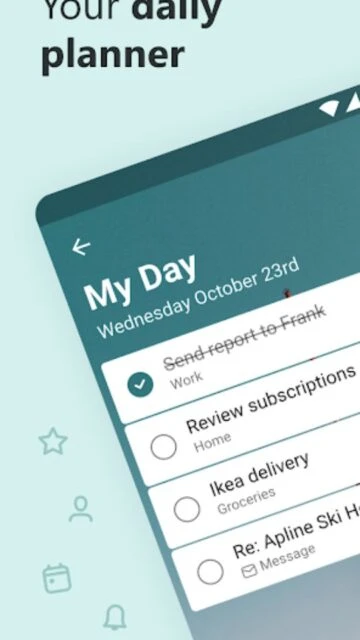
The app excels at combining simplicity with powerful organizational features. With My Day functionality, intelligent task suggestions, and deep integration with Microsoft Outlook and Office applications, To Do provides a comprehensive solution for personal and professional task management. Available on iOS, Android, Windows, Mac, and web platforms.

Features Of Microsoft To Do: Lists & Tasks

  • Create unlimited task lists organized by project, work, school, or personal categories
  • Share lists with family, colleagues, and friends for collaborative task management
  • Set one-time and recurring due dates with customizable reminders and notifications
  • Break tasks into subtasks or steps for better organization and progress tracking
  • Add notes and attach files up to 25 MB to provide context and documentation
  • Capture tasks from Outlook emails and Microsoft 365 services automatically
  • Customize lists with emoji icons, colorful themes, and dark mode options
  • Access My Day for intelligent daily planning with suggested prioritized tasks

Premium Features in the Paid Plan

  • Flag important emails as tasks directly from Outlook inbox interface
  • Integrate with Microsoft Planner to view team tasks and assignments
  • Sync task lists with Microsoft 365 account across all devices instantly
  • Organize tasks with color-coded lists and custom grouping options
  • Create business-specific templates for recurring task workflows
  • Export task data in multiple formats for backup and analysis
  • Access advanced sorting and filtering for complex task management
  • Receive smart notifications based on task priority and due dates

Free

Free vs Premium Comparison

Feature Free Premium
Task Creation Unlimited tasks and lists Unlimited tasks and lists
File Attachments Up to 25 MB per task Up to 25 MB per task
Device Sync All devices and platforms All devices and platforms
List Sharing Share with other users Share with other users
Microsoft 365 Integration Full integration included Full integration included
Recurring Tasks Available Available
Subtasks Available Available
Notifications Standard reminders Standard reminders

Frequently Asked Questions

Is Microsoft To Do truly free to use?

Yes, Microsoft To Do is completely free with no hidden charges or premium subscriptions. All core features including task creation, list sharing, file attachments, and Microsoft 365 integration are available at no cost to all users.

How do I sync my tasks across devices?

Tasks automatically sync across all your devices when you're logged into your Microsoft account. Simply sign in on your phone, tablet, or computer and all your lists and tasks will appear instantly, updating in real-time.

Can I share task lists with others?

Absolutely. You can share any list by inviting specific people via email. They'll receive a link and can view, edit, and collaborate on the shared list from their own devices with real-time updates.

What happens if I lose internet connection?

Microsoft To Do requires internet connectivity to function properly. While the app may display cached data, new tasks or changes require an active connection to synchronize with Microsoft servers for backup and cross-device availability.

Can I attach files to my tasks?

Yes, each task allows file attachments up to 25 MB total, including documents, images, videos, and more. This helps keep all relevant context and information associated with specific tasks for easy reference.

How do I import tasks from other apps?

You can import tasks by copying them manually or using integrations with other Microsoft apps. Microsoft To Do captures tasks from Outlook, Cortana, and Microsoft Planner automatically when you flag emails or create assignments.