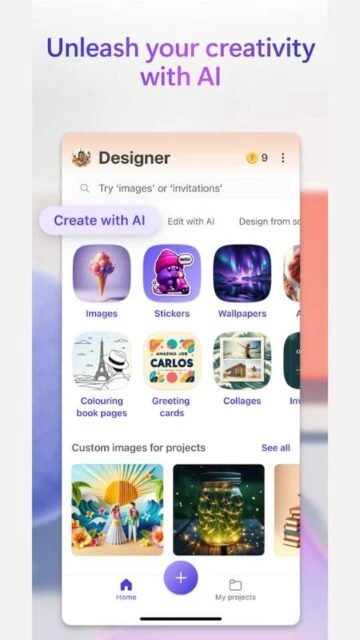
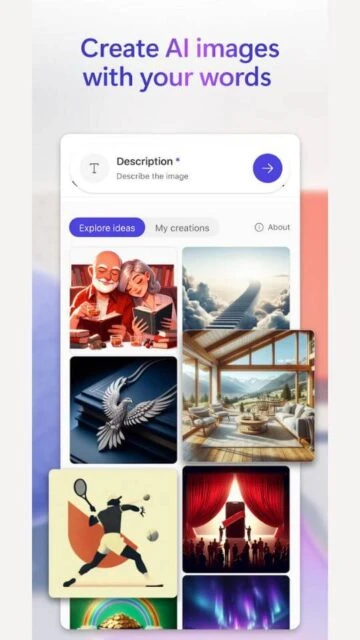
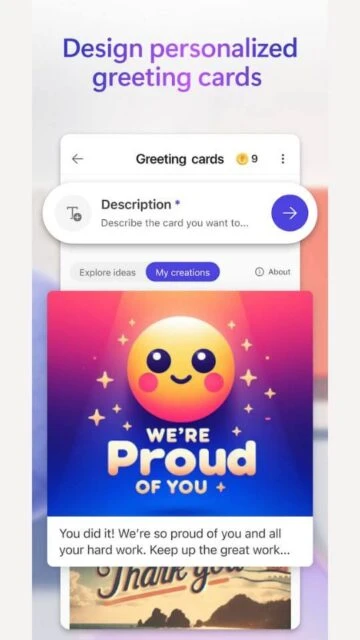
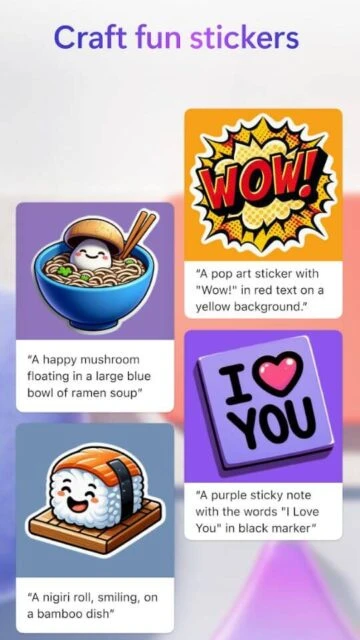
Microsoft Designer is an AI-centric design app that reimagines how you create visual content. Instead of starting with a blank canvas, you start with an idea. It uses cutting-edge generative AI to build designs, edit photos, and create custom stickers just by describing what you want.
Why Choose Microsoft Designer?
It offers one of the most accessible entry points into AI art generation. The integration with the Microsoft 365 ecosystem makes it unique, allowing you to seamless export designs to Word or PowerPoint. It’s built for speed and creativity.
- DALL-E 3 Integration: Generate high-fidelity images from text prompts with incredible accuracy.
- Smart Layouts: The app automatically suggests professional design layouts for your images.
- Generative Erase: Remove unwanted objects from photos cleanly using AI.
How to Get Started with Microsoft Designer
Microsoft Designer’s setup is dead simple, taking under two minutes from download to your first design. It pulls you in with a clean, prompt-first interface that feels familiar if you’ve used ChatGPT or Copilot. No design degree required.
- Download and Install – Grab it from Google Play (Android 8.0+) or App Store (iOS 17.0+); works on phones and tablets.
- Create Your Account – Sign in with any Microsoft account (free); no extra registration needed.
- Complete Your Profile – Optional: add a profile pic and brand colors for consistent designs across projects.
- Start Creating – Type a prompt like “tech conference flyer, blue tones”; pick from AI-generated options and tweak.
Who Should Use Microsoft Designer
Microsoft Designer pulls in users who want pro visuals without the hassle of traditional tools. It shines for those already in Microsoft’s orbit, delivering just enough power to feel capable, not overwhelming.
Content Creators – Social media managers and bloggers needing quick posts, stickers, or thumbnails without Photoshop skills.
Office Workers and Students – Anyone building slides, invites, or reports who hates staring at blank PowerPoint canvases.
Small Businesses – Owners creating flyers, ads, or product visuals on mobile during downtime.
NOT ideal for – Professional designers requiring layer control; video-heavy creators; users outside Microsoft’s ecosystem who prefer Google Workspace.
Microsoft Designer Platform Compatibility
Microsoft Designer prioritizes mobile-first design with seamless web backup, syncing everything through your Microsoft account. Native apps cover the core experience, while web fills gaps for bigger screens. iPad users get web-only access.
| Platform |
Min. Version |
Unique Features |
Limitations |
| iOS (iPhone) |
iOS 17.0+ |
Native camera integration, full DALL-E 3 generation, haptic feedback |
Larger iPad screens better via web |
| Android |
Android 8.0+ |
Material You theming, deep widget support, split-screen multitasking |
Some premium templates web-only |
| Web |
All modern browsers |
Keyboard shortcuts, drag-and-drop precision, unlimited canvas size |
No direct camera access |
| Windows |
Windows 10+ |
Microsoft Store app, Photos app integration, taskbar pinning |
Tablet mode less fluid than mobile |
| iPad/macOS |
Web browser only |
Full feature parity via Safari/Edge |
No native iPad app; touch less optimized |
Microsoft Designer Integrations and Ecosystem
Microsoft Designer lives comfortably inside the Microsoft empire, making it a natural extension of daily Office workflows rather than a standalone tool. Third-party connections stay light, keeping focus on core creation-to-sharing.
Microsoft 365 Suite – Direct export to Word, PowerPoint, Teams, and Outlook; Copilot Pro unlocks 100 daily AI boosts and commercial rights.
Cloud Storage – OneDrive auto-sync (files saved in /Apps/Designer), with SharePoint access for teams.
Social Sharing – One-tap posting to Instagram, LinkedIn, Twitter; preview renders before sharing.
Future Roadmap – Deeper Edge browser integration and potential Adobe Creative Cloud bridges (speculative, based on 2025 enterprise trends).
Best Alternatives to Microsoft Designer
If you are comfortable with AI‑assisted design but want a different balance between control, speed, and ecosystem, there are several mature options that stand next to Microsoft Designer rather than under it. Each one interprets “AI design assistant” in its own way, from template‑driven workflows to deeply integrated creative suites. The real question is not which app is “better,” but which one matches how you actually produce visuals week after week.
- Canva: Broad design platform with strong templates, brand kits, and AI tools, well suited for teams that create a high volume of social and presentation content.
- Adobe Express: Firefly‑powered design app that leans on Adobe’s imaging heritage, better for users who care about image quality and Creative Cloud continuity.
- CapCut: Video‑first editor that favors trends, effects, and quick social exports, a realistic alternative only if video is your main medium.
- Fotor: Hybrid of AI photo editor and template‑based designer, useful when you move back and forth between retouching and lightweight graphics.
- VistaCreate: Social‑media‑oriented app with animated templates and scheduling‑friendly exports, aimed at small brands that post regularly across multiple channels.
Microsoft Designer vs Top Competitors
Microsoft Designer, Canva, and Adobe Express represent three distinct takes on AI‑driven design. Designer prioritizes simplicity and Microsoft ecosystem ties for quick outputs. Canva offers broader templates and team features. Express gives more Adobe‑style control and image refinement.
| Aspect |
Microsoft Designer |
Canva |
Adobe Express |
| Core AI tools |
Text‑to‑image via DALL‑E, object erase, auto layouts. |
Text‑to‑image, Magic Design, AI text and brand suggestions. |
Text‑to‑image with Firefly, Generative Fill, text effects. |
| Templates |
Focused on social posts, invites, and simple marketing. |
Extensive library for social, presentations, videos. |
Strong for social, flyers, and business promo assets. |
| Integration |
Deep with Microsoft 365, Copilot, Word, PowerPoint. |
Self‑contained with cloud storage and basic integrations. |
Linked to Creative Cloud, Photoshop, Acrobat workflows. |
| Learning curve |
Very low, ideal for prompt‑based non‑designers. |
Low to medium, with depth for advanced users. |
Low, but benefits from Adobe tool familiarity. |
| Best for |
Office workers and students needing fast document visuals. |
Social media teams and multi‑format creators. |
Freelancers and businesses focused on branded graphics. |
Microsoft Designer Privacy and Security Overview
Microsoft Designer follows Microsoft’s global privacy commitments, detailed in their comprehensive Privacy Statement, which prioritizes user control while enabling AI features. Data like prompts and generated images stays tied to your account, processed via Azure with strong encryption; no third‑party sales occur, but Microsoft uses anonymized data for model training unless you opt out. Age gates limit generative AI to adults per region, aligning with responsible AI principles.
| Security Aspect |
Implementation |
User Control |
| Data Encryption |
TLS in transit; AES‑256 at rest in Azure datacenters |
Always on; cannot disable |
| Authentication |
Microsoft account login with MFA support |
Enable MFA via account settings |
| Data Collection |
Prompts, app activity, photos/videos (optional) |
Opt out of personalization; delete history |
| Third‑Party Sharing |
None for marketing; only for service/legal needs |
Full transparency; review in privacy dashboard |
Microsoft Designer Accessibility Features
Designer inherits Microsoft 365’s robust accessibility tools, supporting screen readers like Narrator and VoiceOver for prompt entry and design previews. High‑contrast modes, resizable text, and alt text generation via AI make it viable for diverse users, though complex layouts may need manual tweaks for perfect VoiceOver flow. Multi‑language support includes Arabic with RTL handling.
Screen Reader – Narrator (Windows), VoiceOver (iOS), TalkBack (Android); tested for core UI like prompt fields and image galleries.
Visual – Dark mode, high contrast, font scaling up to 200%, auto‑alt text for AI images.
Motor – Keyboard navigation, touch gestures, voice input via Copilot integration.
Languages – English, Arabic (RTL), and 100+ others; prompts work in most languages supported by DALL‑E.
Power User Tips for Microsoft Designer
Veterans treat Designer as a prompt‑refining engine rather than a one‑shot tool. Chain generations, layer in your brand kit early, and remix relentlessly to hit pro results. These habits separate casual users from those churning out dozens of assets weekly.
Refine Prompts Iteratively – Start broad (“cyberpunk cityscape”), then remix with specifics (“add neon signs, 16:9 ratio”) for precision without starting over.
Build Brand Kits – Upload logos, colors, fonts once; auto‑applies to all designs, saving hours on consistency.
Batch Export Variations – Generate 4‑9 options per prompt, download as ZIP with high‑res PNGs for social suites.
Integrate with Office – Copy designs directly to PowerPoint slides or Word docs via “Restyle Image” in Copilot.
Maximize Boosts – With Copilot Pro (100 daily), queue complex jobs; free users save for peaks by using templates first.
Microsoft Designer Support and Community
Microsoft handles Designer support through unified 365 channels, with quick self‑help for most issues. Community buzz lives on social and forums, where pros share prompt hacks and workflow integrations.
Official Help Center – support.microsoft.com/designer covers FAQs, troubleshooting, boosts, and age gates.
Community Forums – Microsoft Community (answers.microsoft.com), Reddit r/MicrosoftDesigner for tips.
Social Media – @msft365designer on X/Twitter, Instagram; active for updates and feedback.
Contact Support – Via app feedback button or account.microsoft.com/support; expect 24‑48 hours.

 49
49