MeisterTask – Kanban project management for teams

Powerful Kanban-based project and task management for teams with real-time collaboration and seamless cross-platform synchronization.

About MeisterTask - Task Management

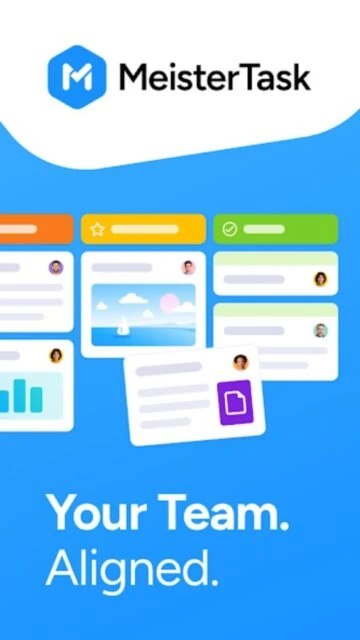
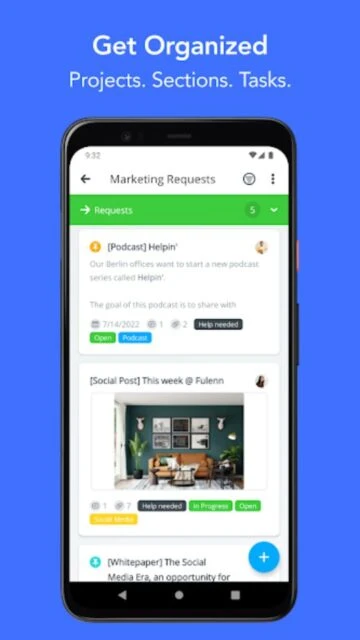
MeisterTask is a project and task management software that organizes team workflows through intuitive Kanban boards and collaborative features. It enables teams to create tasks, assign responsibilities, set deadlines, and track project progress in real-time across multiple devices.

The platform offers a free Basic plan with essential features and premium tiers for advanced functionality including unlimited projects, automations, custom fields, and priority support. Its AI-powered search and writing assistant helps teams work smarter by providing instant answers and content suggestions.

Features Of MeisterTask - Task Management

  • Kanban board with drag-and-drop task organization and customizable columns
  • Real-time notifications and activity feeds for team communication
  • Customizable project templates for quick project setup
  • Integrated notes feature for team documentation and knowledge sharing
  • Time tracking capabilities to monitor task duration and productivity
  • Advanced search with AI-powered filtering across projects
  • Attachment support with file storage up to 200MB per file
  • Team collaboration with unlimited project members on all plans
  • Automation rules for workflow optimization and task routing
  • Dashboard and reporting for project progress visualization

Premium Features in the Paid Plan

  • Unlimited projects and notes with external sharing capabilities
  • Advanced permissions and role-based access control
  • Private projects with granular security restrictions
  • Subtasks and timeline view for complex project planning
  • Custom fields for specialized project data tracking
  • Automation engine with conditional triggers and actions
  • Priority email and phone support from dedicated team
  • Advanced reporting with custom dashboards and exports
  • Single sign-on (SSO) for enterprise security
  • API access for custom integrations

Free (Basic), $13/user/month (Pro), $25/user/month (Business)

Free vs Premium Comparison

Feature Free Premium
Projects allowed Limited to 3 projects per team Unlimited projects on Pro and Business plans
Team members Unlimited members on all plans Unlimited members with advanced permission controls
File attachments Up to 20MB per file attachment Up to 200MB per file with priority support
Automations Basic task management features Advanced automation rules and conditional triggers
Integrations Limited integrations available Unlimited third-party integrations and API access
Support Community support and help center Priority email and phone support

Frequently Asked Questions

Is MeisterTask free to use?

Yes, MeisterTask offers a free Basic plan with limited projects and features. Pro ($13/user/month) and Business ($25/user/month) plans unlock unlimited projects, automations, and priority support. All plans include unlimited team members and mobile app access.

Can I use MeisterTask on mobile devices?

Absolutely. MeisterTask has full-featured native apps for iOS and Android with feature parity to the web version. Download from the App Store or Google Play. No additional costs apply if you already have an account.

How do I sync MeisterTask across devices?

MeisterTask automatically syncs all projects, tasks, and changes across your web browser and mobile apps in real-time. Changes made on any device instantly appear everywhere, ensuring your team stays aligned.

What integrations does MeisterTask support?

MeisterTask integrates with Slack, Zapier, Google Workspace, Microsoft 365, Asana import, and 50+ other business tools. Pro and Business plans unlock unlimited integrations. Basic plan has access to popular integrations.

Can teams work together in real-time?

Yes, multiple team members can collaborate simultaneously on projects and tasks. Real-time notifications alert team members of changes, comments, and updates. You can comment, assign tasks, and update progress instantly.

How much storage is available for files?

Basic plan allows 20MB per file attachment. Pro and Business plans support up to 200MB per file. Total workspace storage scales with your plan tier. Cloud storage is encrypted and automatically backed up.