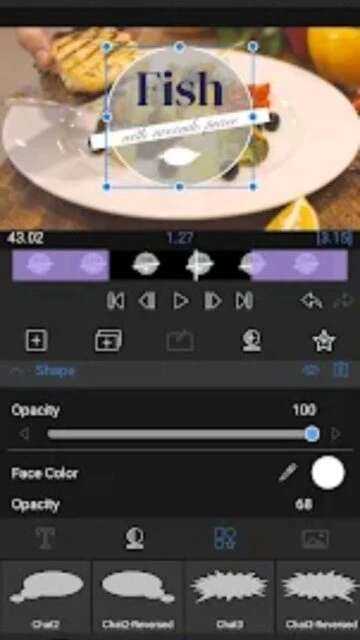
LumaFusion represents the pinnacle of mobile post-production. Unlike simplified 'social' editors, it offers a traditional NLE workspace with a preview monitor, source clip viewer, and a detailed timeline. It supports complex frame rates and aspect ratios.
One of its most powerful capabilities is the ability to export FCPXML files. This means you can start an edit on your iPad or tablet while traveling and finish it on a Mac in Final Cut Pro, integrating perfectly into professional workflows.
Features Of LumaFusion
6 video/audio tracks + 6 audio tracks
Magnetic timeline with insert/overwrite
Multicam editing with studio syncing
Advanced color correction with LUTs
Keyframe audio levels and panning
External monitor support (full screen)
Edit directly from USB-C drives
Supports 18fps to 240fps video files
Titler with multi-layer text and shapes
Export projects to Final Cut Pro (FCPXML)
Premium Features in the Paid Plan
Storyblocks for LumaFusion (In-app sub)
Export to XML (FCPXML) feature
Frame.io integration for collaboration
Advanced audio plugins (AUv3 support)
Scope display for color grading
Custom export destinations
Unlimited track layers (hardware dependent)
Priority email support from developers
$29.99 (One-time purchase)
Free vs Premium Comparison
Feature
Free
Premium
Price Model
N/A (Paid App)
One-time $29.99
Tracks
N/A
6 Video + 6 Audio
External Edit
N/A
Direct USB-C editing
Multicam
N/A
Up to 6 angles sync
Audio Plugins
N/A
Full AUv3 Support
Project Files
N/A
Export FCPXML
Frequently Asked Questions
Is LumaFusion a one-time purchase?
Yes, the core app is a one-time purchase, though Storyblocks assets are a separate subscription.
Does it work on Android?
Yes, LumaFusion is available on Android and ChromeOS, though some features may vary slightly from iOS.
Can I edit from an external hard drive?
Yes, on USB-C iPads and supported Android devices, you can edit directly from the drive without copying files.
Can I use 3rd party audio plugins?
On iOS, LumaFusion supports AUv3 audio plugins for professional audio processing within the timeline.
Is there a free trial?
No, LumaFusion is a paid app and does not typically offer a free trial on the App Store.
LumaFusion is widely recognized as the most powerful multi-track video editor available for mobile devices. Originally an iOS exclusive, it brings a true desktop-class non-linear editing (NLE) experience to touchscreens.
Why Choose LumaFusion?
Professionals choose LumaFusion because it doesn’t compromise. It offers features previously reserved for desktop software, such as external drive support, multicam editing, and XML project export for finishing in Final Cut Pro.
Magnetic Timeline: A fluid, responsive timeline that keeps your clips connected and organized effortlessly.
External Drive Support: Edit directly from USB-C drives without filling up your device’s internal storage.
Multicam Editing: Sync and switch between up to 6 camera angles seamlessly.
How It Works
Link your media from Photos, Files, or an external drive. Drag clips to the magnetic timeline where you can stack up to 6 video and 6 audio tracks. Use the inspector to fine-tune color, audio, and effects with keyframes.
Who Should Use It?
This is the app for serious filmmakers, journalists, and YouTubers who use an iPad or high-end Android tablet as their primary production machine. It requires a learning curve but rewards you with professional results.
User reviews and ratings for LumaFusion
See what users think about LumaFusion. Read honest reviews and ratings from real users.
4.8
★★★★★
3 reviews
Replaced my laptop for edits
by Chris V.
★★★★★
2025-11-05
I travel for work and LumaFusion on my iPad Pro handles my 4K footage better than my old MacBook. The multicam update is a game changer.
Worth every penny
by Daniel K.
★★★★★
2025-10-18
Finally, a real editor on Android. It was worth the wait. It's stable, powerful, and the one-time price is refreshing in a world of subscriptions.
Learning curve but powerful
by Maria G.
★★★★★
2025-09-12
It's not for beginners. There are so many menus and settings, but once you learn it, nothing else compares on mobile.
Write a Review
LumaFusion Screenshots & Photos
Browse through screenshots and photos of LumaFusion to see how it looks and works.
LumaFusion Videos
Watch videos to see how this app works and learn about its features.

 71
71