LinkedIn – Professional networking and job search

Manage your professional profile, network, and job search from one powerful, mobile-first LinkedIn experience.

About LinkedIn: Network & Job Finder

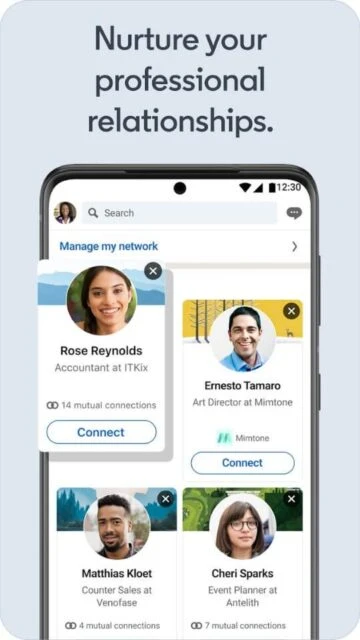
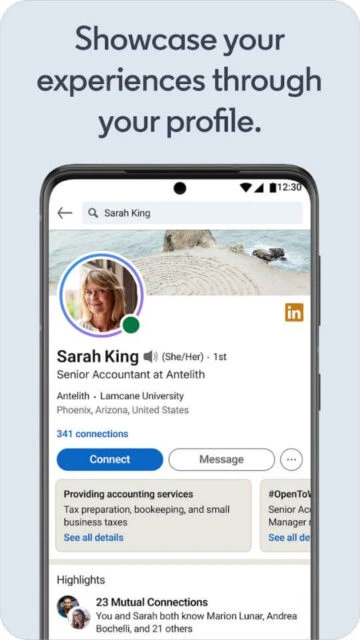
LinkedIn’s mobile app is a professional networking hub designed to help people present their skills, experience, and goals in a credible way. It turns a traditional resume into a living profile, combining work history, education, and achievements with rich media and endorsements from colleagues and clients.

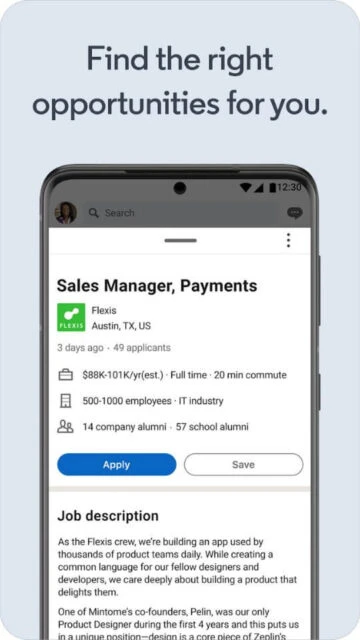
Within the same interface, users can search tailored job recommendations, set alerts, and apply quickly using their LinkedIn profile. Messaging, news, and learning tools make it easier to stay informed, nurture relationships, and respond to opportunities without being tied to a desktop browser or laptop.

Features Of LinkedIn: Network & Job Finder

  • Smart job search filters match roles by title, location, salary, and work style.
  • Easy Apply lets you submit your LinkedIn profile as a polished digital resume instantly.
  • Personalized feed combines industry news, thought leadership, and collaborative articles relevant to your interests.
  • In-app messaging supports text, voice notes, attachments, and calendar links for streamlined professional conversations.
  • Profile tools highlight skills, certifications, and recommendations, helping you demonstrate credibility to recruiters.
  • Company pages showcase culture, benefits, and open roles so candidates research employers efficiently.
  • Notifications surface relevant job alerts, profile views, interview messages, and connection requests in real time.
  • Built-in search helps you find people, organizations, events, and groups that match professional goals.

Premium Features in the Paid Plan

  • Advanced search filters identify prospects, hiring managers, and decision-makers beyond immediate first-degree network.
  • InMail credits allow direct outreach to people outside your network with personalized messages.
  • Who’s Viewed Your Profile insights show viewer trends, roles, and companies over extended timeframes.
  • Applicant insights compare your skills and experience against other candidates for a specific role.
  • Salary insights provide estimated compensation ranges and top-paying locations for many advertised positions.
  • Learning access unlocks thousands of LinkedIn Learning courses covering software, leadership, and business topics.
  • Premium badge and Open to Work settings increase profile visibility with recruiters.
  • Business and Sales plans add CRM integrations, lead lists, and powerful pipeline management tools.

Free with in-app purchases and LinkedIn Premium subscriptions from $29.99/month

Free vs Premium Comparison

Feature Free Premium
Job search filters Filter by basics like title, location, experience level, and work type. Adds advanced filters for company size, seniority, salary insights, and applicant position.
Profile visibility insights See recent profile views over a limited period with basic aggregate information. View expanded history with job titles, companies, and trends to prioritize outreach.
Messaging reach Message only existing connections or people who contact you first. Use monthly InMail credits to contact new prospects and recruiters directly.
Learning content Occasional access to locked previews and community-shared learning resources. Full library of LinkedIn Learning courses with completion tracking and skill recommendations.
Applicant analytics Basic labels like Top Applicant on selected jobs when core criteria align. Detailed comparisons showing how your skills and experience rank against other applicants.
Company insights Follow companies and view public updates, listed roles, and headline employee data. Deeper insights into growth trends, hiring patterns, and employee distribution by function or location.

Frequently Asked Questions

Is LinkedIn free to use on mobile?

Yes. The core LinkedIn app is free to download and use, including profile creation, networking, messaging, and basic job search. Optional LinkedIn Premium subscriptions add advanced insights, additional search filters, InMail credits, and full access to LinkedIn Learning courses.

How does LinkedIn help with finding a job?

LinkedIn helps you discover roles through personalized recommendations, powerful filters, and job alerts. Recruiters often search the platform for candidates, so a complete, keyword-rich profile, relevant skills, and engagement with industry content significantly improve your visibility for suitable openings.

Do I need LinkedIn Premium to be successful?

Many people land roles using only the free version by optimizing their profile, networking consistently, and applying strategically. Premium adds useful tools and insights, but it is not required; its value depends on your job market, seniority, and activity level.

Is my data safe when using the LinkedIn app?

LinkedIn encrypts data in transit and publishes detailed privacy documentation, but no online service is entirely risk-free. Use strong, unique passwords, enable multi-factor authentication, manage sign-ins from trusted devices only, and review privacy and security settings periodically.

What types of professionals benefit most from LinkedIn?

LinkedIn serves nearly every industry, but it is especially valuable for knowledge workers, managers, consultants, sales professionals, recruiters, and students. Anyone whose opportunities depend on reputation, relationships, specialized skills, or ongoing learning can benefit from maintaining an active, thoughtful presence.