Jira Cloud by Atlassian – Team project management tool

Manage projects, track issues, and collaborate with your team from anywhere using Jira Cloud's powerful mobile app for agile workflow.

About Jira Cloud by Atlassian

Jira Cloud by Atlassian empowers teams with mobile access to comprehensive project management. It enables users to create, update, plan, track, and analyze work items seamlessly from any location. The app provides essential features for agile teams including issue creation, sprint management, and detailed reporting.

With support for multiple project methodologies and real-time collaboration, Jira Cloud ensures team productivity regardless of device or location. Dark mode support, customizable notifications, and intuitive navigation make it the preferred choice for distributed teams managing complex projects effectively.

Features Of Jira Cloud by Atlassian

  • Create and update issues instantly with full attachment and commenting support
  • Manage Scrum and Kanban boards with drag-and-drop sprint planning
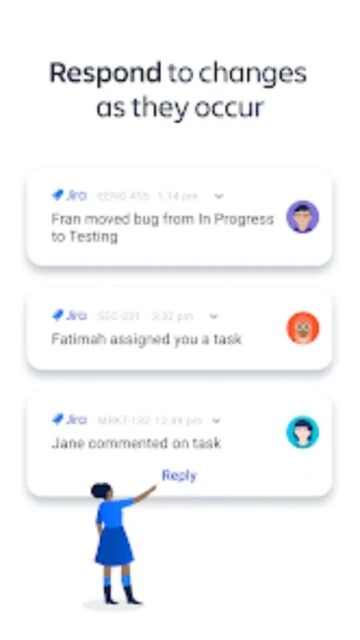
  • Receive customizable real-time push notifications with snooze functionality
  • Access comprehensive dashboards displaying project progress and key metrics
  • Plan long-term projects with interactive roadmaps and timeline views
  • Filter and search issues across multiple projects using advanced criteria
  • View development details including Git branches and pull request status
  • Track team performance with velocity charts and burndown analytics

Premium Features in the Paid Plan

  • Create and manage multiple projects with unlimited team members
  • Access advanced reporting including cumulative flow and sprint analytics
  • Configure custom workflows tailored to team processes and requirements
  • Manage service requests and approvals from customers and stakeholders
  • Set up automation rules to streamline repetitive tasks and workflows
  • Enable role-based permissions for security and team collaboration control
  • Integrate with third-party tools through Jira Cloud marketplace extensions
  • Access audit logs and compliance reporting for enterprise requirements

Free with cloud account required

Free vs Premium Comparison

Feature Free Premium
Issue Management Create, update, and track unlimited issues with basic fields Full custom field support with advanced workflow automation rules
Team Collaboration Comment, attach files, and assign work to team members Mention teams, set up approvals, and manage permissions granularly
Project Planning Basic sprint planning and backlog management for single projects Multi-project roadmaps, portfolio management, and quarterly planning
Reporting Sprint velocity and basic progress dashboards available Advanced analytics, custom reports, and executive dashboards included
Notifications Real-time alerts with basic filtering and snooze options Advanced scheduling, team-based routing, and automation triggers
Mobile Experience Full app functionality with core features available offline Enhanced offline mode with advanced sync and conflict resolution
Integrations Connect with popular tools like Slack, GitHub, and Bitbucket Enterprise integrations with SSO and custom API access available
Support Community forums and knowledge base articles for self-service Priority email support with dedicated account management team

Frequently Asked Questions

Is Jira Cloud free to download and use?

Yes, the app is free to download from both Google Play and App Store. However, you need an active Jira Cloud account to access it. New users can create a free account with limited features, or upgrade to a paid plan for advanced capabilities.

What are the minimum device requirements?

Android devices require OS 11 or higher. iOS users need iOS 17.0 or later on iPhone or iPad. File size is approximately 111 MB on Android and 335 MB on iOS. Ensure sufficient storage space before installation.

Can I work offline with Jira Cloud?

Basic offline functionality allows viewing cached data, but most features require active internet connection for synchronization. Changes made offline will sync automatically when connectivity is restored.

How do I manage notifications effectively?

Customize notification preferences in app settings by selecting which events trigger alerts: assigned issues, watched issues, status changes, and more. Use snooze functionality and set working hours to minimize disruptions during off-hours.

Does Jira Cloud integrate with other tools?

Yes, Jira Cloud integrates with Slack, GitHub, Bitbucket, Confluence, and hundreds of other applications through the Atlassian Marketplace. Enterprise users get additional integration options and custom API access.

What if I need technical support?

Free users access community forums and detailed knowledge base articles. Premium customers receive priority email support with dedicated account managers. Contact support at jira-cloud-native@atlassian.com for assistance.

How frequently is the app updated?

Atlassian releases regular updates with bug fixes, performance improvements, and new features. The latest version as of December 2025 is 238.1.0 for iOS and 182.1.5 for Android. Check app store settings to enable automatic updates.