IVY AppLock – Secure App Lock with Pattern Protection

Free app lock and privacy guard protecting Android apps, photos, and private data with password or pattern lock against unauthorized access.

About AppLock

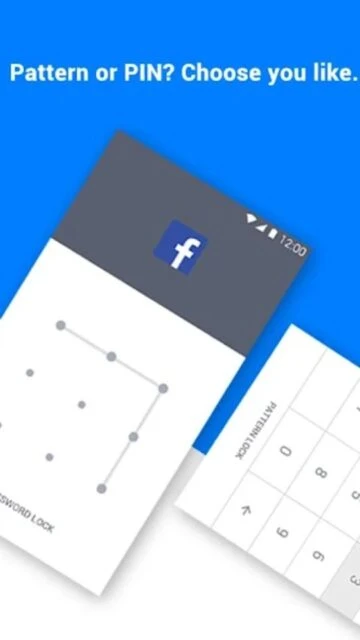
IVY AppLock is a free Android security app that protects your privacy by locking individual apps, photos, and sensitive data with password or pattern authentication. Prevent unauthorized access to WhatsApp, Facebook, gallery, and system settings while maintaining lightweight performance on your device.

The app includes advanced features like intruder selfie capture, invisible pattern locks, customizable lock themes, and fingerprint recognition support. Its power-saving mode reduces battery consumption while delivering comprehensive protection against snoopers and family members attempting unauthorized access to private applications.

Features Of AppLock

  • Lock any Android app with password, pattern, or fingerprint authentication instantly
  • Hide sensitive photos and videos in encrypted private vault for maximum privacy
  • Capture selfies of intruders attempting unauthorized access to locked apps
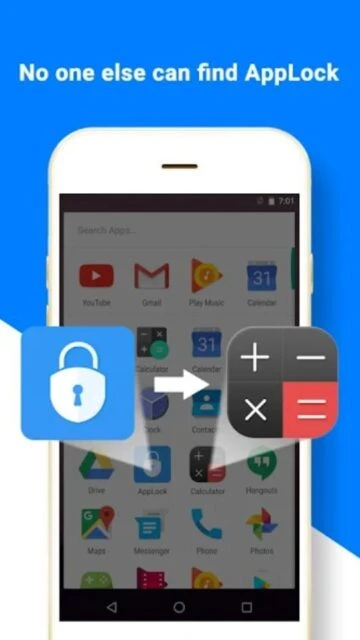
  • Customize lock appearance with DIY themes and calculator or weather icon disguises
  • Set flexible lock frequency between always-on, 5-minute, or screen-off modes
  • Reduce battery consumption by 50% using built-in power-saving mode
  • Support multiple payment app protection including PayPal, Samsung Pay, Android Pay
  • Enable one-tap controls to quickly enable or disable AppLock protection

Premium Features in the Paid Plan

  • Remove all advertisements for uninterrupted app lock experience and cleaner interface
  • Unlock exclusive theme designs from AppLock Theme Store for personalization
  • Share intruder selfies directly to Facebook from app detection alerts
  • Access advanced settings lock and system optimization features
  • Enjoy lifetime ad-free protection with single one-time premium upgrade
  • Priority customer support and exclusive feature updates before free users
  • Enhanced backup features for security settings and theme preferences
  • Extended customization options for lock screen wallpapers and animations

Free with in-app purchases (ad-free upgrade available)

Free vs Premium Comparison

Feature Free Premium
App Locking Lock up to 50 apps with password or pattern Unlimited app locking with all authentication methods
Photo & Video Privacy Basic encryption for gallery items Advanced encryption with vault backup options
Intruder Detection Capture and view intruder selfies locally Auto-email intruder photos and detailed logs
Lock Customization Limited basic themes available Full Theme Store access with exclusive designs
Battery Saving Standard power saving 30% reduction Enhanced power saving up to 50% reduction
Advertisements Frequent ads in interface Complete ad-free experience

Frequently Asked Questions

Can AppLock protect all Android apps?

Yes, AppLock can lock nearly all Android applications including system apps, social media, messaging, payment apps, games, and third-party applications. The only exception is apps that use accessibility features which may conflict with AppLock's own accessibility permissions.

What happens if I forget my AppLock password?

Unfortunately, if you forget your master password, AppLock cannot be unlocked or bypassed for security reasons. You will need to uninstall and reinstall the app to reset your security credentials. This design prevents unauthorized password recovery.

Does AppLock consume much battery power?

AppLock is optimized for minimal battery consumption. Its power-saving mode can reduce battery usage by 50% by optimizing background monitoring. The app uses accessibility services efficiently to maintain stable protection without significant performance impact.

How do I access the Theme Store in AppLock?

Within the AppLock interface, navigate to Settings and select Theme Store to browse beautiful custom lock screen designs. You can preview themes before applying them and even create personalized themes using your own photos as lock screen backgrounds.

Can I lock different apps with different passwords?

The standard AppLock version uses a single master password for all locked apps. However, the premium version supports multiple passwords per app, allowing different security credentials for specific sensitive applications like banking or payment apps.

Does AppLock work with fingerprint authentication?

Yes, AppLock supports fingerprint authentication on compatible Android devices. If your phone has a fingerprint sensor, you can use biometric unlock in addition to or instead of password/pattern locks for faster, more convenient access to your protected apps.