Island represents fundamentally different approach to app cloning, prioritizing security isolation over convenience features. Developed by Oasis Feng as open-source alternative, Island leverages Android 5.0+ managed profile technology creating genuine sandboxed environments where cloned apps cannot access personal data outside their container. With 5 million+ downloads and zero premium upsell, Island appeals to privacy-conscious professionals, security auditors, and users handling sensitive information requiring absolute data compartmentalization unavailable in standard virtualization approaches.
Getting Started with Island
Island’s setup process prioritizes privacy transparency, requiring explicit informed consent before establishing managed work profile. Initial configuration focuses on moving apps into sandbox (Island), configuring which specific permissions each application receives, and establishing freeze rules preventing background information collection. Users should plan setup carefully as uninstalling Island requires removing associated work profile through system settings.
- Install Island from Google Play Store – Download the application and review permissions transparency documentation explaining managed profile requirements
- Create Work Profile – Consent to device administrator privilege required for managed profile functionality (essential, not optional)
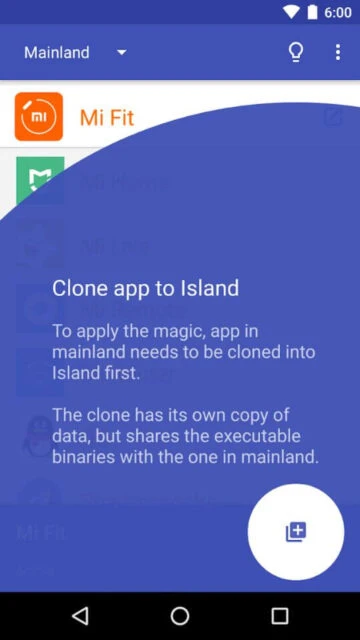
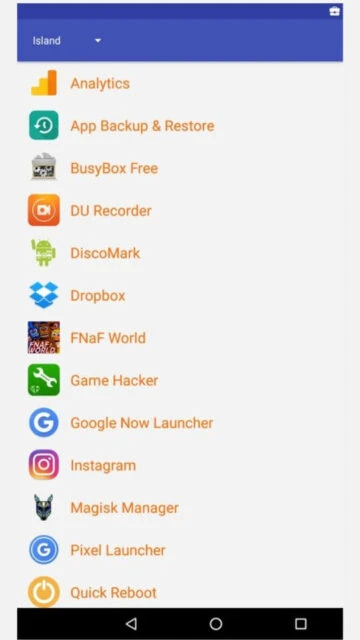
- Move Apps to Island – Select applications for sandboxing; the app restricts their access to contacts, call logs, and location data by default
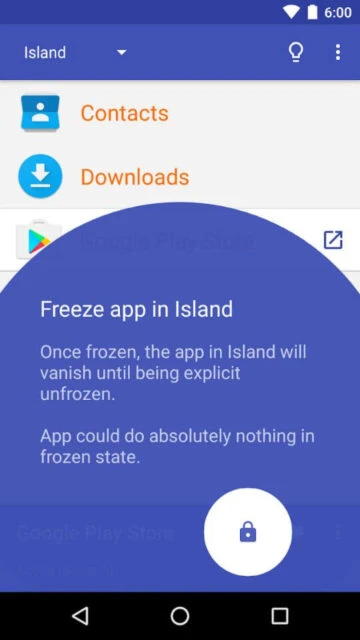
- Configure Specific Permissions – Customize which permissions each sandboxed app receives; freeze unnecessary applications to completely block background activity
Who Should Use Island
Island serves security-focused professionals and privacy-conscious users prioritizing data protection over multi-account convenience. Ideal users include security researchers testing untrusted applications, professionals handling sensitive client data, activists requiring communication privacy, and users skeptical about corporate data collection practices requiring genuine application isolation.
- Privacy-Conscious Professionals – Isolate work applications and sensitive tools preventing cross-contamination with personal social media or gaming apps
- Security Researchers and Developers – Sandbox untrusted or experimental applications in managed environment preventing system compromise and data leakage
- Activists and Journalists – Compartmentalize communication applications and sensitive research tools preventing coordinated data harvesting through single compromise
- NOT ideal for – Users requiring multiple gaming accounts or social media management; Island provides single clone per app rather than unlimited accounts
Island Platform Compatibility
Island utilizes Android’s managed profile feature available since Android 5.0, though compatibility varies by manufacturer. Some manufacturers disable managed profile functionality in custom ROMs, requiring advanced ADB (Android Debug Bridge) manual setup. Island supports all device types including phones, tablets, and compatible wearables.
| Platform |
Min. Version |
Unique Features |
Limitations |
| Android Phone |
Android 5.0+ (some require Android 7.0+ for full compatibility) |
Complete app isolation, permission-level control, background freeze capability |
Manufacturer ROM restrictions on managed profile; some phones incompatible |
| Android Tablet |
Android 5.0+ recommended |
Split-screen sandbox operation, landscape optimization, expanded interface |
Some budget tablets disable managed profile functionality |
| ADB Setup (Advanced) |
Any Android version with ADB access enabled |
Manual managed profile creation for incompatible devices, bypassing UI restrictions |
Requires technical knowledge, computer with ADB tools installed |
Island Integrations & Ecosystem
Island integrates with Android’s native managed profile system but deliberately isolates apps from standard device services. This approach prevents sandboxed apps from accessing device-level information while maintaining their functionality through restricted APIs. SMS and location services remain accessible at device level but blocked at application level through permission restrictions.
- App Permission Control – Fine-grained permission management enables selective feature access (camera yes, location no) for individual sandboxed applications
- VPN Configuration – Route sandboxed apps through separate VPN than main system or completely disable network access for maximum isolation
- Notification Management – Sandboxed apps send notifications through isolated system preventing cross-app data leakage through notification content
- App Freezing – Completely suspend background processes for specific apps, preventing autonomous data syncing or location tracking
Best Alternatives to Island
Alternative cloning solutions prioritize convenience and multi-account support over privacy isolation, offering different trade-offs suitable for non-security-focused use cases. Each alternative addresses specific workflows beyond privacy compartmentalization.
- Parallel Space – Best for ease-of-use and stability, serving casual users balancing dual accounts without privacy requirements
- Super Clone – Best for unlimited multi-account enthusiasts managing 99+ parallel accounts across gaming and social platforms
- App Cloner by AppListo – Best for power users requiring granular customization including device ID spoofing and permission manipulation
- Clone App-Parallel Dual Space – Best for users combining cloning with app hiding functionality and file transfer between devices
Island vs Top Competitors
Island differentiates through genuine privacy isolation fundamentally unavailable in virtualization-based competitors. Trade-off analysis reveals Island’s superiority for security-conscious users willing to sacrifice multi-account convenience for genuine data compartmentalization guarantees.
| Feature |
Island |
Parallel Space |
Super Clone |
| Privacy Approach |
Complete app sandbox isolation preventing all cross-app data access |
Virtual machine containerization with data separation limitations |
Virtualization approach allowing container-level data sharing |
| Pricing |
Completely free, open-source, no premium version |
Free (2 accounts) / Pro for unlimited features |
Free / Premium $2.99/month |
| Account Limit Per App |
Single clone per app (fundamental design choice) |
2 free / unlimited with Pro upgrade |
25 free / 99 with optimization |
| Target Users |
Privacy-focused professionals and security researchers |
Casual dual-account users |
Gaming enthusiasts and multi-account power users |
| Background Process Control |
Complete freeze capability preventing all background activity |
Standard background management only |
Advanced optimization but not complete freeze |
Island Privacy & Security Overview
Island’s security model fundamentally differs from competitors through genuine application sandboxing preventing data access outside isolated environment. Sandboxed apps cannot read contacts, call logs, calendar entries, or messages from non-sandboxed applications, though SMS and location remain accessible at device level due to Android system architecture limitations.
| Security Aspect |
Implementation |
User Control |
| App Isolation |
Android managed profile creates separate app container environment completely isolated from main system |
Users select which apps to sandbox; Island automatically prevents cross-environment data access |
| Permission Control |
Fine-grained permission management enables per-app selection of camera, microphone, location, contacts access |
Users independently configure permission set for each sandboxed application |
| Background Freeze |
Complete process suspension preventing background data syncing, location tracking, or autonomous network activity |
Users freeze/unfreeze individual apps on-demand through simple toggle interface |
| Data Collection |
Island collects zero personal data; open-source code enables independent security audits |
Complete transparency through publicly available source code on GitHub |
Island Accessibility Features
Island maintains accessibility commitment through screen reader support and intuitive interface design enabling users with disabilities to configure complex sandbox environments independently. Voice control integration enables hands-free app management.
- Screen Reader Support – Full TalkBack/VoiceOver compatibility with clear descriptions for all sandbox management interface elements
- Visual Accessibility – Font scaling to 200%, high-contrast dark mode available, color contrast meets WCAG AA standards
- Motor Accessibility – Voice-activated app freezing through Google Assistant, adjustable touch sensitivity, alternative gesture controls
- Language Support – 10+ supported languages enabling international user access to privacy protection
Power User Tips for Island
Advanced Island users optimize security posture through sophisticated permission management, VPN routing strategies, and selective app freezing. Expert configuration enables professionals to maintain complete privacy isolation while preserving essential app functionality for legitimate use.
- Create Role-Based Sandbox Profiles – Configure separate permission sets for different app categories (Work with minimal permissions, Social with restricted data access)
- Use VPN Routing Selectively – Route only sensitive apps (messaging, banking) through privacy VPN while allowing non-sensitive apps standard connectivity
- Freeze Background Trackers – Identify and permanently freeze social media apps’ background processes preventing autonomous location tracking and data collection
- Backup Sandbox Configuration – Export Island settings before major Android updates, enabling rapid restoration if update resets managed profile
- Troubleshoot Managed Profile Issues – If Island stops working after update, remove work profile from Settings > Accounts and reinstall Island to reset managed profile
Island Support & Community
Island maintains community-driven support model with direct developer engagement. Oasis Feng actively maintains code repository and responds to GitHub issues from security researchers and privacy advocates. Community forums provide peer support for advanced sandbox configuration.
- GitHub Repository – github.com/oasisfeng/island hosts complete open-source code enabling independent security audits and community contributions
- Community Support – GitHub Issues provide technical support for managed profile incompatibility, advanced ADB setup, and complex sandbox configurations
- Reddit Community – r/Android and privacy-focused communities aggregate user experiences and configuration recommendations
- Direct Contact – [email protected] accepts privacy concerns, security vulnerability reports, and feature requests