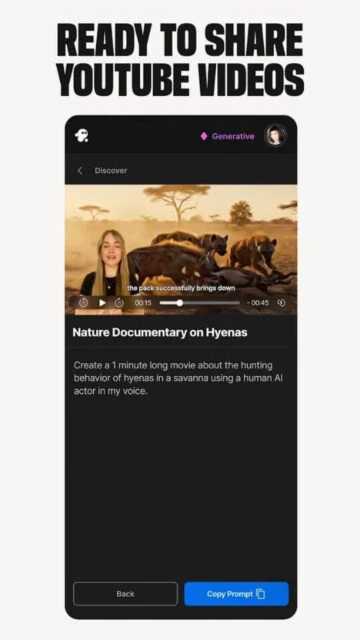
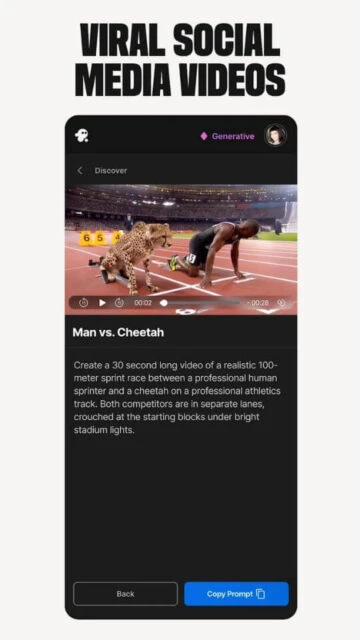
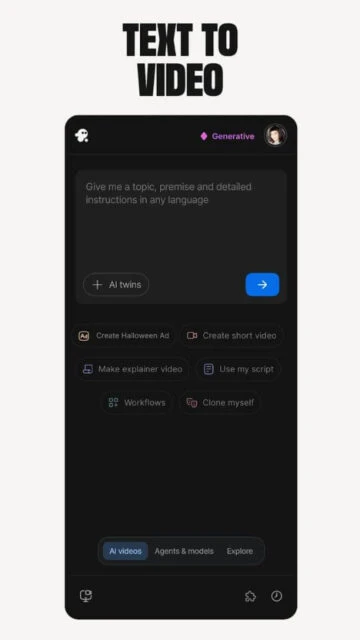
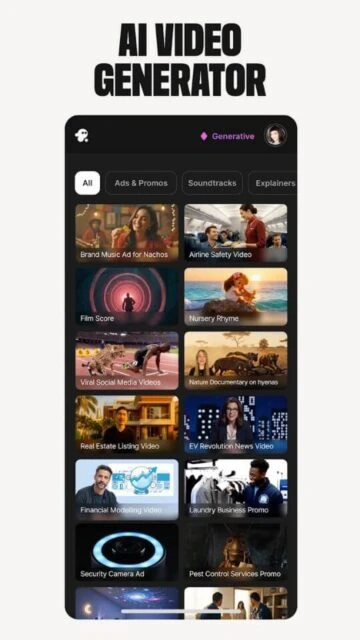
InVideo AI stands as a leading AI-powered video creation platform, enabling users to transform simple text prompts into professional-grade videos complete with scripts, visuals, voiceovers, subtitles, and music. Designed for creators, marketers, and businesses in 2026, it addresses the demand for rapid content production amid rising needs for social media, ads, and explainers, leveraging advanced models like Google Cloud’s Gemini and Veo for seamless prompt-to-video workflows.
The platform emerged to democratize video editing, eliminating barriers like manual scripting or stock media hunting, and now supports generative AI for animations, avatars, and multilingual output across 190 countries.
How to Get Started with InVideo AI
Onboarding with InVideo AI proves straightforward, with users signing up via email or Google on the web app, then greeted by a dashboard prompting text input for instant video generation; free tier offers 10 minutes weekly, while paid plans unlock more, and mobile apps mirror this for quick edits.
- Create Account – Visit invideo.io or download the iOS/Android app, then register with email or Google; expect immediate access to a prompt box without credit card for starters.
- Enter Prompt – Type a detailed description like “Create a 30-second explainer on AI ethics”; the AI generates script, clips, and voiceover in minutes.
- Customize Output – Edit scenes via drag-drop, swap voices from 50+ languages, or add transitions; preview renders fast for tweaks.
- Export Video – Select resolution up to 1080p, download MP4, or share directly to YouTube/TikTok; watermarks apply on free plan.
Who Should Use InVideo AI
InVideo AI targets non-experts needing quick, polished videos, from solopreneurs to marketing teams, fitting those prioritizing speed over pixel-perfect control in a 2026 landscape where AI handles 80% of routine edits.
Ideal Users
- Social media marketers crafting daily Reels or TikToks, as AI auto-matches trends with stock footage and captions for viral potential.
- Small business owners producing product demos, since prompt-based generation skips hiring videographers and delivers ready exports.
- Content educators building course intros, with multilingual voiceovers suiting global audiences without translation hassles.
- Freelance agencies handling client ads, where batch processing and templates scale output efficiently.
Not Ideal For
- Hollywood editors seeking frame-by-frame precision, as AI lacks granular keyframing found in Premiere Pro.
- Budget-conscious hobbyists avoiding subscriptions, given free limits cap at short clips unfit for long-form.
- Advanced animators needing 3D modeling, since focus stays on 2D/live-action hybrids over complex renders.
InVideo AI Platform Compatibility
InVideo AI centers on web access for core generation, with recent 2025 mobile apps extending editing to iOS and Android, though full AI prompting shines brightest on desktop browsers; no native desktop app exists, pushing reliance on web for heavy use, and offline mode remains absent across platforms.
| Platform |
Minimum Version |
Unique Features |
Limitations |
| iOS |
16.0 |
Mobile editing, prompt tweaks, cloud sync |
Slower renders, no bulk exports |
| Android |
8.0 |
On-device previews, social sharing |
Fewer voice options, ads on free |
| Web |
Modern browsers |
Full AI generation, templates library |
Internet required, no offline |
| Desktop |
Chrome/Edge |
Keyboard shortcuts, multi-monitor |
Web-only, high RAM for 4K |
InVideo AI Integrations and Ecosystem
InVideo AI builds a robust ecosystem through cloud partnerships and export tools, streamlining workflows for creators reliant on external assets and platforms in 2026.
- Google Cloud Integration – Leverages Gemini and Veo models for advanced text-to-video and voice synthesis, boosting generation speed by 40% for enterprise users.
- Stock Media Libraries – Pulls from Unsplash, Pixabay, and premium Epidemic Sound tracks, auto-matching visuals and audio to prompts without licensing worries.
- Social Export APIs – Direct uploads to YouTube, Instagram, TikTok enable one-click publishing with optimized formats and thumbnails.
- Zapier Automation – Connects to 5000+ apps for triggers like auto-editing Google Docs into videos or CRM lead clips.
- API for Developers – Custom endpoints allow embedding into apps, with usage-based billing for scalable video pipelines.
Best Alternatives to InVideo AI
Alternatives matter for video creators facing InVideo’s credit limits or seeking specialized AI strengths like avatar realism, offering trade-offs in pricing, features, or ease to match diverse needs in 2026.
- HeyGen suits avatar-focused marketing, delivering hyper-realistic talking heads from scripts for sales videos, outperforming InVideo in lip-sync accuracy.
- Renderforest excels in templated animations, providing drag-drop customization for logos and intros faster than pure prompt tools.
- Virbo ideal for multilingual avatar videos, with 300+ realistic faces and voice cloning, great for global training at moderate cost.
- CapCut offers free mobile editing with AI effects, perfect for TikTokers needing quick cuts without subscriptions.
InVideo AI vs Top Competitors
This table contrasts on AI automation depth, avatar quality, export flexibility, and starting price, highlighting choices for prompt-heavy vs manual workflows.
| Feature |
InVideo AI |
HeyGen |
Renderforest |
| AI Automation Depth |
Full prompt-to-video/script |
Script-to-avatar w/ gestures |
Template/logo AI fills |
| Avatar Quality |
Basic static avatars |
Photorealistic, 300+ faces |
Cartoon/motion graphics |
| Export Flexibility |
MP4/social, 1080p max |
4K, custom watermarks |
Unlimited 4K/HD downloads |
| Starting Price |
$25/mo (50 min/mo) |
$24/mo annual (15 credits) |
$13/mo Lite (unlimited lite) |
| Free Tier |
10 min/week, watermark |
1 min credits |
Watermark on exports |
| Languages Supported |
50+ voices/languages |
175+ |
30+ subtitlestrustradius+2 |
InVideo AI Privacy and Security Overview
InVideo AI prioritizes user data protection through standard cloud practices, encrypting uploads and complying with GDPR/CCPA, yet collects prompts/media for AI training unless opted out; no major breaches reported by 2026, but third-party stock integrations raise shared risks.
| Security Aspect |
Implementation |
User Control |
| Data Encryption |
AES-256 at rest, TLS in transit |
Enable/disable auto-save |
| Authentication |
OAuth/Google SSO, 2FA optional |
Account settings toggle 2FA |
| Data Collection |
Prompts/media for model improvement |
Opt-out in privacy dashboard |
| Third-Party Sharing |
Stock libs (Unsplash), no sales |
Review connected apps, revoke |
InVideo AI Accessibility Features
InVideo AI offers partial WCAG 2.1 support, focusing on web/mobile interfaces with auto-captions aiding hearing-impaired users, though AI voice modulation lacks full screen reader optimization for complex edits in 2026.
- Voice commands via browser speech API enable hands-free prompting on web, ideal for motor-impaired creators dictating scripts.
- Auto-generated subtitles in 50+ languages include editable timings, boosting reach for deaf users across platforms.
- High-contrast mode and resizable UI elements in settings accommodate low-vision needs, with keyboard navigation for most dashboard actions.
- Multilingual interface supports 20+ languages, easing access for non-English speakers in global teams.
- Color-blind friendly palettes auto-applied to templates, ensuring visuals remain distinguishable without manual tweaks.
Power User Tips for InVideo AI
Power users maximize InVideo AI by chaining prompts and integrations, unlocking 5x faster workflows on web/desktop over mobile in 2026.
- Chain detailed prompts with scene breaks like “Intro: stats on AI growth; Middle: case study; Outro: CTA” for structured long-form videos without manual splits.
- Use Google Cloud Veo integration for custom clips by appending “generate with Veo” to prompts, yielding higher-quality animations on paid plans.
- Batch-edit via Zapier: Link Google Sheets to auto-generate personalized ads from client lists, exporting directly to YouTube.
- Fine-tune voices with SSML tags in advanced editor for emphasis/pauses, perfect for pro narrations on desktop Chrome.
- Archive workspaces for A/B testing: Duplicate projects, tweak one variable like music, then compare analytics post-export on mobile apps.
InVideo AI Support and Community
InVideo AI provides tiered support scaling with plans, from self-help articles to priority chat for pros, backed by active creator communities in 2026.
Official Help Center – Comprehensive knowledge base at help.invideo.io covers prompts, edits, troubleshooting with video guides and search.
Community Forum – In-app community and Skool groups like Qurios foster user tips on advanced AI hacks, templates sharing.
Social Media – Active on YouTube (tutorials), X/LinkedIn for updates, responding to queries within hours.
Contact Support – Email/chat via dashboard; free tier 48h response, Pro <2h with screen share for complex issues.

 57
57