Intro Maker – Create Professional Video Intros Fast

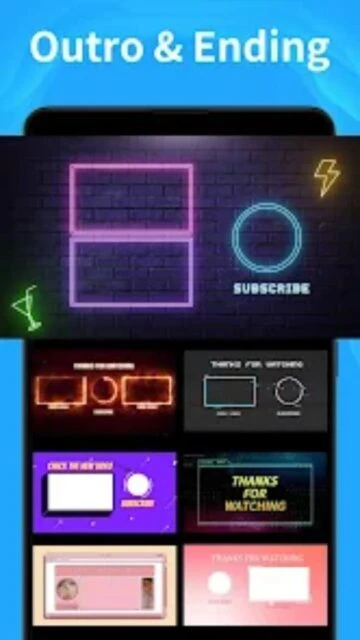
Create stunning YouTube intros and outros in seconds with 4000+ customizable templates, text effects, and music tracks.

About Intro Maker -video intro outro

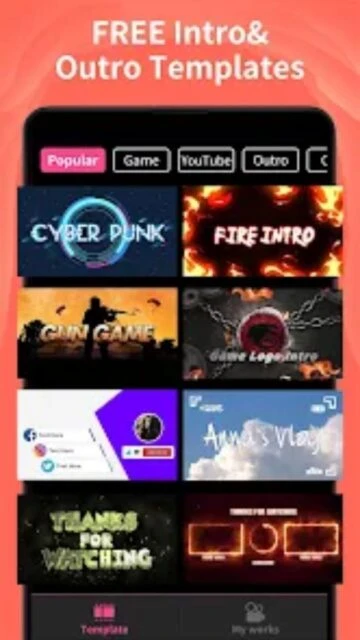
Intro Maker is a specialized video intro creator designed for content creators seeking professional-quality results without expensive software. The app combines thousands of pre-designed templates with powerful customization tools, allowing users to create unique intros matching their brand identity in seconds. With 4000+ templates across gaming, vlogging, and business categories, plus a library of music and effects, creators can produce studio-quality content on mobile devices with minimal effort and maximum creative control.

Features Of Intro Maker -video intro outro

  • Create intros in under 30 seconds with preset templates
  • Customize text with 120+ fonts and stroke/shadow effects
  • Add logos and photos directly to your intro design
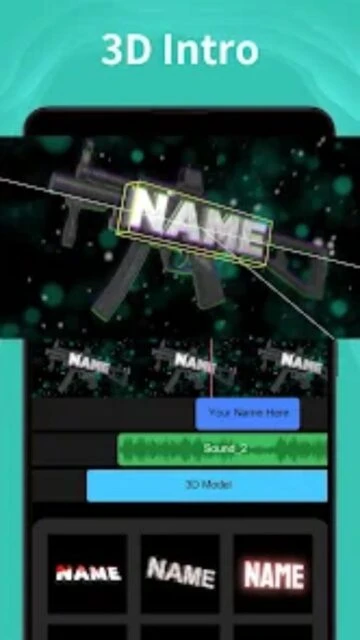
  • Apply 20+ text animation styles for dynamic effects
  • Import your own music and audio files
  • Access 120+ royalty-free sound effects
  • Use 140+ animated stickers and emojis
  • Create channel art and video thumbnails
  • Edit with real-time preview functionality
  • Save projects automatically for easy re-editing
  • Export videos in 1080p HD resolution
  • Create lower-third titles for professional videos

Premium Features in the Paid Plan

  • Unlock 4000+ premium templates across all categories
  • Remove watermarks from all exported videos
  • Access unlimited custom fonts and text effects
  • Create unlimited projects without restrictions
  • Get priority access to new templates and effects
  • Download videos in 4K resolution
  • Enable commercial use rights for content
  • Remove ads for uninterrupted editing
  • Access exclusive music and sound effect library
  • Get priority customer support

Free with in-app purchases ($3.99/month to $19.99/lifetime)

Free vs Premium Comparison

Feature Free Premium
Templates Available 500+ basic templates 4000+ templates with all styles
Video Resolution Up to 720p HD 4K resolution export
Music Library Limited copyright-free tracks Unlimited premium music library
Text Customization Basic fonts and animations 120+ fonts with 20+ animations
Watermark Watermark on all videos No watermark on exports
Project Limit Limited projects per month Unlimited projects
Stickers & Emojis Basic selection available 140+ stickers and emojis
Ad-Free Experience Ads present during editing Complete ad-free usage

Frequently Asked Questions

How long does it take to create an intro?

With Intro Maker's preset templates, you can create a professional intro in under 30 seconds. Simply select a template, customize text, add your logo, and export. Complex custom designs may take 2-5 minutes depending on your specific requirements and customization choices.

Can I use my own music in intros?

Yes, absolutely. The app allows you to import your own audio files directly into your projects. You can also choose from 120+ royalty-free sound effects included in the library, or access premium music with VIP subscription for commercial use rights.

What video formats can I export?

Intro Maker exports in MP4 format with resolution options up to 1080p HD on the free version, and 4K on premium. Exported videos are optimized for YouTube, Instagram, TikTok, and other social platforms with proper aspect ratios and specifications.

Is there a watermark on free videos?

Yes, the free version adds a watermark to all exported videos. Premium VIP subscribers can remove watermarks and export clean videos ready for direct posting to YouTube and social media platforms without any branding.

Can I edit projects after saving?

Yes, all projects are automatically saved and you can re-edit them anytime. The app stores your projects locally, allowing you to make changes, adjust text, swap music, or modify effects without losing your original work or recreating from scratch.

Do I need internet to create intros?

Internet connection is not required for editing and creating intros locally. However, you need internet to download templates initially, access premium features, and upload finished videos to YouTube or social media platforms.

What is the difference between free and premium?

Free version includes 500+ templates with ads and watermarks, limited resolution, and basic effects. Premium VIP ($3.99-$19.99) unlocks 4000+ templates, 4K export, ad-free experience, unlimited projects, and commercial use rights for video content.