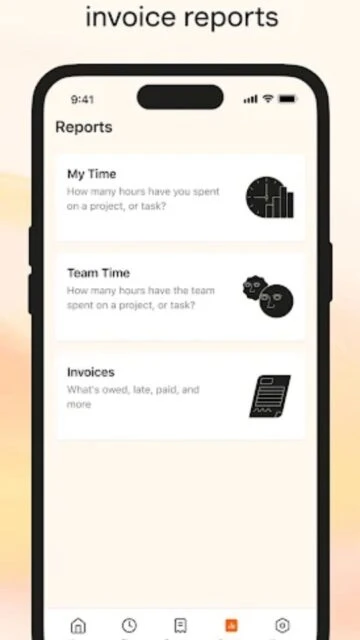
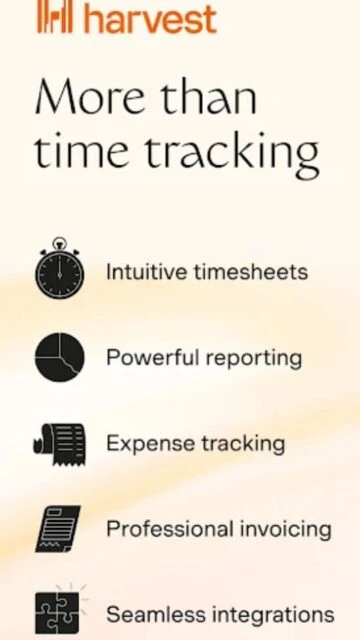
Harvest is more than just a stopwatch; it is a comprehensive time-tracking platform built to help businesses thrive. By making time entry incredibly simple, it ensures your team actually tracks their work, capturing critical data that drives accurate billing and better project estimation.
The app excels at turning raw time data into actionable business intelligence. You can track expenses by snapping photos of receipts, manage team capacity with visual reports, and receive automatic reminders to submit timesheets. Whether you are a solo freelancer or managing a 50-person team, Harvest keeps your projects on budget and your billing on schedule.
Features Of Harvest: Track Time & Invoice
One-tap timer starting and stopping for instant tracking
Offline mode tracks time without active connection
Receipt capture for easy expense tracking and reimbursement
Push notifications remind team to submit weekly timesheets
Detailed project budget bars show progress in real-time
Team status view shows who is working on what
Secure sign-in with Google and Microsoft accounts
Automatic syncing across phone, desktop, and web apps
Premium Features in the Paid Plan
Unlimited projects and clients for growing businesses
Unlimited seats for expanding teams
Advanced reporting with billable vs non-billable breakdowns
QuickBooks Online and Xero integration for accounting
Customizable invoice branding and recurring invoices
Role-based permissions for project managers and admins
Priority customer support via email and phone
Capacity planning tools to prevent team burnout
Free plan available; Pro $10.80/user/month
Free vs Premium Comparison
Feature
Free
Premium
Projects & Clients
Max 2 projects
Unlimited projects
Team Capacity
1 Seat only
Unlimited seats
Integrations
Basic integrations
Full accounting sync
Invoicing
Standard invoicing
Recurring & Retainers
Import/Export
Manual export
Auto-sync to Xero/QBO
Support
Self-service help
Priority support
Frequently Asked Questions
Can I track time without an internet connection?
Yes, the mobile app supports offline tracking. Your time entries are stored locally and automatically sync to your Harvest account once your device reconnects to the internet.
Does Harvest integrate with project management tools?
Absolutely. Harvest integrates natively with Asana, Trello, Basecamp, Jira, and Slack, allowing you to track time directly within the tools your team already uses.
How does the receipt scanning work?
Simply open the expenses tab, tap the camera icon, and take a photo of your receipt. Harvest attaches the image to your expense entry for easy client billing.
Is there a limit to the free version?
Yes, the free version is limited to one user seat and a maximum of two active projects. It is designed primarily for solo freelancers with simple needs.
Can I approve my team's time from the app?
Administrators can view team timesheets and status in real-time, but full timesheet approval workflows are best managed through the web dashboard for detailed review.
Harvest transforms the tedious task of time tracking into a powerful business insight engine. Designed for agencies and freelancers, it turns tracked hours directly into professional invoices while providing deep visibility into project profitability and team capacity.
Why Choose Harvest?
Harvest stands out by combining effortless time logging with robust financial reporting. It does not just track minutes; it helps you understand where your business is making money and where it is losing it, integrating with over 50 popular tools you already use.
Seamless Integrations: Connects directly with Asana, Trello, Slack, and QuickBooks.
Visual Reporting: Instantly see project budgets, burn rates, and billable amounts.
Instant Invoicing: Automatically turn billable hours and expenses into professional invoices.
How It Works
Start a timer from your desktop, mobile device, or browser extension with one click. Assign time to specific clients and projects as you work. At the end of the month, review your timesheet, approve team hours, and generate an invoice based on your billable rates to get paid faster.
Who Should Use It?
Ideal for digital agencies, consultants, and remote teams who need to bill clients accurately. It is perfect for businesses that require detailed transparency into project costs and want to streamline their billing process.
User reviews and ratings for Harvest: Track Time & Invoice
See what users think about Harvest: Track Time & Invoice. Read honest reviews and ratings from real users.
4.2
★★★★★
3 reviews
Solid for agency work
by Sarah Jenkins
★★★★★
2025-11-12
We run a 15-person design agency and Harvest is our lifeline. The mobile app is perfect for logging time during client meetings. Invoicing integration saves us hours every month.
Good but expensive
by Mike Ross
★★★★★
2025-10-05
The interface is clean and the timer widget is super handy. However, the price per user adds up quickly for small teams. I wish there were a mid-tier plan.
Expense tracking is a lifesaver
by Elena Rodriguez
★★★★★
2025-09-20
I used to lose receipts constantly. Now I just snap a pic in the parking lot and it's done. The reporting features help me see exactly which projects are actually profitable.
Write a Review
Harvest: Track Time & Invoice Screenshots & Photos
Browse through screenshots and photos of Harvest: Track Time & Invoice to see how it looks and works.
Harvest: Track Time & Invoice Videos
Watch videos to see how this app works and learn about its features.

 0
0