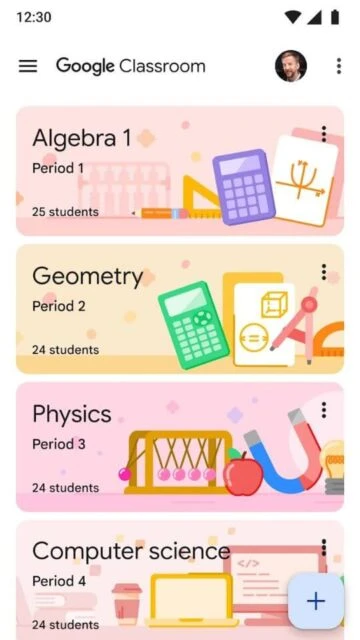
Google Classroom revolutionizes traditional classroom workflows by creating a unified digital environment where teachers post assignments, students submit work, and real-time communication flows seamlessly. This free cloud-based platform, available to educators with Google Workspace for Education accounts, eliminates paper clutter while automating administrative tasks that consume teacher time. Used by schools globally, Google Classroom seamlessly integrates with Google Docs, Drive, Sheets, and Forms to create a comprehensive learning ecosystem.
Why Choose Google Classroom?
Google Classroom transforms assignment management from a logistical nightmare into a streamlined workflow. Teachers spend minutes setting up classes instead of hours organizing papers. Automatic document copying for each student eliminates manual file management. Real-time grading feedback reaches students immediately rather than weeks later. The intuitive interface mirrors familiar social media, requiring minimal training. Integration with Google’s productivity suite means no switching between apps—everything students need exists in one organized space, dramatically improving accessibility and reducing confusion.
- Instant paperless workflow: Create, distribute, collect, and grade assignments in one place without printing or managing physical papers
- Automatic Google Drive organization: Platform automatically creates folders for each student and assignment, eliminating organizational chaos
- Real-time communication: Stream-based announcements and class discussions enable instant teacher-student interaction and peer collaboration
How It Works
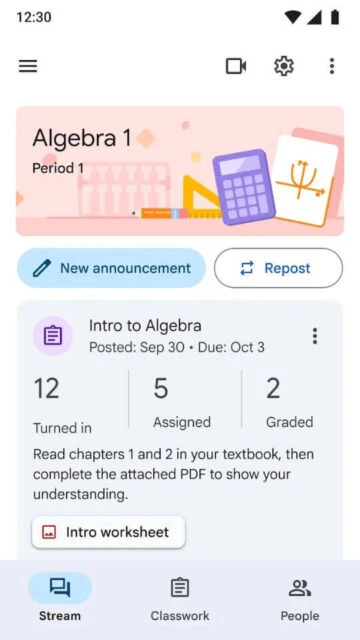
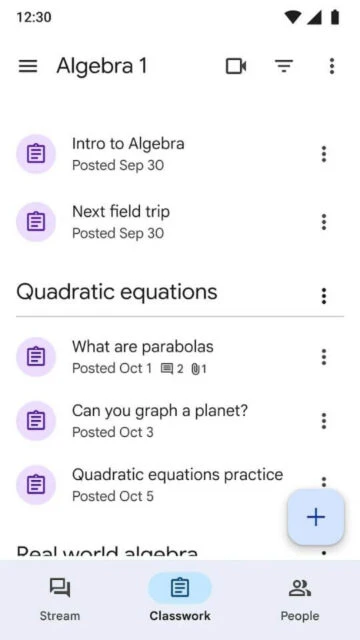
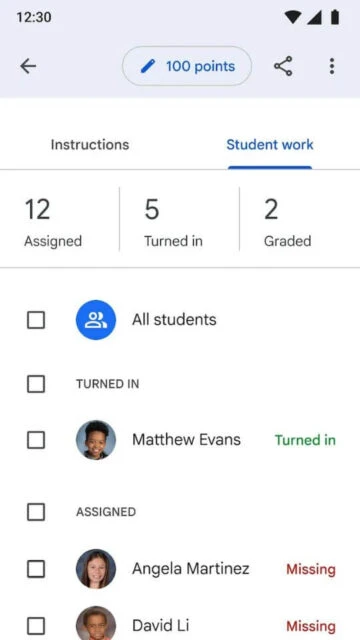
Teachers create classes and invite students via email or unique class codes. Posts on the class stream share announcements, discussion prompts, and assignment instructions. When creating assignments, teachers attach files, links, or YouTube videos, and Google Classroom auto-duplicates documents for each student. Students access assignments on the Assignments page, submit work with one click, and receive graded feedback instantly. Teachers view completion status at a glance, message individual students, and track progress through analytics dashboards.
Who Should Use It?
Any K-12 school or higher education institution can benefit from Google Classroom. Teachers managing multiple classes appreciate centralized control and time savings. Students value accessible assignments, real-time notifications, and organized materials. Parents gain visibility into classroom activities. Administrators reduce infrastructure costs through free cloud solutions. Remote and hybrid learning models leverage Classroom’s flexibility. Districts seeking FERPA-compliant, ad-free learning platforms find Google Classroom ideal for diverse educational settings.