FX File Explorer is a privacy-respecting file manager for Android developed by NextApp, a US-based company founded in 2002. The app features a modern Material Design interface with no advertisements or user tracking. It provides comprehensive file browsing, management, and media organization capabilities with extensive cloud and network connectivity options through the optional FX+ premium module.
The application includes built-in viewers for images, text, and media files, archive support for multiple formats, and productivity tools like hex viewer and shell script executor. FX emphasizes user privacy and transparency, with all code developed in-house and detailed privacy documentation available.
Features Of FX File Explorer
Material Design user interface with modern aesthetics
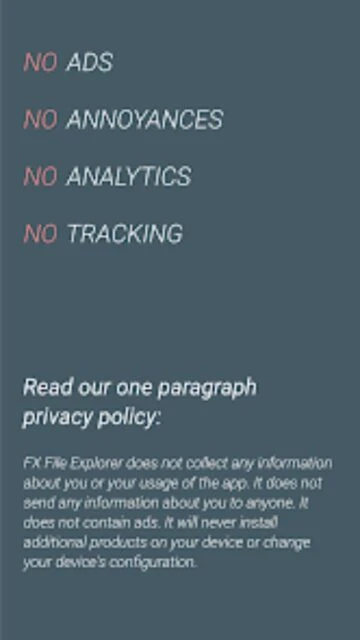
No advertisements or user activity tracking built-in
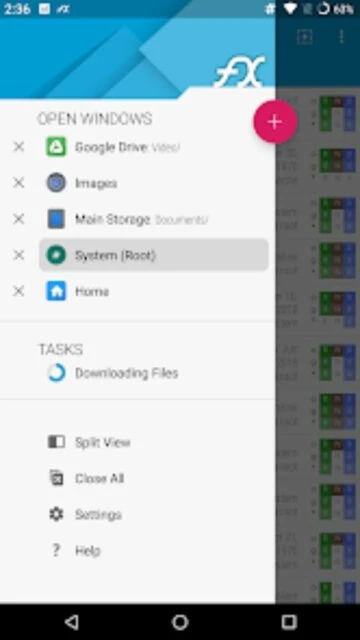
Dual-view split-pane mode for efficient file operations
Usage View showing folder sizes and content breakdown
Zip, 7zip, RAR, TAR, and GZIP archive support
Built-in text editor with full editing capabilities
Binary hex viewer for technical file inspection
Image viewer with thumbnail support
Integrated media player for audio and video
Application management and permission browsing
Premium Features in the Paid Plan
FTP and SSH SFTP network file access
Windows networking SMB1 and SMB2 support
Google Drive cloud storage integration
Dropbox synchronization and file management
Box cloud storage connectivity
SkyDrive OneDrive file access
OwnCloud self-hosted cloud support
AES-256 encrypted ZIP file creation and browsing
Application permission management and analysis
Playlist management for audio file organization
Free with FX+ premium add-on available
Free vs Premium Comparison
Feature
Free
Premium
Basic browsing
Full file and folder navigation
Same as free included
Cloud storage
Limited without add-on
Google Drive, Dropbox supported
Network access
Not available
FTP, SSH, SMB supported
Archive support
View and extract archives
Create encrypted archives
Media player
Basic playback included
Enhanced streaming features
Ads and tracking
None present
Premium also ad-free
Frequently Asked Questions
What is the difference between free FX and FX+ premium?
Free FX provides full file browsing and management. FX+ premium adds cloud storage integration (Google Drive, Dropbox, OneDrive), network access (FTP, SFTP, SMB), encrypted archive creation, and advanced playlist management for media organization.
Does FX File Explorer collect my personal data?
No. FX contains no analytics, tracking, or advertisements. The app does not phone home or transmit any user information externally. NextApp is committed to complete user privacy with transparent policies available on their website.
How do I access files on my computer from FX?
With FX+ premium, you can access computer files via FTP server, SFTP secure connection, or Windows network sharing (SMB). Set up a file server on your computer, then browse files directly from FX using the network connection features.
Can I view encrypted or compressed files?
Yes. FX supports viewing inside multiple archive formats including ZIP, 7z, RAR, and GZIP. The FX+ premium version can create AES-256 and AES-128 encrypted ZIP files for secure storage and sharing.
What file formats does FX support for viewing?
FX includes built-in viewers for text files, images, and binary data in hex format. The integrated media player handles audio and video playback. Many other formats can be opened with associated applications installed on your device.
How do I manage storage space with FX?
Use the Usage View mode to visualize which folders consume the most storage space and what file types fill them. Find large files easily, browse compressed archives, and use the app's built-in tools to clean up unnecessary files.
FX File Explorer delivers a modern, privacy-conscious approach to Android file management. Built with Material Design principles, the app provides an intuitive interface for browsing, organizing, and managing files while maintaining user privacy as the top priority.
Why Choose FX File Explorer?
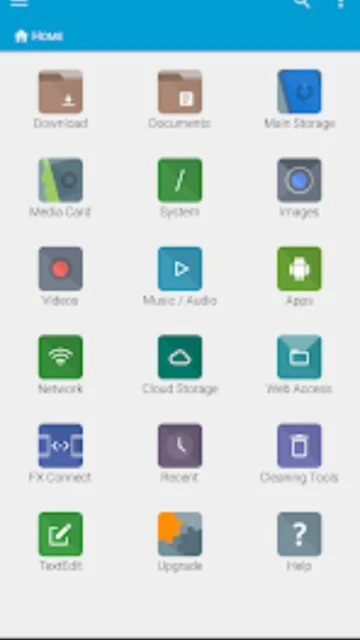
FX distinguishes itself through genuine privacy protection and clean Material Design aesthetics. The application contains zero advertisements and never tracks user activity or transmits data externally. The productive home screen design brings frequently accessed folders, media, and cloud storage to the forefront. Usage View mode displays folder sizes and content composition, helping users identify storage hogs and manage space efficiently.
No ads or tracking: Privacy-first design with no external data transmission or user monitoring
Multiple window support: Split-pane mode with independent window navigation
Cloud integration: FX+ premium adds Google Drive, Dropbox, SkyDrive support
How It Works
The application organizes content through a productivity-focused home screen displaying quick access to important folders and media. Users navigate files using the efficient dual-view mode or single-window browsing. The Usage View mode provides visual folder statistics showing size breakdown by file type. Archive support enables browsing compressed files directly, while the integrated media player streams content from cloud storage and network locations.
Who Should Use It?
Privacy-conscious users who want to manage files without tracking concerns benefit most from FX. Content creators working with large media libraries appreciate the visual storage analysis tools. Users managing cloud documents and network resources find the integrated plugin support valuable. Anyone previously using privacy-focused file managers will appreciate the ad-free experience.
User reviews and ratings for FX File Explorer
See what users think about FX File Explorer. Read honest reviews and ratings from real users.
3.8
★★★★★
3 reviews
Best privacy-respecting file manager available
by Sarah Mitchell
★★★★★
2025-11-20
Love that FX has no ads or tracking. The Material Design is beautiful and interface is intuitive. FX+ premium is worth it for cloud integration. Perfect balance of features and privacy. Highly recommended for anyone concerned about data collection.
Excellent features with smooth performance
by James Ortega
★★★★★
2025-10-05
Fantastic file manager with great built-in tools. Usage View is incredibly helpful for storage management. FX+ features are solid but pricing could be better. Overall very impressed with the app's polish and responsiveness.
Finally a secure file manager I trust
by Rebecca Park
★★★★★
2025-08-17
Switched from another file manager due to privacy concerns. FX delivers exactly what I need without tracking or unnecessary features. Clean interface, powerful capabilities, and genuine commitment to privacy. This is the file manager mobile users deserve.
Write a Review
FX File Explorer Screenshots & Photos
Browse through screenshots and photos of FX File Explorer to see how it looks and works.
FX File Explorer Videos
Watch videos to see how this app works and learn about its features.