Freedcamp – Advanced Task Management & Collaboration Platform

Master your tasks with Freedcamp's advanced project management and team collaboration tools for Android and iOS.

About Freedcamp

Freedcamp is a cloud-based task management and project collaboration platform designed to simplify team workflows and project tracking. It offers users a unified interface for creating projects, organizing tasks, and collaborating with team members across desktop and mobile devices.

The application provides essential project management tools including task assignment, priority levels, deadline tracking, and file sharing capabilities. Freedcamp serves individuals managing personal productivity as well as teams coordinating complex projects, from business initiatives to personal event planning.

Features Of Freedcamp

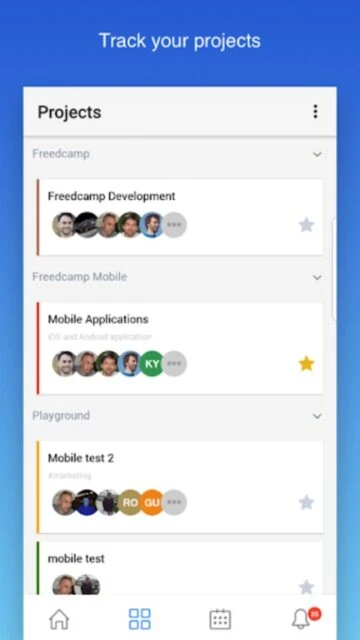
  • Create unlimited projects and organize work with custom task lists and categories
  • Assign tasks to team members with detailed role definitions and permission controls
  • Set priority levels across three importance tiers to focus on what matters most
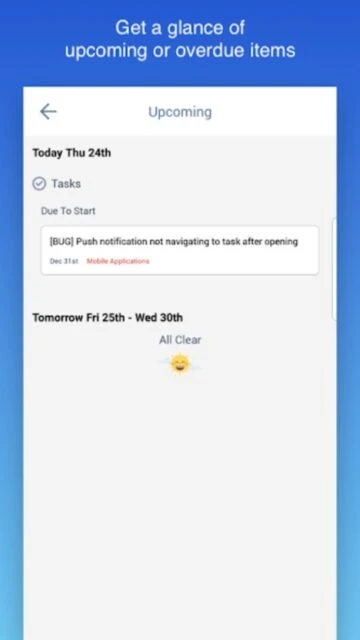
  • Add due dates and track task completion status across individual and team workflows
  • Upload and share files directly within tasks for collaborative documentation
  • Comment on tasks and discuss project updates in real-time with team notifications
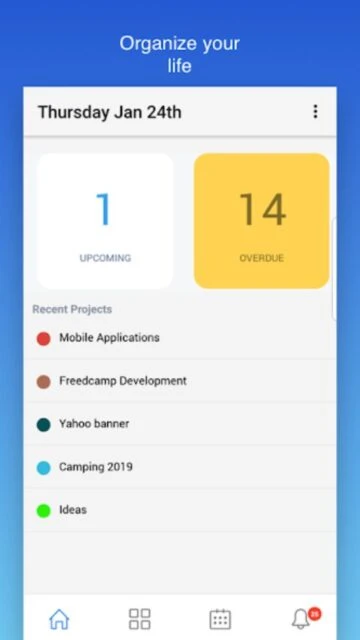
  • View all tasks assigned to you in personalized dashboard for quick access
  • Sync seamlessly between mobile app and web platform for consistent experience

Premium Features in the Paid Plan

  • Access full project management suite on web with unlimited projects and users
  • Integrate Freedcamp with third-party tools and APIs for expanded functionality
  • Export project data and task lists in multiple formats for external analysis
  • Enable advanced permission controls for granular access management across teams
  • Set up automated notifications and reminders for critical task deadlines
  • Create custom workflows and statuses tailored to your organization's processes
  • Access advanced reporting and analytics for project insights and team productivity
  • Utilize dedicated support channels and priority assistance from Freedcamp team

Free with optional premium web features

Free vs Premium Comparison

Feature Free Premium
Task Assignment Assign tasks to multiple team members with priority levels Advanced assignment with role-based permissions and delegation options
File Sharing Upload and attach files to tasks with basic storage Unlimited file storage, version control, and collaborative editing
Team Collaboration Comments and notifications on tasks with basic discussion Advanced collaboration with @mentions, task dependencies, and workflows
Project Organization Create multiple projects with basic task list organization Custom fields, templates, and advanced project templates for efficiency
Mobile Access Full mobile app with core task management features Enhanced mobile experience with offline access and sync optimization
Reporting Basic dashboard with task status overview Advanced analytics, team productivity reports, and custom dashboards

Frequently Asked Questions

Is Freedcamp free to download and use?

Yes, Freedcamp is completely free to download on Android and iOS. The mobile app connects to your Freedcamp account, which offers free core features with optional premium web subscription for additional capabilities.

Can I sync my mobile app with the web version?

Absolutely. Freedcamp syncs automatically between your mobile app and web account. Changes made on one platform instantly reflect on the other, ensuring consistent project data across all your devices.

What are the minimum system requirements?

Freedcamp requires Android 6.0 or higher and iOS 12.4 or later. The app is compatible with both phones and tablets, requiring approximately 57-72 MB of storage space depending on platform.

How many team members can I invite to projects?

Freedcamp allows unlimited project members on paid plans. You can assign tasks to multiple team members and manage permissions for different roles across your projects without member limits.

What should I do if the app is not updating in real-time?

If tasks aren't updating automatically, try logging out and logging back in. Force close the app and reopen it, or check your internet connection. Most sync issues resolve after account refresh or updating to the latest app version.

Can I access Freedcamp offline?

The mobile app requires an internet connection for full functionality. However, you can view recently accessed tasks and projects. Once connected, the app will sync all changes made while offline with the cloud.