Fotor has evolved from a simple editor into a comprehensive AI-driven design platform. It empowers users to perform complex edits—like removing backgrounds, retouching skin, or generating entirely new image elements—without needing any technical expertise or expensive desktop software.
Usefulness is at its core, offering a synchronized experience across mobile and web. You can start an edit on your phone and refine it on your desktop, making it an incredibly flexible solution for users who work across multiple devices.
Features Of Fotor - AI Photo Editor
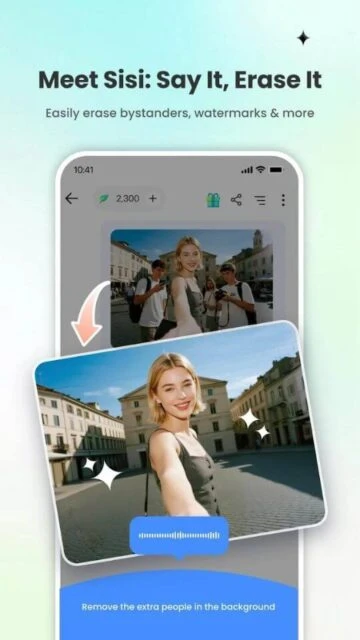
Advanced AI object removal and background eraser
Text-to-image AI art generation capabilities
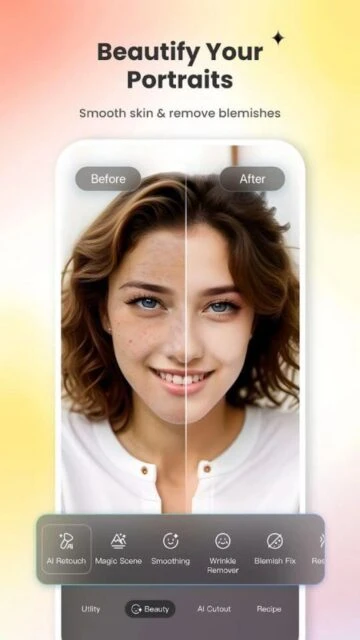
Smart portrait retouching and skin smoothing
Extensive library of collage layouts and grids
Professional graphic design templates for social media
AI Expand to extend images beyond borders
Classic photo effects and vintage filters
Curve and HSL color adjustment tools
Premium Features in the Paid Plan
Access to all premium design templates
High-resolution downloads without watermarks
Unlimited use of AI generation credits
Advanced beauty and reshaping tools
Large cloud storage for project syncing
Ad-free editing and design experience
Premium stock photo and sticker library
Weekly updates with new assets
$39.99/year or $8.99/month
Free vs Premium Comparison
Feature
Free
Premium
Templates
Basic Selection
50,000+ Premium
AI Credits
Limited/Daily
Monthly Allowance
Watermark
On Designs
None
Export Quality
Standard
High-Res Print
Cloud Storage
50 MB
10 GB
Ads
Yes
No
Frequently Asked Questions
Can I use Fotor for commercial designs?
Yes, Fotor Pro allows for commercial use of its generated designs and library assets, making it great for businesses.
Is the AI art generator free?
It requires credits. You get a few free credits daily, but heavy usage will require a subscription or credit purchase.
Does it sync with the desktop version?
Yes, if you create a Fotor account, your projects and cloud uploads sync seamlessly between the app and website.
How do I remove the watermark?
Watermarks are removed automatically when you upgrade to the Pro version or avoid using Pro-labeled elements.
Does it support RAW files?
Yes, Fotor supports importing and editing RAW file formats, which is excellent for photographers.
Fotor is not just an editor; it’s a complete creative ecosystem powered by AI. Whether you need to retouch a selfie, design a marketing flyer, or generate AI art from text, Fotor provides a seamless interface that bridges the gap between professional software and mobile convenience.
Why Choose Fotor?
It stands out by integrating powerful design templates with photo editing. While other apps focus solely on enhancement, Fotor allows you to enhance an image and immediately use it in a poster or social media post, saving you the hassle of switching apps.
AI Replace: magically swap out elements of your photo or change backgrounds with simple text prompts.
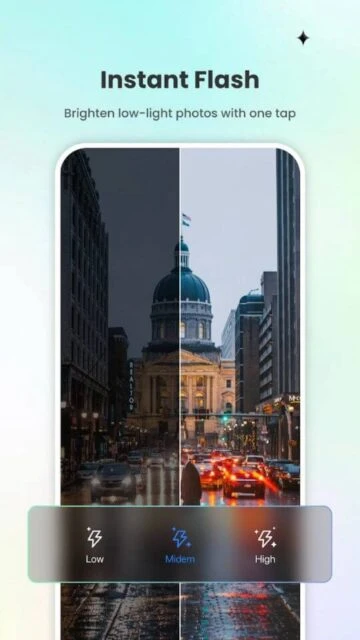
One-Tap Enhance: Instantly balance light, color, and tone for professional-looking results without manual tweaking.
Creative Templates: Access thousands of pre-made designs for Instagram stories, YouTube thumbnails, and more.
How It Works
Select ‘Edit’ for photos or ‘Design’ for creative projects. Use the AI tools menu to apply complex edits like object removal or expansion, or choose from the massive library of stock assets and templates to build your visual content layer by layer.
Who Should Use It?
Perfect for social media managers, small business owners, and digital artists who need a robust, multi-functional tool for both editing and graphic design on the go.
User reviews and ratings for Fotor - AI Photo Editor
See what users think about Fotor - AI Photo Editor. Read honest reviews and ratings from real users.
4.3
★★★★★
3 reviews
Best design app for mobile
by Emily Rose
★★★★★
2025-11-02
I run my entire Etsy shop marketing using Fotor. The templates are modern and the AI background remover saves me hours of work.
Good but credit system is confusing
by David K.
★★★★★
2025-10-14
The app is powerful, but I wish the AI credits were simpler. You have to pay for Pro and sometimes still buy credits.
Huge improvement this year
by Liam Smith
★★★★★
2025-09-20
The recent 2025 updates fixed the lagging issues. The new AI expand feature is mind-blowing for fixing cropped photos.
Write a Review
Fotor - AI Photo Editor Screenshots & Photos
Browse through screenshots and photos of Fotor - AI Photo Editor to see how it looks and works.
Fotor - AI Photo Editor Videos
Watch videos to see how this app works and learn about its features.

 64
64