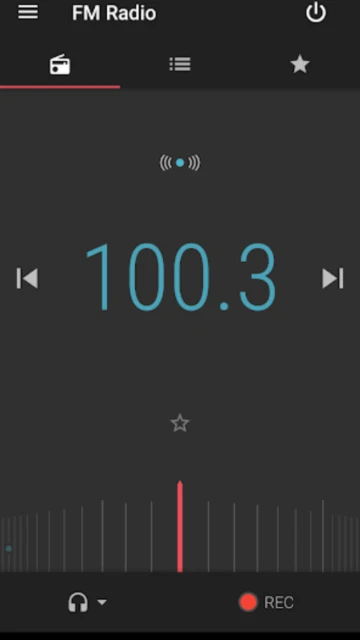
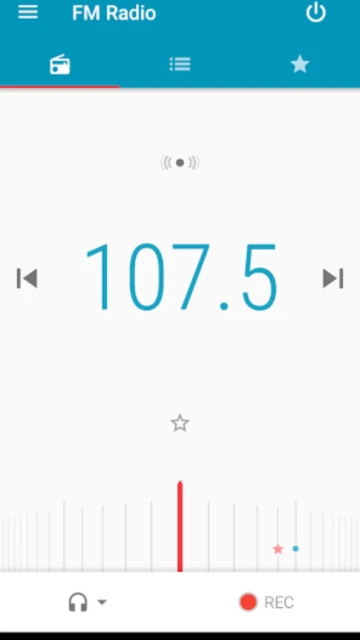
Motorola FM Radio is an official radio application for Motorola Android devices that leverage their built-in FM chipset technology. The app allows users to search for radio stations, build favorite channel lists, set sleep timers, and record preferred songs without requiring internet connectivity.
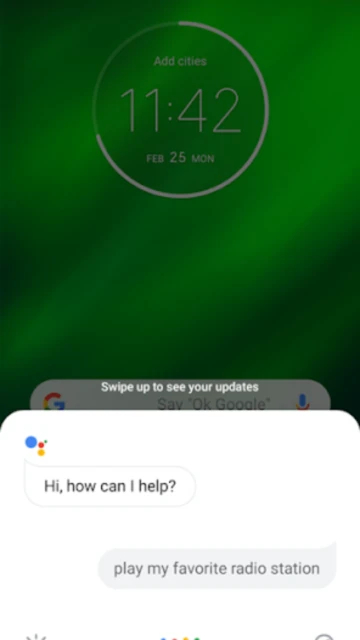
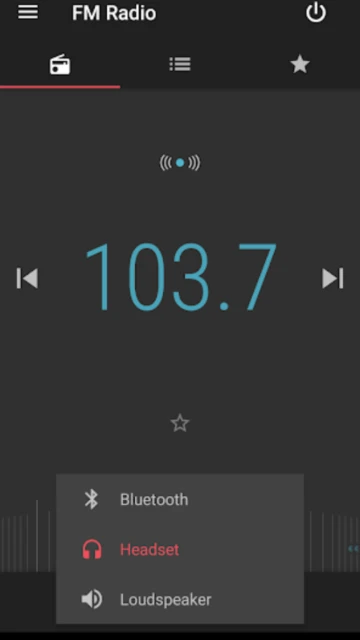
The platform supports multiple output options including wired headsets, Bluetooth headsets, and device speakers, with compatibility across 8 languages. Voice command integration through Google Assistant enables hands-free control, making the app ideal for users seeking traditional FM radio listening on Motorola phones.
Features Of FM Radio
Scan and discover local FM stations automatically
Build customizable favorites lists for quick access
Record favorite songs and moments to replay later
Set sleep timer for automatic shutdown
Supports wired and Bluetooth headsets
Voice control via Google Assistant integration
Material Design interface for easy navigation
No internet or data required for listening
Premium Features in the Paid Plan
Ad-free listening experience on Motorola devices
Unlimited recording of favorite songs and moments
Advanced sleep timer with customizable durations
Multilingual support in 8 languages
Direct integration with Google Assistant commands
Background playback capability while using other apps
Custom station sorting and organization options
Support for Digital TV dongle as FM antenna
Free
Free vs Premium Comparison
Feature
Free
Premium
Internet Required
No, works offline
No, works offline
Recording Capability
Yes, record songs
Yes, unlimited recordings
Advertisements
Standard FM broadcasts
Standard FM broadcasts
Voice Control
Yes via Google Assistant
Yes via Google Assistant
Station Organization
Basic favorites list
Advanced sorting options
Simultaneous Listening
Single device only
Single device only
Frequently Asked Questions
Do I need an internet connection to use FM Radio?
No, FM Radio works completely offline without requiring any internet connectivity. The app taps directly into your phone's FM chipset to receive radio broadcasts through the airwaves.
What devices is this app compatible with?
FM Radio is exclusively designed for Motorola Android devices with enabled FM chipsets running Android 6.0 (Marshmallow) and above. Features and compatibility may vary by specific phone model.
Can I record songs from FM Radio?
Yes, the app includes a built-in recording feature that allows you to save favorite songs and radio moments for later playback anytime you want to revisit them.
Do I need headphones to use the app?
Wired headphones or Digital TV dongles serve as FM antennas and are highly recommended for optimal reception quality. Loudspeaker playback is possible but reception will be significantly reduced.
Does the app support voice commands?
Yes, FM Radio integrates with Google Assistant for hands-free control. Supported commands work in 8 languages including English, Portuguese, Spanish, French, Italian, and German.
Motorola FM Radio is a lightweight application designed exclusively for Motorola Android devices with FM tuners. It taps directly into your phone’s FM chipset to deliver clear, interference-free radio broadcasts without consuming any data or battery from streaming services.
Why Choose FM Radio?
This app delivers exceptional value for radio enthusiasts seeking a simple, no-frills listening experience. Unlike streaming services requiring constant internet connectivity, FM Radio operates entirely offline once stations are tuned. The intuitive Material Design interface minimizes battery drain while maximizing access to local broadcasts. Users benefit from advanced features including station recording, customizable favorites lists, and hands-free voice control through Google Assistant integration for seamless operation during commutes.
No Internet Required: Stream live FM broadcasts offline without consuming data or battery
Station Recording: Save favorite songs and moments to replay later anytime
Intelligent Organization: Build personalized favorites lists for quick access to preferred stations
How It Works
The app scans for available FM stations in your area automatically, displaying them in an easy-to-navigate list. Once discovered, stations are saved to your favorites for instant one-tap access. Simply connect a wired headset or Digital TV dongle as an antenna for optimal reception. The integrated sleep timer allows automatic shutdown after specified durations, perfect for falling asleep to your favorite station or talk radio program.
Who Should Use It?
This application targets radio enthusiasts on Motorola devices seeking offline listening without data consumption. Commuters, outdoor enthusiasts, and users in low-connectivity areas benefit most from FM Radio’s reliability and battery efficiency. Those preferring traditional radio broadcasting over streaming services will appreciate the authentic, advertisement-supported listening experience familiar to millions worldwide.
User reviews and ratings for FM Radio
See what users think about FM Radio. Read honest reviews and ratings from real users.
3.9
★★★★★
3 reviews
Perfect offline radio solution for walks
by Sarah Chen
★★★★★
2025-12-08
This app is absolutely perfect for listening to FM radio without using data. I use it daily during my walks and love that I can tune stations and save favorites. The battery efficiency is outstanding compared to streaming music services.
Great app but Bluetooth has issues
by James Rodriguez
★★★★★
2025-11-25
Solid app overall with fantastic Material Design interface. Station scanning is quick and favorites management is intuitive. My only complaint is inconsistent Bluetooth connectivity causing audio static on wireless headphones.
Excellent for commuters needing offline listening
by Michael Thompson
★★★★★
2025-10-15
Been using this for six months and it's become essential for my daily commute. No data usage, works perfectly with wired headphones, and the sleep timer feature is wonderful for falling asleep to talk radio.
Write a Review
FM Radio Screenshots & Photos
Browse through screenshots and photos of FM Radio to see how it looks and works.
FM Radio Videos
Watch videos to see how this app works and learn about its features.

 48
48