Fingerprint Lock Screen is a comprehensive security application developed by m24apps that protects individual apps and media files through fingerprint, PIN, pattern, and password authentication methods. The app functions as both an app locker and media vault, allowing users to hide and protect photos, videos, audio files, and documents from unauthorized access. It features innovative intruder detection that captures selfies when incorrect passwords are entered.
With over 1 million downloads and a 4.0-star rating, the app provides app categorization, new installation alerts, and multi-theme customization. It offers both free and premium features through in-app purchases, making it accessible to users with varying security needs and budgets.
Features Of Fingerprint Lock Screen
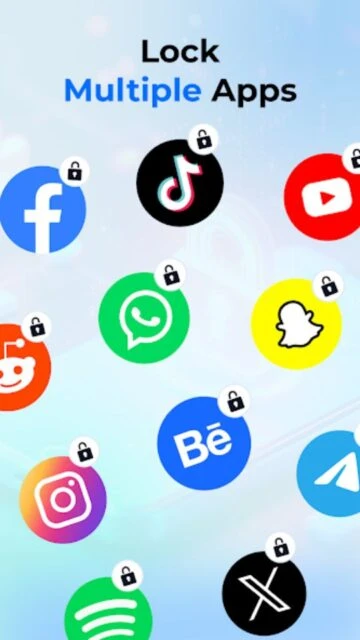
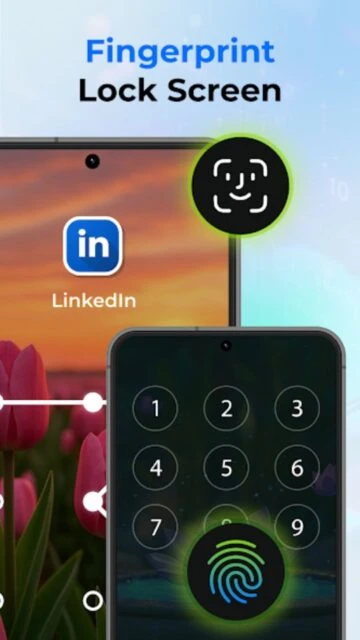
Lock individual apps with fingerprint, PIN, pattern, or password authentication methods
Create secure media vault to hide photos, videos, audio, and documents from gallery
Categorize apps as Recommended, Installed, or System for organized management
Set lock timer to automatically lock protected apps after specific time periods
Search apps by name for quick access in large app list
Receive alerts when new applications are installed on your device
Protect device's default system apps including messaging and settings
Multiple app themes available for customization and personalization
Low memory usage design for optimal device performance without lag
Password hiding feature for enhanced security of PIN and pattern locks
Single-click unlock and lock functionality for convenient daily use
Premium Features in the Paid Plan
Advanced intruder detection with multi-angle selfie capture capability
Unlimited cloud backup storage for intruder photos and access logs
Priority customer support via email for troubleshooting and assistance
Removal of advertisements across entire app interface
Enhanced themes and customization options exclusive to premium users
Advanced analytics dashboard showing access attempts and security reports
Biometric lock enhancement with continuous authentication verification
Scheduled auto-lock at specific times or locations using geofencing
Free with in-app purchases
Free vs Premium Comparison
Feature
Free
Premium
App Locking Methods
Fingerprint, PIN, pattern, and password locking
Same methods plus continuous biometric verification
Media Vault Storage
Unlimited local storage for hidden media
Cloud backup integration with encrypted storage
Intruder Detection
Selfie capture on incorrect password attempts
Multi-angle capture with advanced analytics dashboard
App Categorization
Basic categorization into three app types
Custom category creation and management
Advertisements
Contains ads throughout application
Complete ad-free experience
Lock Timer
Basic time-based auto-lock setting
Geofence-based and time-based auto-locking
Frequently Asked Questions
How does the Intruder Selfie feature work?
When someone attempts to unlock a locked app or media file with an incorrect password, the app automatically activates the front camera and captures a selfie. This provides evidence of unauthorized access attempts. You can review all captured intruder photos in the dedicated Intruders section.
Can I lock my default system apps?
Yes, Fingerprint Lock Screen allows you to protect default system apps including Messages, Phone, Settings, and other built-in Android applications. This prevents unauthorized access to critical phone functions and personal information stored in these apps.
Will locking apps slow down my phone?
No. The app is designed with low memory usage architecture specifically to avoid performance degradation. It operates efficiently in the background without consuming significant device resources or battery life.
What happens if I forget my lock password?
Unfortunately, if you forget your password, you may need to uninstall and reinstall the app, which will remove all app locks and hidden media. Create a strong but memorable password, or use your device's fingerprint as your primary authentication method to avoid this issue.
Is the media vault truly hidden from other apps?
Yes. The media vault removes files from your standard gallery application and stores them securely within Fingerprint Lock Screen. Other gallery apps cannot access or display these hidden files. You must unlock the vault within Fingerprint Lock Screen to view your media.
Fingerprint Lock Screen is a comprehensive security application that protects your apps and media files through biometric and password-based authentication methods. Beyond traditional app locking, it offers an integrated media vault for hiding sensitive photos, videos, and documents while featuring an innovative intruder selfie system that captures unauthorized access attempts.
Why Choose Fingerprint Lock Screen?
Fingerprint Lock Screen combines multiple security layers into a single intuitive application, eliminating the need for separate app lockers and media vaults. The intruder detection feature provides forensic evidence of unauthorized access attempts, while flexible authentication options accommodate diverse user preferences. Its app categorization system simplifies managing security across your entire device.
Multi-Factor Authentication: Lock apps and media using fingerprint, PIN, pattern, or password combinations for maximum flexibility.
Intruder Detection: Automatically captures selfies when someone attempts to access locked apps or hidden media with incorrect credentials.
Media Vault: Create a secure gallery vault hiding photos, videos, audio files, and documents from standard gallery applications.
How It Works
Install the app and grant necessary permissions for fingerprint access and photo vault functionality. Select which apps to lock from the comprehensive app list, customize authentication method per app, and optionally hide media files in the vault. The app automatically categorizes applications and monitors new installations, sending alerts when new apps are installed on your device.
Who Should Use It?
Fingerprint Lock Screen is ideal for privacy-conscious users, parents managing children’s device access, and anyone storing sensitive information on their phone. It’s particularly valuable for users with personal photos or documents requiring multi-layered protection and those wanting forensic evidence of unauthorized access attempts through intruder detection.
User reviews and ratings for Fingerprint Lock Screen
See what users think about Fingerprint Lock Screen. Read honest reviews and ratings from real users.
4.0
★★★★★
3 reviews
Great privacy protection with useful features
by Priya Sharma
★★★★★
2025-11-08
The intruder selfie feature is brilliant and has actually caught someone trying to access my phone. The media vault works perfectly for hiding sensitive photos. App locking is straightforward and the fingerprint authentication is reliable. Definitely worth downloading for privacy-conscious users.
Good security app with minor issues
by Marcus Thompson
★★★★★
2025-10-15
App does what it promises overall. I appreciate the multiple lock options and media vault feature. However, after about an hour, I need to reopen the app for locks to work properly. Recent updates seem to have improved this issue. Ads can be intrusive but understandable for a free app.
Essential security tool for my family
by Linda Nakamura
★★★★★
2025-09-02
Using this to manage access controls for my teenage kids' devices. The app categorization makes it easy to lock only necessary apps. The media vault hides personal documents effectively. Customer support was responsive when I had questions about setup and permissions.
Write a Review
Fingerprint Lock Screen Screenshots & Photos
Browse through screenshots and photos of Fingerprint Lock Screen to see how it looks and works.
Fingerprint Lock Screen Videos
Watch videos to see how this app works and learn about its features.