Expense IQ – Smart Personal Finance Money Manager

Comprehensive expense tracking and budget planning app combining money management, bill reminders, and detailed financial reports in one powerful platform.

About Expense IQ Money Manager

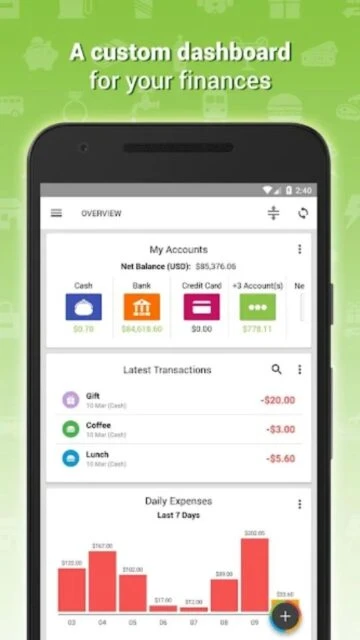
Expense IQ is a comprehensive financial management application that helps users track spending, plan budgets, and organize their money across multiple accounts. The app combines expense tracking with bill reminders, offering real-time insights into financial habits through detailed reports.

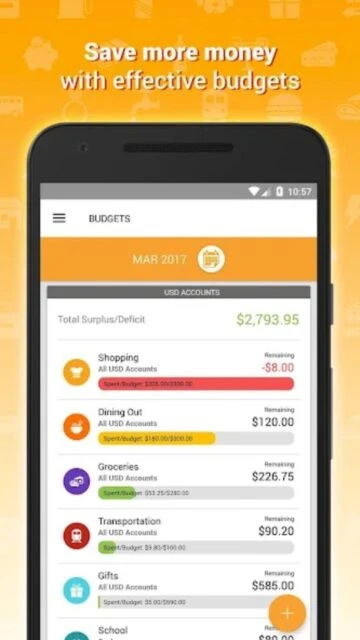
With cloud synchronization across devices, repeating transaction management, and multi-currency support, Expense IQ enables seamless financial tracking for individuals and families. The platform includes advanced features like split transactions, category-based budgeting with visual health indicators, and receipt photo attachment for complete financial documentation.

Features Of Expense IQ Money Manager

  • Real-time expense tracking with smart predictive categorization and quick data entry
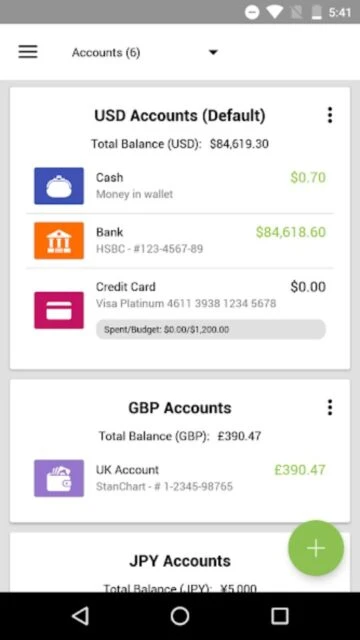
  • Multi-account management with currency conversion for international transactions
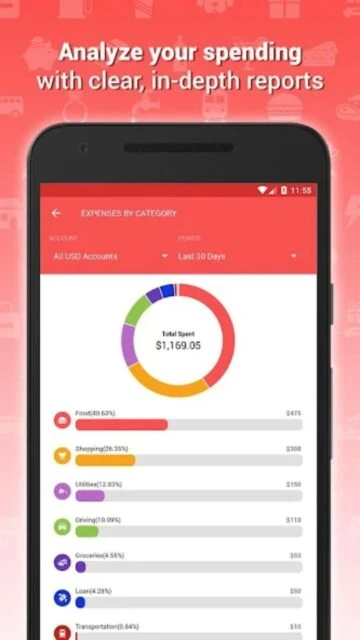
  • Detailed financial reports with 12+ charts tracking monthly cash flow patterns
  • Repeating transaction automation for bills and salary income
  • Color-coded budget health indicators for category spending limits
  • Receipt and bill photo attachment for complete transaction records
  • Cloud synchronization across unlimited devices
  • Customizable categories, payees, and 30+ language support
  • PIN security protection and encrypted offline backup
  • Homescreen widget for quick transaction entry and balance monitoring

Premium Features in the Paid Plan

  • Unlimited cloud synchronization across all your devices
  • Family account sharing for coordinated household budget management
  • Enhanced transaction history and archival capabilities
  • Advanced report export to Excel and Quicken formats
  • Priority customer support and technical assistance
  • Premium widget customization options
  • Complete data encryption for financial security
  • Unlimited custom transaction categories and project organization
  • Advanced search and filtering across all transactions
  • Transaction reconciliation and bank account statement matching

Free with in-app purchases (Premium: One-time payment)

Free vs Premium Comparison

Feature Free Premium
Expense Tracking Unlimited transactions with photo attachment Same plus priority sync and backup
Budgeting Tools Category budgets with visual indicators Same with enhanced reporting
Cloud Sync Limited to one device at a time Unlimited device synchronization
Report Generation Basic reports and charts 12+ advanced customizable reports
Data Export CSV format only CSV, QIF, and Excel formats
Family Sharing Limited sharing features Full account sharing and coordination

Frequently Asked Questions

Can I sync Expense IQ across multiple devices?

Yes, free users can sync to one master device, while premium users enjoy unlimited device synchronization. Cloud sync automatically backs up all transactions and keeps your accounts updated across Android phones, tablets, and the web.

What happens if I lose my phone with Expense IQ installed?

Your financial data is safely backed up to Google Cloud through encrypted backup. When you install Expense IQ on a new device and log in, you can restore all transactions, accounts, and settings from your previous backup.

Does Expense IQ support multiple currencies?

Absolutely! Expense IQ supports 150+ world currencies with automatic conversion rates. Perfect for international travelers, expatriates, and businesses managing transactions across multiple countries.

Can I share my budget with family members?

Yes, premium subscribers can enable family sharing, allowing multiple people to access and contribute to a shared account. Set permissions for each family member and track household expenses together.

How do repeating transactions work in Expense IQ?

Create repeating items for regular bills and income. The app automatically generates transactions on your specified schedule. You can pause, modify, or delete repeating transactions anytime from the Repeating Transactions Manager.

Is my financial data secure in Expense IQ?

Yes. Your data is encrypted during cloud transmission and storage. The app includes PIN lock security and offers encrypted offline backups. No personal financial data is shared with third parties.