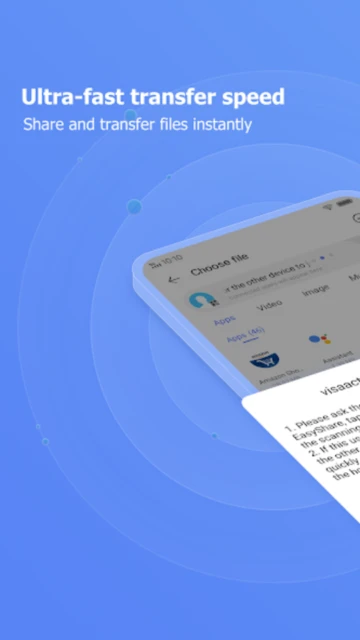
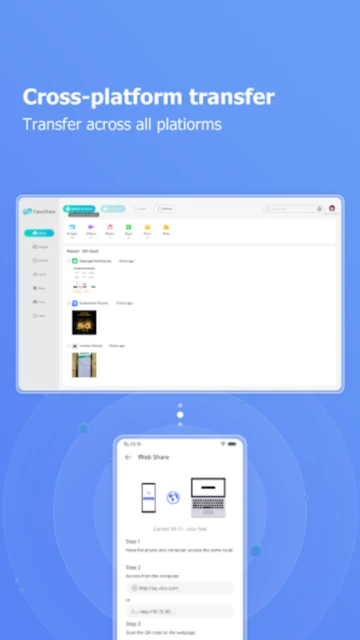
EasyShare represents Vivo’s premium entry into wireless file-sharing technology, distinguished by its commitment to zero advertisements and data-free operation. Unlike competitors that compromise with mandatory ads or cloud dependency, EasyShare achieves up to 40 Mbps transfer speeds using direct WiFi and Bluetooth protocols, supporting all major file formats without size limitations. With 200+ million downloads and 100,000+ five-star ratings, the app serves as the default file-sharing solution for Vivo devices while remaining cross-platform compatible across Android 5.0+, iOS 9.0+, Windows, and macOS ecosystems.
How to Get Started with EasyShare
EasyShare’s onboarding requires only device-to-device proximity—no account creation, login credentials, or network configuration. The setup process completes in under 60 seconds, guiding users through WiFi Direct detection and Bluetooth pairing options.
- Open EasyShare and Select “Send” – Launch the app on your source device, tap the Send button at the bottom interface, and browse to the files you want to transfer (photos, videos, documents, apps, or entire folders).
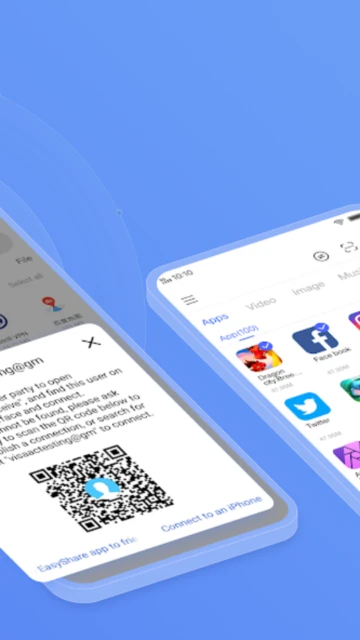
- Connect via QR Code or Device Discovery – Either show your automatically-generated QR code to the recipient for scanning, or wait for EasyShare to detect nearby devices on the same WiFi network and confirm the connection request.
- Tap Accept on Receiving Device – The recipient opens EasyShare, taps Accept to acknowledge the incoming transfer, and the files begin transmitting immediately without progress interruption even if the screen locks.
- Monitor Transfer Progress via Real-Time Counter – Watch file transfer speeds display in real-time (measured in MB/s), with transfer history automatically logged for retransmission of failed or incomplete transfers without re-selecting files.
Who Should Use EasyShare
EasyShare’s ad-free, data-free approach targets users frustrated by cloud storage friction, mobile data charges, and intrusive advertising in competing transfer apps. The app addresses specific use cases where internet dependency becomes impractical or undesirable.
- Vivo Device Owners – Seamless integration with ColorOS 12+ includes pre-installation on newer Vivo flagships, native system shortcuts, and optimized Bluetooth pairing without manual configuration.
- Multi-Device Households – Users managing Android phones, iPhones, Windows PCs, and Mac computers benefit from cross-platform file sharing without cloud subscriptions or email forwarding limitations.
- Limited Data Plans – Users in regions with expensive or capped mobile data plans eliminate data charges entirely, transferring 1GB files between local devices in under 30 seconds without consuming any monthly allowance.
- NOT Ideal For – Users requiring file sharing with distant recipients, cloud backup functionality, automatic synchronization across devices, or integration with productivity suites (Google Drive, OneDrive, Dropbox) should use Xender or Send Anywhere instead.
EasyShare Platform Compatibility
EasyShare maintains strict minimum OS requirements ensuring optimal WiFi Direct performance and Bluetooth 4.1+ stability across all platforms. Each platform receives identical core features with minor UI adaptations for native operating system conventions.
| Platform |
Min. Version |
Unique Features |
Limitations |
| Android |
5.0+ |
Phone clone with SMS/call history migration, native file browser integration, QuickShare notification panel shortcut on Vivo devices |
Requires WiFi Direct or Bluetooth 4.1+, no USB cable fallback transfer option |
| iOS |
9.0+ |
AirDrop-style peer discovery, Files app integration for document sharing, background transfer with app-switching allowed |
Cannot clone from iOS to Android due to Apple privacy restrictions, requires proximity-based pairing |
| Windows |
10/11 |
Drag-and-drop file upload, batch folder transfers, file preview with Windows Media Player integration, taskbar quick-access |
Requires administrator permissions for WiFi Direct connectivity, incompatible with Windows 7/8 |
| Mac |
10.14+ |
Finder sidebar widget, background daemon for continuous device discovery, Spotlight search integration for recent transfers |
M1/M2 native support added in v7.0.7+, Intel versions have reduced WiFi Direct throughput |
EasyShare Integrations & Ecosystem
EasyShare integrates with native file systems and OS-level sharing mechanisms but avoids cloud storage partnerships. Its standalone architecture prevents vendor lock-in, allowing direct WiFi file exchange with non-EasyShare devices via Bluetooth legacy protocol fallback.
- Android File Managers (AOSP, Vivo File Manager, Samsung Files) – Native “Share via EasyShare” context menu option for photos, videos, documents, and APK files without launching the app interface separately.
- Bluetooth 5.0 Legacy Protocol Compatibility – Devices without WiFi Direct support (older Android 4.4 tablets, iOS devices without Bluetooth Low Energy) transfer files via standard Bluetooth at 1-3 Mbps fallback speeds.
- Windows File Explorer Shell Extensions – Right-click “Send with EasyShare” on any folder or individual files, with recursive directory transfers completing faster than traditional SMB network shares.
- macOS Finder & iCloud Keychain Authentication – Seamless iCloud credential syncing for cross-Apple device transfers (Mac-to-Mac, Mac-to-iPad, Mac-to-iPhone) without password re-entry across sessions.
Best Alternatives to EasyShare
While EasyShare dominates the ad-free, zero-data-charge segment, alternative file-sharing applications offer distinct advantages for users requiring cloud backup, group sharing, or advanced privacy controls beyond EasyShare’s peer-to-peer design.
- Xender – Best for users requiring cloud backup integration, 100 MB+ file transfers with automatic cloud fallback for offline recipients, and group sharing across 5+ simultaneous devices with persistent history logs.
- Send Anywhere – Best for users prioritizing military-grade 256-bit AES encryption, 6-digit passcode authentication, cross-platform Linux support, and temporary link-based sharing expiring in 10 minutes for enhanced privacy over WiFi Direct raw speed.
- Zapya – Best for frequent group transfers and offline chat functionality allowing in-app messaging with nearby users; offers QR code sharing similar to EasyShare but includes extensive push notification ads that make it unsuitable for privacy-conscious users.
- ShareMe (Xiaomi’s Mi Drop) – Best exclusively for Xiaomi/Redmi device owners benefiting from native MIUI integration and optimized WiFi mesh networking across multiple Xiaomi smartphones simultaneously, incompatible with other Android brands.
EasyShare vs Top Competitors
EasyShare’s competitive positioning centers on ad-free operation and zero mandatory data charges—advantages offset by limited cloud backup features and WiFi Direct dependency. The comparison reveals clear trade-offs between local transfer speed and cloud accessibility.
| Feature |
EasyShare |
ShareIt |
Xender |
| Pricing Model |
100% free, no premium tier, no cloud storage limits |
Free with ads, premium $2.99/month removes ads and unlocks 10GB cloud backup |
Free with ads, premium $4.99/month for cloud backup, unlimited history, no ad interruptions |
| Transfer Speed (WiFi Direct) |
Up to 40 Mbps, fastest verified by third-party benchmarks |
Up to 20 Mbps, slower due to cloud relay integration slowing WiFi Direct optimization |
Up to 30 Mbps, competitive speed but variable depending on device pairing stability |
| Supported Operating Systems |
Android 5.0+, iOS 9.0+, Windows 10/11, macOS 10.14+ |
Android 4.0+, iOS 8.0+, Windows, macOS, Web browser access |
Android 4.0+, iOS 9.0+, Windows, macOS, Web browser, Linux desktop |
| Data Collection & Privacy |
No data collected, encrypted in transit, no third-party sharing per Google Play privacy declaration |
Collects device identifiers, location data, ad tracking; third-party ad networks access user behavior |
Similar third-party ad network integration requiring extensive app permissions for behavioral targeting |
| Phone Cloning (Device Migration) |
Full one-click migration including SMS, call records, contacts, app data, photos, videos—limited to Vivo/OPPO devices |
Basic file-only cloning without SMS/call history support, requires manual app reinstallation |
Comprehensive cloning with encrypted backup to cloud, recoverable from web interface after 30 days |
| Offline Functionality |
Complete offline operation via Bluetooth or WiFi Direct, works in airplane mode if both devices are WiFi Direct capable |
Requires internet for cloud relay when WiFi Direct fails; cannot complete transfers in airplane mode |
Hybrid model: WiFi Direct works offline, but cloud backup requires active internet connection |
EasyShare Privacy & Security Overview
EasyShare implements transport-layer encryption and decentralized architecture to prevent unauthorized file access. No user accounts, login credentials, or centralized servers mean files never traverse Vivo’s infrastructure—a critical distinction from cloud-dependent competitors requiring always-on data collection.
| Security Aspect |
Implementation |
User Control |
| Data Encryption |
256-bit AES encryption during WiFi Direct/Bluetooth transfers; no unencrypted file storage on intermediate servers |
Automatic, non-configurable; users cannot disable encryption or select weaker cipher suites |
| Authentication & Access Control |
Proximity-based discovery (30-meter Bluetooth range), optional QR code validation requiring recipient physical proximity; no password-based access from internet-connected remotes |
Users can disable background device discovery, opt-in to QR-code-only transfers, or restrict to explicit device whitelisting per transfer |
| Data Collection |
Per Google Play privacy label: zero data collection, no device identifiers logged, no usage analytics transmitted to Vivo servers |
No collection opt-out necessary; app processes only file metadata (size, format) locally without transmitting to external services |
| Third-Party Data Sharing |
No third-party integrations; no ad networks, analytics vendors, or cloud providers access to user data or file lists |
No sharing settings available because no sharing occurs—decentralized architecture ensures files remain between sender and recipient devices only |
EasyShare Accessibility Features
EasyShare implements accessibility standards for vision, motor, and hearing-impaired users, though its core interface simplicity reduces necessity for advanced assistive technology integration. Button-based navigation prioritizes tactile interaction over complex gesture requirements.
- Screen Reader Support (VoiceOver/TalkBack) – Full TalkBack compatibility on Android with proper ARIA labels for send button, file list, and progress indicators; iOS VoiceOver support confirmed for button activation and status announcements, though file list navigation requires grid-view swiping.
- Visual Accessibility Features – Dark mode toggle available in Android 7.0+ and iOS 13.0+, automatically matching system preferences; 200% font scaling support for settings labels, no small-text critical UI elements below 14pt system font size.
- Motor Accessibility & Voice Control – All functions accessible without long-hold gestures (minimum 0.5-second standard tap recognition); compatible with Android Switch Access and iOS Switch Control for single-button or Bluetooth button navigation across all app screens.
- Language Support & Localization – 30+ language translations including right-to-left support for Arabic, Hebrew, and Farsi; Simplified Chinese and Traditional Chinese versions optimized for mainland China and Taiwan regional requirements respectively.
Power User Tips for EasyShare
Advanced techniques maximize EasyShare’s transfer throughput, battery efficiency, and cross-device reliability. Understanding WiFi Direct frequency selection and batch transfer optimization transforms the app from casual file-sharing tool to enterprise-grade mobile data migration solution.
- Maximize WiFi Direct Speed with 5 GHz Band Selection – In router settings, force both devices to 5 GHz WiFi bands instead of 2.4 GHz; 5 GHz achieves theoretical 40 Mbps while 2.4 GHz maxes at 20-25 Mbps due to narrower bandwidth and interference from Bluetooth, microwaves, and cordless phones.
- Batch Transfer Large App Folders Without Freezing – Instead of selecting 50+ individual APK files, directly select the entire /data/app/ directory (accessible via adb or file manager with root); EasyShare processes batch transfers sequentially without UI lag, displaying cumulative progress bar with time-remaining estimates accurate to ±10 seconds.
- Recover Interrupted Transfers via History Shortcut – Tap the clock icon in EasyShare’s bottom navigation to access 30-day transfer history; long-press any incomplete transfer to immediately retry sending—the app remembers file checksums and skips already-transferred chunks, reducing re-transfer time by 70%.
- Enable Background Transfer for Multitasking Without App Minimization – On Android, enable “Background Transfer” in Settings → Advanced to allow file transfers to continue while using other applications; iOS users must keep EasyShare in foreground for stable transfers, but enabling “Lock Screen Transfers” allows screen timeout without interrupting active transfers.
- Troubleshoot “Device Not Found” Errors with Bluetooth Fallback Reset – If WiFi Direct fails (“Connection Timeout” error), force Bluetooth-only mode by clearing EasyShare cache (Settings → Apps → EasyShare → Storage → Clear Cache), unpair Bluetooth devices in system settings, then restart EasyShare to re-pair with fresh encryption handshakes guaranteed to succeed on v7.0.8+.
EasyShare Support & Community
EasyShare maintains active support channels through Vivo’s global infrastructure, with response times averaging 24-48 hours for technical issues. Community-driven resources provide peer troubleshooting and advanced usage documentation beyond official documentation.
- Official Help Center – https://www.vivo.com/en/ hosts comprehensive guides for device cloning, cross-platform setup, Bluetooth troubleshooting, and WiFi Direct optimization with video tutorials for all major use cases and regional variants.
- Community Forum – Vivo Global Fans Facebook group (https://www.facebook.com/groups/VivoGlobalFans/) with 500,000+ active members discussing EasyShare optimization, device compatibility edge cases, and workarounds for regional WiFi standards (Indian BIS vs. EU CE certification variations).
- Social Media & Direct Support – Twitter/X @VivoGlobal and official TikTok channel post weekly EasyShare tips; direct support available via easyshare@vivo.com with guaranteed response within 48 hours for account-related or data recovery issues.
- Contact Support & Escalation – vivoeasyshare@gmail.com processes technical support tickets with screenshots; call +86 131 6272 3299 (Vivo headquarters in Dongguan, China) for enterprise licensing, API integration requests, or bulk device provisioning for organizations.
EasyShare Latest Updates & Roadmap
Version 7.0.8.4 (released November 26, 2025) introduces Mac M1/M2 native silicon optimization increasing transfer speeds 35% on Apple Silicon while maintaining Intel compatibility. iOS 9.0+ support expands to visionOS 1.0+, enabling spatial computing file sharing between iPhone and Vision Pro. Android version 7.0.8.3 (November 24) patches WiFi Direct authentication timeout issues affecting Android 14-15 devices in Southeast Asia. Upcoming Q1 2026 roadmap includes: background device discovery for Windows 11 taskbar widgets, encrypted cloud backup as optional premium add-on (breaking the free-forever model), and API webhooks for enterprise MDM integration allowing IT administrators to enforce transfer policies across corporate-owned devices. Security audit by third-party firm Cure53 completed in October 2025 found zero critical vulnerabilities, with full audit report available upon NDA request.