Easy Notes – Quick, Simple Note-Taking App (77 MB)

A lightweight, user-friendly note-taking app with password-protected folders, cloud sync, and colorful customization for organizing daily tasks and memos.

About Easy Notes - Note Taking Apps

Easy Notes is a free note-taking application for Android that helps users organize their daily thoughts, reminders, and task lists. The app provides a simple interface combined with practical security features like password protection and folder organization. Users can customize notes with various colors, attach images and audio recordings, and synchronize everything across multiple devices through cloud backup services for seamless accessibility.

Features Of Easy Notes - Note Taking Apps

  • Create notes with customizable titles and vibrant background colors
  • Organize notes into categories and folders for better management
  • Set password protection on individual notes or entire notebooks
  • Attach images and voice recordings directly to your notes
  • Receive reminders and notifications for important tasks and deadlines
  • Sync notes automatically across multiple Android devices via Google Drive
  • Search and filter notes quickly using built-in search functionality
  • Create checklists and to-do lists with checkmark completion tracking
  • Share notes via email or other messaging applications
  • Access notes offline without requiring internet connection
  • Enable widgets for quick access to notes from home screen
  • Backup and restore notes locally to device storage

Premium Features in the Paid Plan

  • Premium background themes with enhanced visual designs and patterns
  • Unlimited cloud storage for automatic note synchronization across devices
  • Advanced note encryption with biometric fingerprint or face recognition lock
  • Bulk note operations including mass delete, move, or export functions
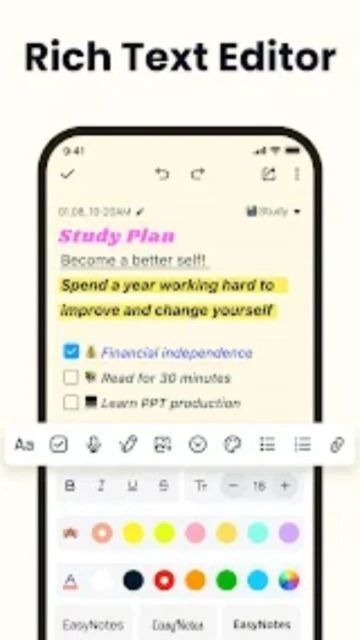
  • Custom font styles and text formatting options for rich note creation
  • Collaborative note sharing with real-time editing and commenting features
  • Note templates for quick creation of recurring note types like meetings
  • Export notes in multiple formats including PDF, Word, and plain text

Free with in-app purchases

Free vs Premium Comparison

Feature Free Premium
Password Protection Basic PIN protection on notebooks Biometric fingerprint and advanced encryption
Cloud Synchronization Manual sync to Google Drive backup Automatic continuous sync across all devices
Storage Capacity Device storage limit only Unlimited cloud storage access
Note Templates Standard blank note format Pre-built templates for meetings and tasks
Export Options Share via email only PDF, Word, and multiple format exports
Visual Customization Limited color options Extended themes and font styling

Frequently Asked Questions

Can I sync Easy Notes across multiple devices?

Yes, Easy Notes supports automatic synchronization through Google Drive and local backup to keep your notes accessible across tablets and phones. Enable cloud sync in settings to automatically backup and restore your notes.

Is Easy Notes completely free to use?

Easy Notes is free to download and use with all core features available. Optional in-app purchases unlock premium themes and advanced features, but the app remains functional without spending money.

How do I protect my notes with a password?

Navigate to individual notes or folders, tap the lock icon, and set a PIN or password. Your notes will be encrypted and require authentication before access. This prevents unauthorized viewing of sensitive information.

Can I attach images and audio to notes?

Yes, Easy Notes supports attaching images and voice recordings directly to notes. You can capture photos with your camera or select from your device gallery, and record audio memos for hands-free note creation.

What happens if I uninstall Easy Notes?

If you've enabled cloud backup, your notes are safely stored in Google Drive and can be restored after reinstalling. Local backup creates device copies that persist even after uninstallation if stored in accessible device folders.

Does Easy Notes work offline?

Yes, Easy Notes functions completely offline with all core features available. You can create, edit, and organize notes without internet connectivity. Changes synchronize to the cloud automatically when connection is restored.

How do I export notes from Easy Notes?

Open notes and use the share feature to export via email or messaging apps. Premium users gain access to PDF and Word format exports. You can also manually backup notes through Google Drive for long-term storage.