Desygner – Graphic Design Maker – Professional Templates
The best and easiest graphic design app
Google Editors' Choice design app trusted by 33M+ users for creating stunning graphics. AI-powered with ChatGPT integration, unlimited templates, and professional tools.
Desygner is a comprehensive graphic design platform recognized by Google as an Editors' Choice app. With over 33 million global users, it provides professional design capabilities without requiring technical expertise. The platform integrates AI technology including ChatGPT to streamline creative workflows.
The app delivers extensive design tools including thousands of templates, millions of royalty-free assets, and powerful editing features. Users create everything from social media graphics to business materials, marketing content, and personal projects. Real-time collaboration allows teams to work together seamlessly. Cloud storage and synchronization enable starting projects on mobile and finishing on desktop.
Features Of Desygner: Graphic Design Maker
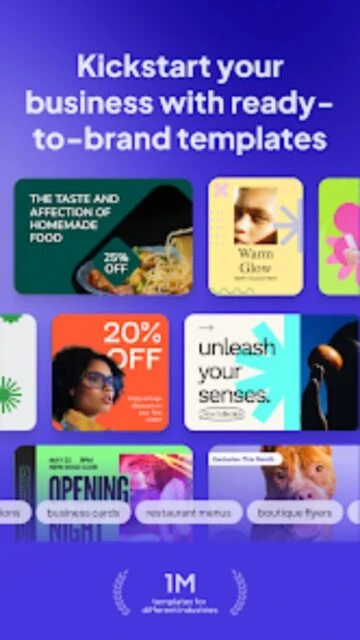
Thousands of professionally designed templates across 300+ graphic format categories
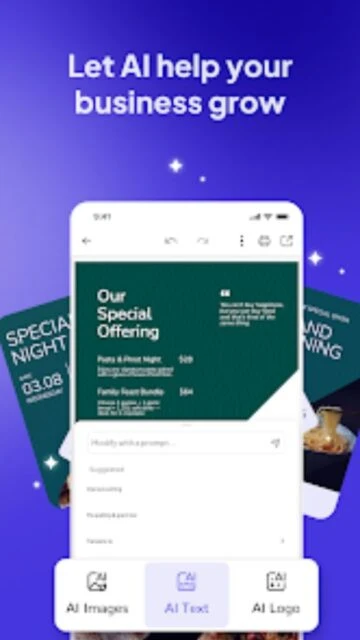
ChatGPT-powered AI Text Generator creates compelling copy and marketing content
Millions of royalty-free images, icons, and fonts updated monthly with new content
ChatGPT AI Text Generator access for unlimited professional copy creation
Unlimited asset storage for managing extensive design and media libraries
Advanced PDF Editor for creating fully editable document designs
Priority Processing speeds for faster design rendering and exports
Unlimited animations and video features for dynamic design creation
Advanced Background Removal with perfect edge detection technology
Cloud Storage expansion and priority backup for project files
Team Collaboration with priority support and advanced user role management
Free with in-app purchases, Pro+ $6.99/month or $58.99/year, Business $29.95/month
Free vs Premium Comparison
Feature
Free
Premium
Templates Access
Access to limited free template collection with basic designs
Unlimited access to thousands of professional templates in all formats
Asset Library
Limited royalty-free images and basic font selection
Millions of premium images, thousands of fonts, unlimited icons
AI Text Generation
Not available in free version
Unlimited ChatGPT-powered text generation for all projects
Background Removal
Basic background removal with limited precision
Advanced removal with perfect edge detection and transparency
Team Collaboration
Individual design creation only
Invite 5 team members free for real-time collaborative editing
Animations
Basic animations available
Unlimited advanced animations and video effects
Frequently Asked Questions
How many team members can I invite with Pro+?
Pro+ subscribers can invite up to 5 team members completely free. Team members can collaborate in real-time on projects, start designs on mobile and finish on desktop, and apply changes that sync instantly across devices.
Is the free version truly unlimited?
Yes, free users can create unlimited designs using all basic tools and templates. Premium features like AI text generation and advanced backgrounds remain locked, but core design capabilities are unrestricted.
Can I schedule social media posts?
Yes, with any plan you can schedule posts to Facebook, Instagram, LinkedIn, and other platforms directly from Desygner. Premium plans include more advanced scheduling features and optimization tools.
What file formats can I export?
Desygner supports exporting in PNG, JPG, PDF, and SVG formats. Premium users unlock higher resolution exports and additional format options for print and web projects.
Does Desygner offer offline editing?
No, Desygner requires internet connection for full functionality including template access and cloud storage. However, downloaded designs can be reopened and basic edits performed when reconnected.
Desygner is a Google Editors’ Choice graphic design platform trusted by over 33 million users worldwide for creating professional visual content. The app combines intuitive drag-and-drop design tools with powerful AI features including ChatGPT integration. From social media posts to business materials, Desygner enables anyone to create studio-quality graphics in minutes without design experience.
Why Choose Desygner?
Desygner stands out with its massive library of professionally-designed templates and royalty-free assets. The ChatGPT-powered AI Text Generator creates compelling copy instantly for any design project. Users access millions of premium images, fonts, and icons with new content added monthly. The Background Remover tool delivers pixel-perfect results, while Magic Resize automatically adapts designs to fit any platform or format. Automated Collections feature lets users create entire design sets with single-click automation. Social media scheduling enables direct posting to multiple platforms simultaneously.
AI Integration: ChatGPT-powered text generator creates compelling copy and design content instantly
Unlimited Templates: Access thousands of professionally designed templates across 300+ design formats
Smart Collaboration: Invite 5 team members free with Pro+ plan for real-time collaborative editing
How It Works
Users select a template from the extensive library, customize colors, fonts, and images using intuitive drag-and-drop controls. AI features enhance efficiency through automated text generation and instant background removal. The Magic Resize tool automatically adapts completed designs to multiple platform specifications. Brand Kit maintains consistent branding across all projects. Cloud storage saves work automatically, enabling seamless continuation across devices. Designs publish directly to social media or download in multiple formats.
Who Should Use It?
Small business owners, entrepreneurs, and freelancers leverage Desygner for marketing materials and social media graphics. Content creators use the platform for consistent, professional branding across projects. Marketing teams appreciate collaboration features and scheduling capabilities. Non-designers benefit from the template-based approach that requires no technical skills. Organizations seeking affordable professional design solutions find Desygner the perfect alternative to expensive design agencies.
User reviews and ratings for Desygner: Graphic Design Maker
See what users think about Desygner: Graphic Design Maker. Read honest reviews and ratings from real users.
4.7
★★★★★
3 reviews
Better than Canva for design flexibility
by Jennifer Park
★★★★★
2025-11-18
Finally found an alternative to Canva! Desygner has more customization options and the AI features are incredible. The ChatGPT integration saves me hours writing copy for designs.
Great templates but paywall limits
by David Thompson
★★★★★
2025-10-22
Love using Desygner for social media graphics. The templates are beautiful but honestly many premium features feel locked behind paywalls. Still worth subscribing though for the AI and unlimited storage.
Perfect for small business owners
by Lisa Zhang
★★★★★
2025-09-14
As a freelancer, Desygner is my secret weapon. The team collaboration feature lets me work with clients in real-time. Quality rivals professional design software at fraction of the cost.