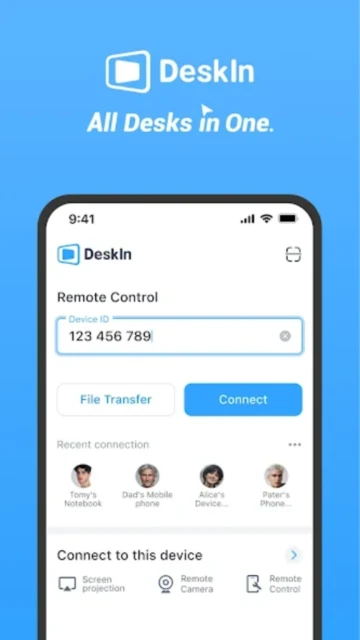
DeskIn Remote Desktop represents a new generation of remote access software, optimized specifically for performance-critical workflows like graphic design, video editing, and gaming. Developed by ZULER TECHNOLOGY PTE. LTD., DeskIn eliminates the compression-induced latency plaguing traditional remote desktop solutions. The app delivers 4K 60FPS video with true 4:4:4 color depth—critical for professionals working with color-sensitive content. Unlike competitors, DeskIn explicitly permits free commercial use without account flagging or session restrictions, making it the preferred choice for IT support teams and creative professionals seeking unfettered access.
How to Get Started with DeskIn Remote Desktop
DeskIn’s onboarding process mirrors industry standards while adding cloud-based device management. Installation requires downloading the app on your mobile device and setting up a free account—no subscription mandated for basic functionality. The receiving device requires either the DeskIn desktop client for Windows/macOS or unattended access configuration. Once both devices are signed into the same account, they automatically appear in your device list for instant connection initiation.
- Download DeskIn App – Install from Google Play Store or Apple App Store on your iPhone, iPad, or Android device
- Create Free Account – Sign up with email and password; optional two-factor authentication enhances security for sensitive environments
- Install Desktop Client – Download DeskIn client on Windows 10/11 or macOS machine you want to control remotely from deskin.io
- Enable Unattended Access – Set a custom password in desktop settings for password-protected remote access without requiring someone present to approve connections
Who Should Use DeskIn Remote Desktop
DeskIn addresses users who prioritize visual quality, low-latency performance, and unrestricted commercial use. The app’s performance characteristics make it optimal for specific professional niches where traditional remote desktop solutions introduce unacceptable compromises. Its feature set scales from individual freelancers to distributed IT teams.
- Graphic Designers and Content Creators – Access remote workstations with color-accurate 4:4:4 display; manipulate design files with sub-50ms latency ensuring responsive cursor movement and immediate visual feedback
- Gamers and Gaming Enthusiasts – Play CPU-intensive games on remote PCs via cloud gaming; 2K 144FPS capability supports competitive gaming with minimal input lag; customizable gaming keyboard overlays
- IT Support Professionals – Deploy unlimited commercial support without account flagging; use quicksupport feature for instant technician access; WOL and command execution for complex server management
- NOT ideal for – Users requiring extensive integrations with Slack/Microsoft Teams; those needing augmented reality guidance features; individuals in regions with poor internet stability
DeskIn Remote Desktop Platform Compatibility
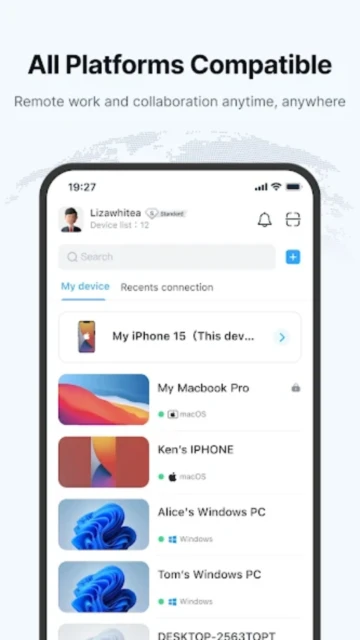
DeskIn maintains broad cross-platform support spanning Windows, macOS, iOS, iPad, and Android ecosystems. The mobile app requires iOS 13.0+ or Android 8.0+, ensuring compatibility with older devices still in active use. Desktop clients run on Windows 10/11 and macOS 11+ systems, supporting both Intel and Apple Silicon processors. The unified interface ensures consistent user experience across all supported platforms.
| Platform |
Min. Version |
Unique Features |
Limitations |
| Android |
Android 8.0+ |
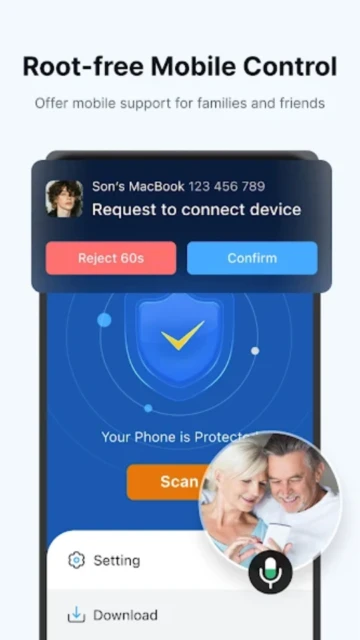
4K 60FPS support, 40ms RTC latency, root-free mobile device control, gaming keyboard overlay, accessibility service integration |
Root-free Android control limited to devices with accessibility service enabled; some custom ROMs may have compatibility issues |
| iOS/iPad |
iOS 13.0+ / iPadOS 13.0+ |
Full 4K 60FPS support, gaming controller compatibility, pencil input for digital drawing, multi-touch gesture support, notch optimization |
iOS 13.0 receives limited feature updates; recommend iOS 15+ for optimal performance; no sideloading required |
| Windows Desktop |
Windows 10 Build 19041+ |
Full remote gaming support, virtual screen creation, multiple concurrent connections, CMD/SSH command execution, wake-on-LAN |
Windows 10 Home edition lacks some advanced features available in Pro; Windows 7 not supported |
| macOS Desktop |
macOS 11.0+ (M1 or newer for Apple Silicon) |
Apple Silicon optimized, Touch Bar support, universal clipboard sharing, AirDrop integration, 120Hz display refresh support |
Intel Mac support extended but receives fewer optimizations; older macOS versions require older app versions |
DeskIn Remote Desktop Integrations & Ecosystem
DeskIn’s integration ecosystem focuses on developer tools and creative software rather than communication platforms. The app prioritizes native operating system features like clipboard sharing, file system access, and hardware peripherals. Advanced users can leverage DeskIn’s stable connection as a foundation for specialized workflows with third-party tools.
- Microsoft 365 Integration – Seamless access to Word, Excel, PowerPoint on remote machines; clipboard sharing syncs between mobile and desktop Office applications
- Drawing Tablet Support – Native support for Wacom, Huion, and XP-Pen tablets with pressure sensitivity and tilt support preserved over remote connections
- Game Streaming Services – Compatible with Steam In-Home Streaming, Moonlight, and Parsec for optimized gaming performance; customizable keyboard overlays for game-specific controls
- SSH and Command Execution – Direct CMD execution on Windows or SSH tunneling to remote Linux systems; enables server administration from mobile devices without additional terminal apps
Best Alternatives to DeskIn Remote Desktop
While DeskIn leads in performance metrics, alternative solutions address specific preferences. TeamViewer dominates enterprise adoption and support ecosystem. AnyDesk offers faster pricing options. RealVNC emphasizes security. Each serves distinct user segments with different prioritization of cost, features, and support maturity.
- TeamViewer Remote Control – Best for enterprises and support teams, offers extensive Slack/Teams integration and Assist AR guidance; requires subscription for commercial use ($619.99/year)
- AnyDesk Remote Desktop – Best for budget-conscious professionals, dynamic performance codec with lower pricing ($6/month); connection stability issues reported by users
- RealVNC Viewer – Best for security-first environments, built on open VNC protocol with robust authentication; lower performance than DeskIn for creative work
- Splashtop Remote Desktop – Best for cloud gaming integration, offers 4K support with lower cost; limited true color support compared to DeskIn’s 4:4:4 specification
DeskIn Remote Desktop vs Top Competitors
DeskIn’s performance specifications position it as the clear leader for quality-sensitive workloads. The 40ms latency guarantee and 4:4:4 true color support differentiate it from compression-based competitors. Pricing remains competitive at $10.90/month for standard features, with enterprise and gaming tiers available. TeamViewer dominates through ecosystem integrations; AnyDesk leads in price-per-performance; DeskIn excels in raw visual quality.
| Feature |
DeskIn |
TeamViewer |
AnyDesk |
| Video Quality |
4K 60FPS / 2K 144FPS with 4:4:4 true color |
HD with compression algorithms |
4K with dynamic compression codec |
| Latency Guarantee |
≤40ms RTC technology, 12MB/s file transfer |
Variable based on compression, moderate file speeds |
Ultra-low with DeskRT, varies by connection |
| Commercial Use |
Free, fully permitted for all users without restrictions |
Free account subject to commercial use flagging; $619.99/year required |
Free tier with limitations; $6/month professional plan |
| Design/Gaming Focus |
4:4:4 color depth, digital pen support, gaming keyboard overlay |
Standard remote access focus, Assist AR for guidance |
Performance-optimized but no color depth specification |
| Mobile Control |
Root-free Android device control from PC/iOS |
Limited mobile device management |
No native mobile device control |
DeskIn Remote Desktop Privacy & Security Overview
DeskIn implements bank-grade encryption and security practices aligned with enterprise data protection standards. End-to-end encryption ensures that only the connecting user and remote device can view session content. Two-factor authentication, allowlist/blocklist functionality, and privacy mode features enable granular security configuration. Data storage on Singapore servers provides Southeast Asian residency for compliance with regional regulations.
| Security Aspect |
Implementation |
User Control |
| Data Encryption |
Bank-grade E2E encryption for all remote sessions; no connection through public servers unless explicitly configured |
Users cannot disable encryption; all sessions encrypted by default with no opt-out option |
| Authentication |
Email-password login with optional two-factor authentication via authenticator apps; custom passwords for unattended access |
Users can enable/disable 2FA, configure trusted devices, set custom unattended access passwords |
| Data Collection |
Session logs stored locally on mobile device; optional cloud backup of settings; no behavioral analytics or telemetry |
Users control cloud backup toggle in privacy settings; can request deletion of account data via [email protected] |
| Third-Party Sharing |
No third-party sharing; data stored on DeskIn’s Singapore servers; compliant with GDPR, CCPA, and local data protection laws |
Users can request complete data deletion; no data recovery after deletion per privacy policy |
DeskIn Remote Desktop Accessibility Features
DeskIn integrates with native accessibility frameworks on iOS and Android platforms. Voice control features enable hands-free operation on supported devices. Motor accessibility improvements allow gesture customization for users with limited dexterity. Language support spans 8 languages with plans for additional localizations in future releases.
- Screen Reader Support – VoiceOver (iOS) and TalkBack (Android) compatible for account login and settings; remote control interface has limited screen reader support due to real-time visual requirements
- Visual Accessibility – System font scaling supported on both platforms; high contrast mode compatible; dark mode toggle in app settings; adjustable remote display brightness and contrast
- Motor Accessibility – Voice control through native Siri/Google Assistant for account management; gesture alternatives not fully implemented; accessibility service required for some features on Android
- Languages & Localization – English, Simplified Chinese, Traditional Chinese, Thai, Vietnamese, Indonesian supported; limited RTL language support at present
Power User Tips for DeskIn Remote Desktop
Advanced users maximize DeskIn’s performance through configuration optimization and workflow customization. These techniques address design professionals, gamers, and IT administrators seeking to leverage DeskIn’s technical advantages in their specialized domains. Understanding these features accelerates productivity and reduces troubleshooting overhead.
- Optimize Gaming Performance – Enable 2K 144FPS mode in settings for competitive gaming; configure custom gaming keyboard overlay with game-specific button layouts; use 3D view switching for first-person games
- Configure Drawing Tablet Input – In desktop settings, enable drawing tablet passthrough and pressure sensitivity; Wacom and Huion tablets work natively with full precision over remote connection
- Enable Virtual Screens for Multitasking – Create multiple virtual screens in desktop client to extend display beyond physical hardware; manage workflows with separate screens for application windows
- Use Private Mode for Security – Enable privacy mode in settings to blank the remote screen while maintaining control; useful for remote support sessions where confidentiality matters
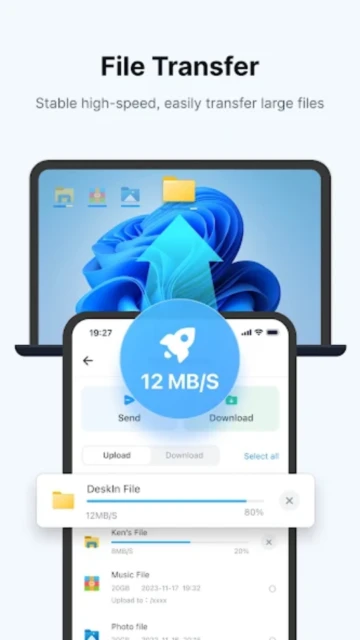
- Optimize File Transfer Speeds – Ensure devices are on same local network for 12MB/s transfer speed; use compression options in settings for slower internet connections (sacrifices speed for reliability)
DeskIn Remote Desktop Support & Community
DeskIn provides responsive customer support through multiple channels and maintains an active developer roadmap. The company implements regular updates addressing user feedback and introducing new features. Community discussion occurs primarily through official support email and social media channels rather than traditional forums.
- Official Help Center – https://deskin.io/resource/ with detailed guides covering setup, troubleshooting, feature explanations, and comparison resources
- Email Support – [email protected] provides direct contact with development team; responses typically within 24-48 hours; handles technical issues and feature requests
- Official Blog – https://deskin.io/resource/blog/ features technical deep-dives, performance comparisons, and tutorial content for optimizing workflows
- Feature Requests – Community can suggest features via support email; development team actively incorporates user feedback into quarterly update cycles
DeskIn Remote Desktop Latest Updates & Roadmap
DeskIn version 3.3.32 released in August 2025 resolved stability issues on root-free Android device control. The platform maintains an aggressive update schedule with quarterly releases addressing performance optimization and feature expansion. Upcoming roadmap items include enhanced macOS support for M-series chips, expanded language localization, and improved gaming overlay customization. Recent updates focused on connection stability improvements and reduced latency variance across poor network conditions.