Concepts – Infinite vector canvas for sketching and design

Concepts is a professional infinite canvas app featuring vector-based sketching, unlimited layers, COPIC color wheels, and real-time collaboration for designers and artists.

About Concepts: Sketch, Note, Draw

Concepts is a vector-based infinite canvas app designed for unlimited creative exploration. The platform features realistic pressure-sensitive brushes, unlimited layers, and industry-standard color wheels. Professional export capabilities support PNG, SVG, PSD, and DXF formats for integration with design workflows.

Designed for collaboration and precision, Concepts enables team sharing of object libraries, color palettes, and brushes with real-time synchronization. Cross-platform support across iOS, Windows, Android, and ChromeOS ensures consistency regardless of device. The free version provides essential creative tools while premium membership unlocks advanced features and professional libraries.

Features Of Concepts: Sketch, Note, Draw

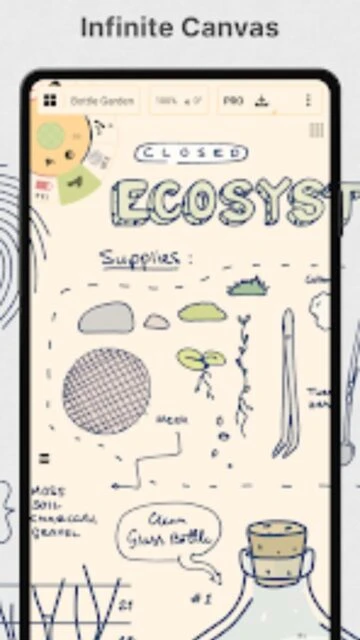
  • Infinite canvas eliminating traditional size limitations enabling unrestricted creative exploration and ideation
  • Editable vector-based strokes allowing color, size, opacity and smoothing adjustments without quality degradation
  • COPIC color wheel with RGB and HSL options matching professional color theory standards used by designers
  • Unlimited layers with automatic sorting and opacity controls enabling complex compositions and organization
  • Customizable tool wheel personalizable with favorite tools, brushes and presets for optimized workflow efficiency
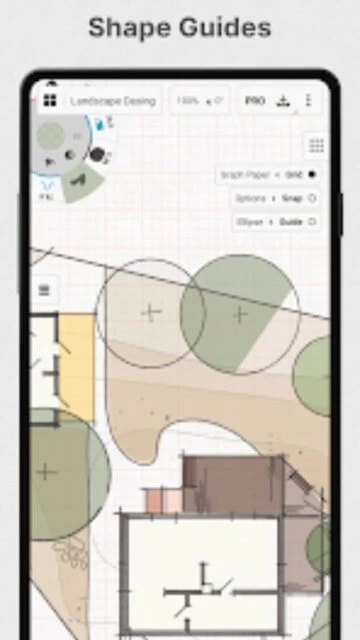
  • Shape guides, snap-to-grid, and measurement tools providing precision for technical sketching and accurate proportions
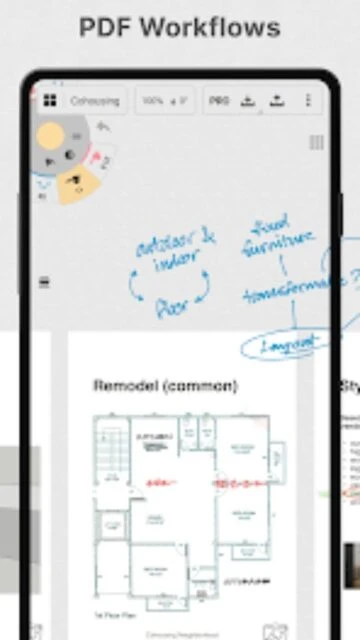
  • Drag-and-drop image support enabling quick reference photo integration and direct PDF file manipulation on canvas
  • Multiple paper types and custom grid options providing diverse drawing surfaces for different project requirements

Premium Features in the Paid Plan

  • 200+ brush and object libraries providing professional presets for rapid design workflow acceleration and consistency
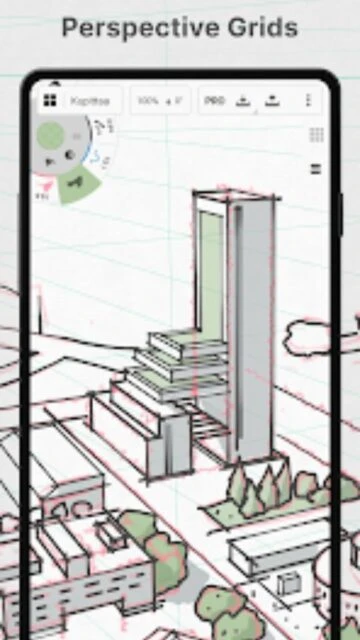
  • Advanced transform tools and perspective grids enabling architectural sketching and complex geometric manipulation
  • Custom brush and object creation allowing unlimited personalization and reusable component libraries
  • Team sharing and live collaboration enabling simultaneous multi-user editing and real-time synchronization features
  • PDF import and export functionality supporting document workflows and architectural blueprint integration requirements
  • Infinite layers available on premium versus five-layer limit on free version dramatically expanding composition complexity
  • Cross-platform synchronization ensuring seamless workflow continuation between iOS, Android, Windows and ChromeOS devices
  • Advanced selection and editing tools providing surgical precision for complex design iterations and refinements

Free with in-app purchases ($4.99/month or $29.99/year subscription)

Free vs Premium Comparison

Feature Free Premium
Canvas Layers Five layers maximum Unlimited layers across projects
Brush Libraries Basic brush selection 200+ professional brush libraries
Export Formats JPG export only PNG, SVG, PSD, DXF, PDF exports
Object Libraries Create and store basic objects Access 200+ professional object packs
PDF Workflow PDF viewing only Full PDF import and export
Team Collaboration Individual workspace only Live sharing and real-time collaboration

Frequently Asked Questions

What makes Concepts different from other drawing apps?

Concepts features an infinite vector-based canvas where every stroke remains editable indefinitely. Unlike raster-based apps, you adjust lines after creation without quality loss. The unlimited canvas eliminates traditional size constraints, and vector editing enables non-destructive workflows essential for professional design.

Can I use Concepts for professional design work?

Yes, Concepts is used by professionals at Disney, Playstation, Apple, and other major companies. It supports industry-standard export formats (SVG, PSD, DXF, PDF) and includes professional color wheels, precision tools, and team collaboration features for professional workflows.

How does the free version compare to premium?

The free version includes infinite canvas, five layers, basic brushes, and JPG export. Premium ($4.99/month) adds unlimited layers, 200+ brush libraries, advanced exports (SVG, PSD, DXF, PDF), team sharing, and professional object libraries for expanded creative capabilities.

Is Concepts available on all platforms?

Concepts supports iOS, Android, Windows, and ChromeOS with cross-platform synchronization. Platform feature parity is in progress with updates released regularly. Your premium subscription works across all platforms you own.

Can I collaborate with other artists in real-time?

Yes, premium subscribers can enable team sharing for live real-time collaboration. Team members can simultaneously edit shared drawings and synchronize brush libraries, color palettes, and custom objects across their devices.

What are the system requirements for Concepts?

Concepts requires iOS 15.0 or later on Apple devices and Android 8.0 or higher on Android devices. The app requires approximately 214.1 MB storage space. It's optimized for pen-enabled devices including Apple Pencil and styluses.