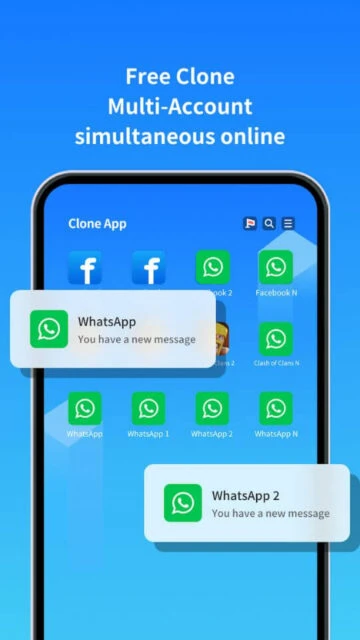
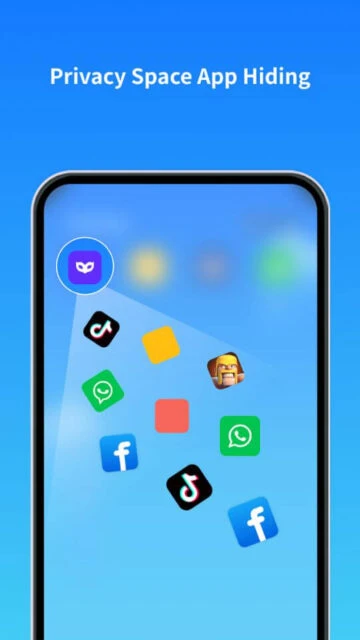
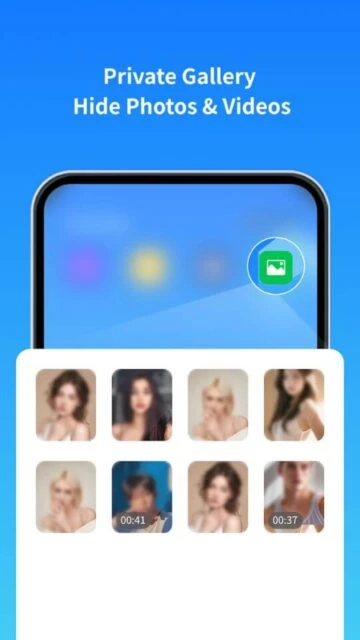
Clone App distinguishes itself in the crowded virtualization market by offering more than just simple app duplication. Built on the custom “Chaos Engine,” it provides granular control over the cloned environment, allowing users to modify device fingerprints, mock locations, and secure data in private vaults. This guide explores how Clone App serves not just as a multi-account tool, but as a comprehensive privacy sandbox for Android users.
How to Get Started with Clone App
The onboarding process emphasizes permission management to ensure the virtualization engine functions correctly across different Android versions.
- Grant Necessary Permissions – Allow storage and phone permissions to enable the Chaos Engine’s virtualization capabilities.
- Select Apps to Clone – Tap the “+” button and choose from the list of installed applications to generate a copy.
- Customize Device Privacy – Before launching, tap the three dots on the clone to modify the device ID or set a fake GPS location.
- Launch and Login – Open the cloned instance and log in with your secondary account credentials.
Who Should Use Clone App
This application is engineered for users who require deeper system-level separation than standard cloners provide.
- Mobile Gamers – Users needing fresh device IDs to create smurf accounts without banning their main device.
- Privacy Advocates – Individuals wanting to isolate apps with aggressive data collection practices.
- Social Media Managers – Professionals managing 5+ accounts who need specific geolocation settings for each profile.
- NOT ideal for – Casual users looking for a simple, one-tap solution without complex configuration options.
Clone App Platform Compatibility
Clone App focuses heavily on the Android ecosystem to leverage its virtualization technology effectively.
| Platform |
Min. Version |
Unique Features |
Limitations |
| Android |
Android 7.0+ |
Device ID spoofing, Chaos Engine |
High battery usage on older devices |
| iOS |
N/A |
Not officially supported |
Architecture restrictions prevent cloning |
| Web |
N/A |
None |
No browser-based functionality |
| Desktop |
Windows 11 (Subsystem) |
Run via Android Subsystem |
Requires high RAM allocation |
Clone App Integrations & Ecosystem
While it runs standalone, Clone App supports critical system integrations to ensure cloned apps behave natively.
- Google Play Services – Optional plugin installation to support games requiring Google login.
- Facebook Login – specialized support to prevent OAuth errors common in virtual environments.
- WhatsApp Backups – Local backup bridging to move chat history between the main and cloned space.
- Mapping Services – Integration with native maps to support the Fake GPS feature within clones.
Best Alternatives to Clone App
If the advanced features of Clone App are too complex, consider these more streamlined competitors.
- Parallel Space – Best for stability and ease of use, ideal for standard WhatsApp/Facebook cloning.
- Dual Space – Best for low-resource devices, offering a lighter footprint than Clone App.
- Island (by Oasis Ba) – Best for work profile leveraging, using Android’s built-in enterprise features.
- Shelter – Best for FOSS (Free and Open Source) enthusiasts prioritizing open code.
Clone App vs Top Competitors
Comparing the technical capabilities reveals where Clone App’s “Chaos Engine” stands out.
| Feature |
Clone App |
Parallel Space |
Dual Space |
| Pricing |
Freemium / VIP Sub |
Freemium / Pro |
Freemium / VIP |
| Key Strength |
Device ID Modification |
Proven Stability |
Battery Efficiency |
| Target Users |
Power Users / Gamers |
General Public |
Budget Phone Users |
| Unique Feature |
Fake GPS / Mock Location |
Incognito Install |
Lite Mode |
| Offline Mode |
Yes |
Yes |
Yes |
Clone App Privacy & Security Overview
Given its deep permissions, understanding Clone App’s security architecture is vital for user trust.
| Security Aspect |
Implementation |
User Control |
| Data Encryption |
Virtual container encryption |
Cannot disable |
| Authentication |
Pattern/Fingerprint Lock |
Enable per-clone |
| Data Collection |
Device identifiers |
Required for functionality |
| Third-Party Sharing |
Ad networks (Free version) |
Remove with VIP |
Clone App Accessibility Features
The app includes several features to make the complex interface usable for a wider audience.
- Screen Reader – Basic labeling for TalkBack, though some advanced settings menus are untagged.
- Visual – Supports system-wide dark mode and independent font scaling for cloned apps.
- Motor – Large touch targets for main actions like launching clones.
- Languages – Supports 12+ languages including Arabic (RTL) and Simplified Chinese.
Power User Tips for Clone App
Unlock the full potential of the Chaos Engine with these advanced configuration strategies.
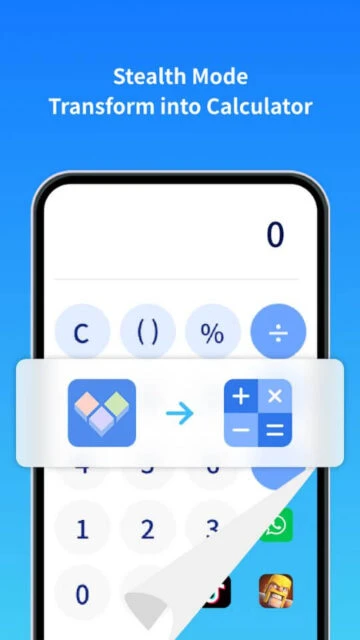
- Use Icon Camouflage – Disguise the Clone App icon as a calculator or compass to hide it from your app drawer.
- Separate Google Accounts – Use a distinct Google account for the cloned Play Store to separate game purchases.
- Enable Color Mode – Assign different theme colors to cloned WhatsApps to instantly distinguish them from the original.
- Performance Booster – Use the built-in “One-Tap Boost” to kill background processes of clones you aren’t using.
- Fix Crashing Apps – Change the “OS Version” in the clone settings to mimic an older Android version for legacy app support.
Clone App Support & Community
Support is primarily handled through direct channels rather than a public forum.
- Official Help Center – In-app FAQ covering common crash fixes and permission issues.
- Community Forum – Telegram group active for beta versions and user tips.
- Social Media – Facebook page for announcements about major updates (e.g., Android 16 support).
- Contact Support – Direct email support via [email protected].

 70
70