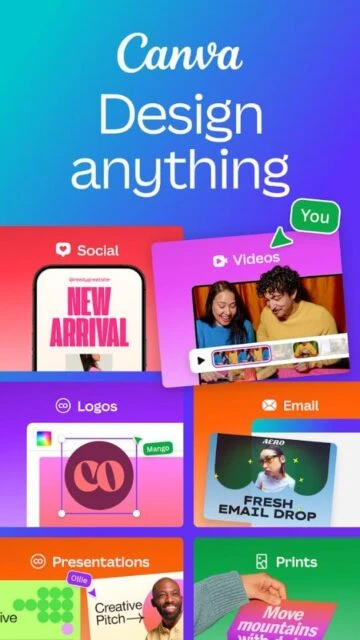
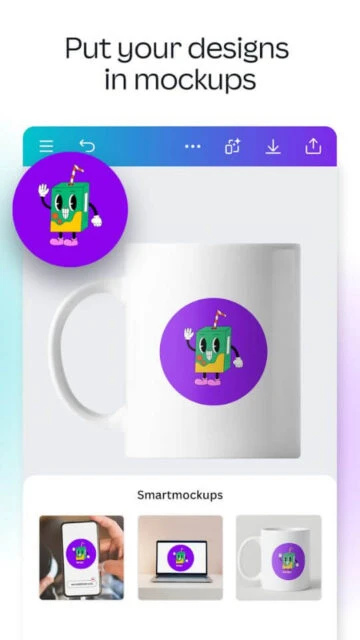
Canva revolutionized graphic design by democratizing professional tools for non-designers since its 2013 launch. It positions itself as an intuitive online platform where AI-powered features like Magic Studio enable quick creation of visuals, presentations, and videos, addressing the need for accessible creativity in business, education, and personal projects amid 2026’s AI-driven content boom.
Over 170 million users rely on Canva’s vast template library and collaborative ecosystem, evolving from simple graphics to comprehensive Visual Suite 2.0 for multi-format designs without tool-switching. This focus fills gaps left by complex software like Adobe, empowering small teams and creators globally.
How to Get Started with Canva
Onboarding in Canva feels seamless, almost like sketching on digital paper. You land on a clean dashboard after signing up with email, Google, or Apple; AI suggests templates based on your goals, and tutorials pop up contextually, guiding novices through edits in minutes without overwhelming menus.
- Create Account – Visit canva.com or download the app, then sign up using your email or social login; expect instant access to free tools and a personalized feed of templates tailored to trends like 2026 AI visuals.
- Explore Templates – Search or browse thousands of ready designs by keyword, such as “social media post”; select one, and watch it adapt as you type text or upload images, with real-time previews.
- Customize Design – Drag elements like icons or photos onto the canvas, apply Magic Resize for multi-format output; AI tools auto-suggest colors and fonts matching your brand.
- Add AI Features – Use Magic Studio to generate images from text or edit backgrounds; results appear instantly, ready for tweaks via simple sliders.
- Export and Share – Download in PNG, PDF, or MP4, or share links for collaboration; team invites integrate smoothly, syncing changes live.
Who Should Use Canva
Canva targets everyday creators who need polished visuals fast, from solopreneurs crafting social posts to educators building interactive lessons. Its drag-and-drop interface and AI shortcuts suit those prioritizing speed over pixel-perfect control, fitting 2026’s demand for quick, collaborative content in remote work and marketing.
Ideal Users
- Small business owners juggling marketing – they craft flyers, logos, and ads without hiring designers, leveraging templates for brand consistency.
- Teachers and students in education – they design engaging slides or infographics that boost lesson retention, with free tools suiting budget constraints.
- Social media influencers growing audiences – they produce eye-catching Reels or stories using video editors and trends, saving hours on edits.
- Non-profit coordinators planning events – they create invites and reports collaboratively, sharing access easily across volunteer teams.
Not Ideal For
- Professional graphic designers seeking precision – they find layer limits and AI outputs too basic compared to vector-heavy workflows.
- Agencies handling complex print projects – they need advanced color calibration Canva lacks, risking production errors.
- Developers building custom apps – they require code-level integrations beyond Canva’s template ecosystem.
Canva Platform Compatibility
Canva shines across devices with full web access anywhere, but mobile apps emphasize quick edits while desktop unlocks deeper collaboration. iOS and Android handle core AI tools like Magic Edit; limitations hit older hardware or offline-heavy users, as sync relies on internet except basic caching. Windows/Mac apps mirror browsers but add desktop folders.
| Platform |
Minimum Version |
Unique Features |
Limitations |
| iOS |
16.0 |
Touch gestures for precise crops; AR previews for social content |
No multi-window; battery drain on video exports |
| Android |
9.0 |
Material You theming; stylus support for sketches |
Occasional lag on budget devices; fewer templates than web |
| Web |
Modern browsers (Chrome 100+) |
Unlimited storage; real-time multiplayer editing |
Requires stable connection; no native offline mode |
| Desktop |
Windows 10/macOS 11 |
Drag-drop from file explorer; keyboard shortcuts galore |
Install-based updates; no mobile-exclusive AI filters |
Canva Integrations and Ecosystem
Canva’s ecosystem thrives on seamless connections, embedding designs into workflows via apps and APIs for 2026’s hybrid teams. Over 100 native integrations plus Zapier expand it into a visual hub.
- Social Media Platforms – Direct posting to Instagram, Facebook, TikTok; schedules content and pulls analytics for optimized campaigns.
- Productivity Suites – Google Workspace, Microsoft 365 links import docs into editable canvases, syncing edits bidirectionally.
- Video Conferencing – Zoom, Teams embeds presentations as interactive slides, with real-time co-editing during calls.
- E-commerce Tools – Shopify, Etsy uploads product mocks instantly, automating mockup generation from catalogs.
- Automation Hubs – Zapier, Make trigger designs from forms or CRMs, like auto-creating reports from HubSpot leads.
- Developer APIs – Connects via Apps SDK for custom embeds, powering SaaS visuals in enterprise dashboards.
Best Alternatives to Canva
Alternatives matter when Canva’s template reliance feels limiting or pricing climbs for Pro AI features; they offer niche strengths like advanced editing or free depths, suiting specialized needs in 2026’s crowded design space.
- Adobe Express suits quick pros needing Photoshop lite – its AI firefly generates precise assets, better for brand kits than Canva’s generics.
- Fotor excels in photo restoration AI – users fix old images effortlessly, with stronger batch tools absent in Canva’s editor.
- Picsart draws creators craving effects – gold users access meme generators and AR stickers, outpacing Canva’s social focus.
- Desygner fits offline mobile warriors – full edits without internet, ideal where Canva demands constant sync.
- VistaCreate (ex-Crello) appeals template hoarders – 150k+ options rival Canva, free tier includes animations for videos.
Canva vs Top Competitors
We compare on AI depth, collaboration scale, and free limits – key for creators balancing power and cost in daily use.
| Feature |
Canva |
Adobe Express |
Fotor |
Picsart |
| AI Capabilities |
Magic Studio for text-to-image; basic edits |
Firefly for pro generations; vector upscale |
Photo enhancer excels; portrait retouch |
AR effects, meme AI; collage automation |
| Collaboration |
Real-time teams up to 50 |
Shared links, comments |
Basic sharing only |
Community remixes |
| Free Tier Limits |
5GB storage; watermarks on premium |
Unlimited basics; no AI exports |
Full editor; ads nag |
Gold-locked effects |
| Learning Curve |
Beginner-friendly drag-drop |
Moderate pro tools |
Simple photo focus |
Effect-heavy trial-error |
Canva Privacy and Security Overview
Canva prioritizes enterprise-grade security with end-to-end encryption and GDPR compliance, processing billions of designs securely since 2013. Users control data via granular sharing, but AI training opt-outs remain manual amid 2026 privacy scrutiny. Regular audits and SOC 2 reports build trust for teams.
| Security Aspect |
Implementation |
User Control |
| Data Encryption |
AES-256 at rest; TLS 1.3 in transit |
Enable 2FA; folder-level locks |
| Authentication |
SSO, biometrics on apps; passwordless |
Manage sessions; role-based access |
| Data Collection |
Usage analytics, AI improvement opt-in |
Privacy dashboard to revoke/delete |
| Third-Party Sharing |
No selling; partners like Google audited |
Block exports; audit logs for teams |
Canva Accessibility Features
Canva embeds accessibility deeply, with auto-alt text generation and color contrast checkers aligning to WCAG 2.2 standards as of 2026 updates. This supports diverse users, from screen reader dependents to color-blind creators, without disrupting workflows.
- Screen reader optimization reads layered elements logically, voicing text and describing images via AI-generated alts for instant inclusivity.
- High-contrast mode and 12 font size scales adapt interfaces dynamically, easing strain for low-vision users during long sessions.
- Keyboard navigation covers all tools, skipping mouse needs; shortcuts announce actions for voice-over compatibility.
- Color blindness simulators preview designs pre-publish, flagging issues like red-green clashes in charts.
- Export options include accessible PDFs with tagged headings, ensuring shared files work with tools like JAWS or NVDA.
Power User Tips for Canva
Power users unlock Canva’s depth by chaining AI with custom hacks, slashing design time in 2026’s fast content cycles. Tailor these to platforms for efficiency.
- Chain Magic Expand on desktop with bulk uploads to auto-extend backgrounds across 50 images, then batch-export via Apps script for client galleries.
- Build brand kits with hex variables on web, auto-applying to teams; link Google Sheets for dynamic logo swaps in presentations.
- Use Visual Suite 2.0 on iOS for AR previews – overlay designs on real-world via camera, perfect for mockup pitches.
- Keyboard warriors: Cmd/Ctrl + Shift + Z undoes 100 steps; create custom shortcuts for Magic Grab to extract elements fleetly.
- Offline mode on Android apps caches projects; sync later with AI upscales, dodging spotty WiFi during travel edits.
- API pros embed Canva editors in Notion via Apps SDK, pulling live designs into docs for seamless client reviews.
Canva Support and Community
Canva’s support mixes self-service resources with tiered human help, prioritizing speed for its global creator base. Pro users get live chat resolving most issues fast, while free tiers lean on detailed docs. Community thrives organically, driving feature ideas through active engagement.
Support Channels
- Help Center search answers 80% of queries instantly, covering AI tools to exports with video guides.
- Live chat for Pro/Teams activates within minutes, handling billing or glitches via AI triage.
- Email tickets for enterprises promise 24-hour SLAs, tracking API or admin issues methodically.
- In-app feedback loops suggest improvements, often appearing in monthly updates.
Community Hubs
- Reddit’s r/Canva (200k+ members) shares hacks weekly, from template packs to workaround threads.
- Official forums host ambassador AMAs, spotlighting user designs monthly.
- Discord servers buzz with real-time collabs; creators trade brand kits freely.
- Webinars and Create Live sessions teach advanced Visual Suite tricks live.

 65
65