Business Calendar 2 – Powerful scheduling planner and organizer

Feature-rich calendar app with event management, task organization, multiple views, weather integration, Wear OS support, and extensive customization options for professional scheduling.

About Business Calendar 2 Planner

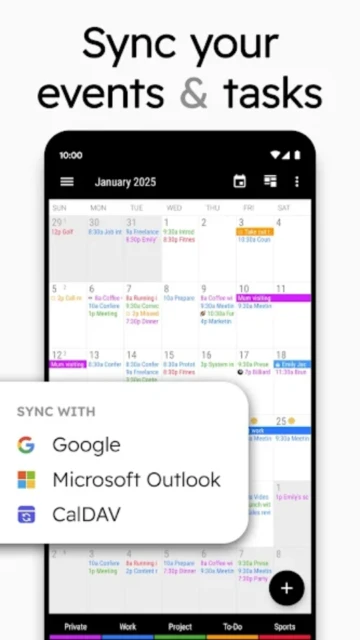
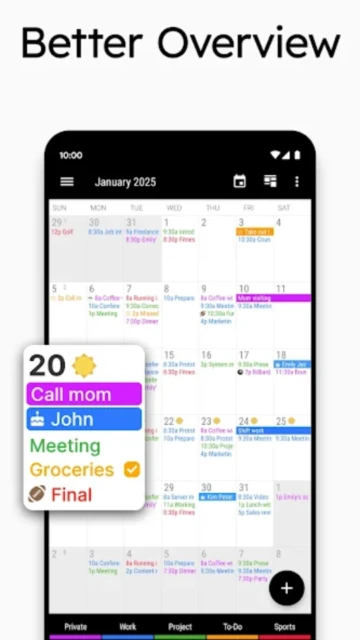
Business Calendar 2 is a powerful calendar and task management application for Android that combines scheduling, event organization, and task tracking into one intuitive platform. It provides multiple calendar views and seamless synchronization with major calendar services.

The app excels at helping users manage complex schedules through customizable widgets, intelligent event creation, and advanced filtering options. With support for Google Calendar, Outlook, Exchange, and local calendars, it adapts to any scheduling workflow. Professional themes and color-coding make visual organization simple.

Features Of Business Calendar 2 Planner

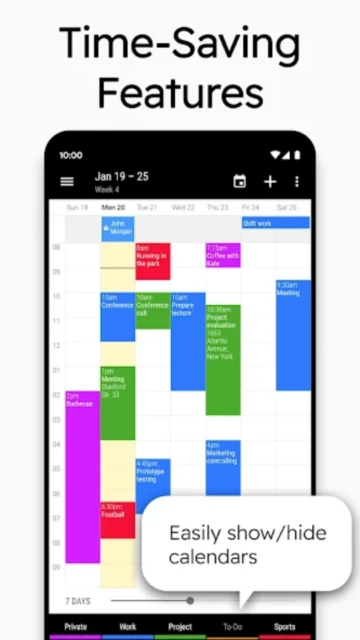
  • Multiple calendar views including month, week, day, agenda, year, and customizable task management
  • Voice input feature for quick event creation without typing details
  • Drag-and-drop event management to move appointments across different time slots
  • Smart suggestions for event titles, locations, and attendees based on history
  • Integration with Google Calendar, Outlook, Microsoft Exchange, and Google Tasks
  • Seven customizable calendar widgets for home screen display
  • Weather forecast integration in daily, monthly, and agenda views
  • Wear OS smartwatch app support with complications and tiles
  • Advanced task management with subtasks, priorities, and recurring options
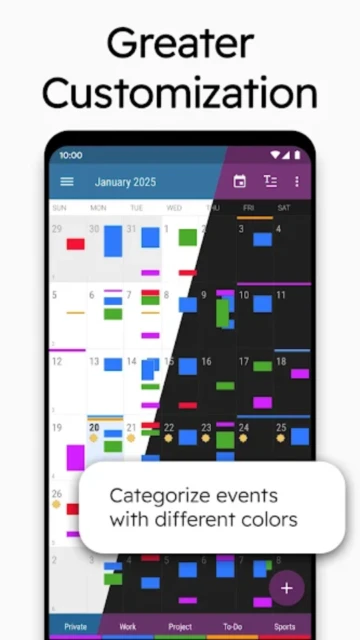
  • Color categorization with over 600 emoji options for visual organization
  • Event attachments including files and photos for detailed documentation
  • Public holiday and birthday calendar automatically populated

Premium Features in the Paid Plan

  • No advertisements for uninterrupted calendar experience
  • Weather reports for seven days ahead in multiple calendar views
  • Recurring tasks with flexible subtasks and priority settings
  • Twenty-two beautiful app themes including dark mode option
  • Attach files and photos directly to calendar events
  • PDF export functionality for printing schedules
  • Customizable font sizes for accessibility
  • Import and export calendar data in iCalendar format
  • Location auto-completion using TomTom suggestions database
  • Multi-event selection for batch operations and copying
  • Mark events as canceled and reschedule later
  • Private contact linking to appointments

Free with ads; Pro version $7.99 one-time purchase or $9.99 yearly subscription

Free vs Premium Comparison

Feature Free Premium
Calendar Sync Sync with Google Calendar, Outlook, Exchange Unrestricted sync with all services plus Google Tasks
Event Attachments Limited attachment support Full file and photo attachment capabilities
Themes Basic light and dark themes 22 beautiful customizable themes
Weather Integration No weather display Seven-day weather forecast in multiple views
Widgets Basic widget options Seven professional widgets with customization
Task Management Basic tasks Recurring tasks, subtasks, and priorities
Advertisements Skippable ads appear twice daily Completely ad-free experience
Export Options Limited export PDF export and iCalendar format support

Frequently Asked Questions

Can I use Business Calendar 2 without syncing to online services?

Yes, Business Calendar 2 supports local calendar management. You can create and manage events entirely offline without connecting to Google Calendar, Outlook, or Exchange. However, synchronization features won't be available in offline mode.

Does Business Calendar 2 work with my smartwatch?

Yes, Business Calendar 2 includes native support for Wear OS smartwatches (version 2.23 and higher). The app displays events, tasks, and includes watch tiles and complications for quick access to your schedule directly from your wrist.

How do I remove advertisements from the app?

The free version displays skippable ads twice daily. To remove all advertisements, upgrade to the pro version with a one-time $7.99 purchase or yearly $9.99 subscription. You'll also unlock premium features like weather integration and advanced customization options.

Can I sync multiple calendars from different services?

Yes, Business Calendar 2 allows unlimited synchronization with Google Calendar, Microsoft Outlook, Exchange, and local calendars. You can manage multiple calendars simultaneously and toggle visibility using the favorite bar for quick access.

What file formats does Business Calendar 2 support for import/export?

Business Calendar 2 supports iCalendar (.ics, .ical) format for importing and exporting calendar data. Premium users can also export their schedule as PDF files for printing or sharing. This ensures compatibility with other calendar applications.

Can I share my calendar with colleagues or family?

Yes, Business Calendar 2 allows easy sharing of your schedule with colleagues, friends, and family members. You can share individual events or entire calendars through standard sharing methods supported by your sync service.