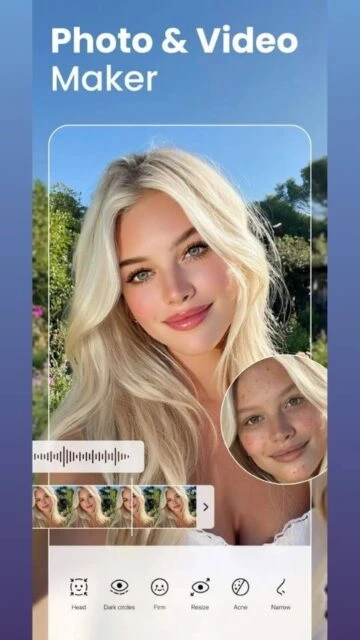
BeautyPlus – AI-powered photo and video editor

BeautyPlus is an AI-powered beauty camera and photo editor trusted by 800 million users worldwide for stunning selfies and advanced photo editing.

About BeautyPlus-Selfie Photo Editor

BeautyPlus is an AI-powered beauty camera and photo editor trusted by 800 million users for creating stunning selfies and professional photos. The app provides 50+ editing tools, HD retouch technology, and advanced AI features for instant beautification and natural-looking results.

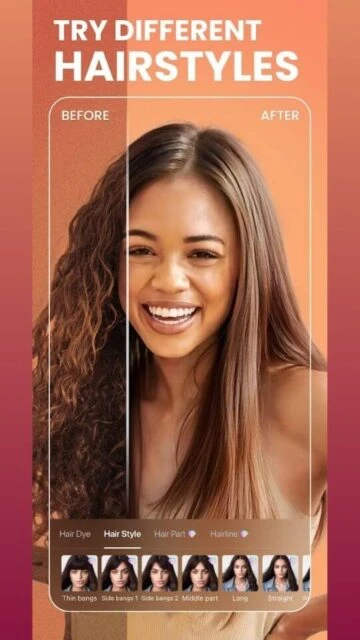
With makeup editor, anime filters, body editor, and comprehensive photo enhancement capabilities, BeautyPlus enables users to transform ordinary photos into polished masterpieces. Premium features unlock 1000+ exclusive filters, makeup looks, and templates while maintaining an ad-free experience for seamless editing.

Features Of BeautyPlus-Selfie Photo Editor

  • AI-powered portrait enhancement removes blemishes instantly with natural results
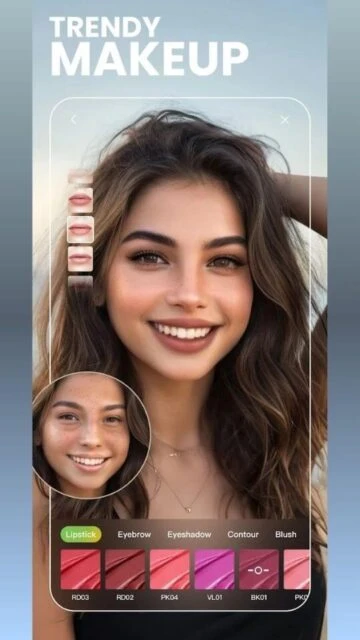
  • Virtual makeup editor with lipstick, eyebrows, and advanced cosmetic options
  • Body editor sculpts waist, arms, face, bust, and adjusts body proportions
  • Background remover creates transparent images or changes backgrounds instantly
  • 50+ professional editing tools including brightness, contrast, and color adjustment
  • Vintage camera feature with analog photography filters and nostalgic styles
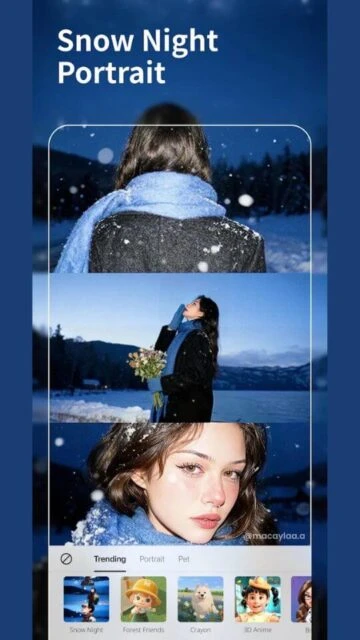
  • AI avatar transformation converts selfies into stunning otherworldly versions
  • Anime filter technology creates cartoon-style versions of your photos
  • Video editor with music, filters, and face tune enhancement capabilities
  • 300+ designer fonts for adding customized text to photos
  • Burst mode photography captures multiple shots for perfect moments
  • Wireless sharing to Facebook, Instagram, Twitter, TikTok, and Snapchat

Premium Features in the Paid Plan

  • 100% ad-free experience without interruptions during editing sessions
  • Unlimited access to 1000+ exclusive premium filters and effects
  • Advanced makeup looks with professional cosmetic application options
  • Priority customer support for technical assistance and feature requests
  • HD export quality for crisp, detailed image downloads
  • Batch editing for processing multiple photos simultaneously
  • Exclusive premium sticker packs and template collections
  • Unlimited cloud storage for backup and synchronization across devices
  • Early access to new features and beta testing opportunities

Free with in-app purchases and subscription

Free vs Premium Comparison

Feature Free Premium
Editing tools available Basic tools, limited filters, watermark on exports 50+ professional tools, 1000+ filters, watermark-free exports
Virtual makeup options Basic cosmetic tools with limited styles Advanced makeup looks with professional customization
AI enhancement capabilities Standard AI beautification for selfies Unlimited AI avatar, anime filters, and advanced transformations
Background editing Limited background removal with watermark Unlimited transparent backgrounds and custom background changes
Export quality Standard resolution with watermark High definition export without watermark
Advertisement display Contains targeted advertisements Completely ad-free experience
Template access Limited basic templates 1000+ exclusive premium templates
Video editing features Basic video filters only Full video editor with music and effects

Frequently Asked Questions

Is BeautyPlus free to download and use?

Yes, BeautyPlus is completely free to download from Google Play and App Store. Many features are available in the free version. Premium features and filters require in-app subscription or one-time purchases for enhanced editing capabilities.

Can I remove the watermark from exported photos?

The free version adds a BeautyPlus watermark to exported photos. To remove watermarks, upgrade to the premium subscription which provides watermark-free exports in high definition quality.

What are the minimum device requirements for BeautyPlus?

BeautyPlus requires Android 8.0 or higher on Android devices and iOS 13.0 or higher on Apple devices. The app requires approximately 193 MB of storage space. Devices with at least 2GB RAM recommended for smooth performance.

Does BeautyPlus offer batch editing for multiple photos?

Batch editing is available in the premium version, allowing you to apply the same enhancements to multiple photos simultaneously. This feature significantly speeds up editing workflows for content creators managing large photo collections.

Can I edit videos with BeautyPlus?

Yes, BeautyPlus includes a comprehensive video editor where you can add music, apply filters, and use face tune effects. Premium features unlock additional video effects and editing capabilities for professional-quality video content creation.

How do I share edited photos directly from BeautyPlus?

After editing, tap the share button to directly post to Facebook, Instagram, Twitter, TikTok, or Snapchat. You can also save edited photos to your device gallery. Premium subscribers enjoy watermark-free sharing across all platforms.