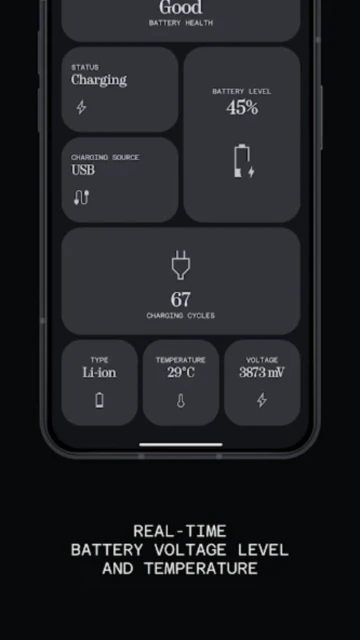
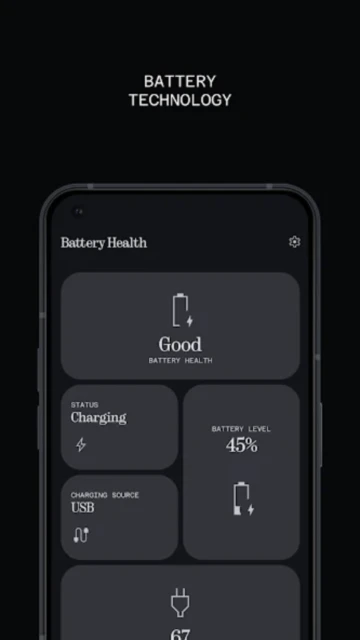
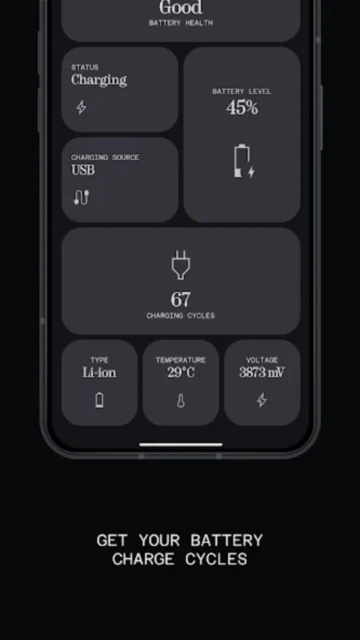
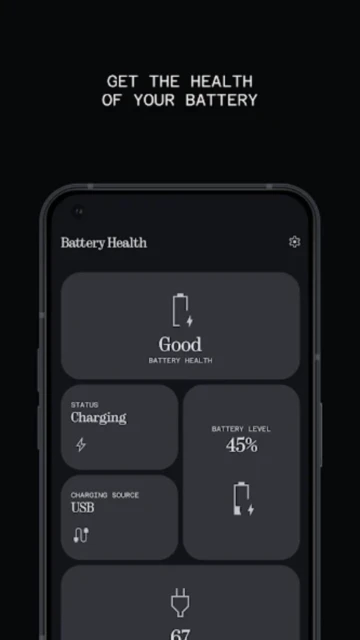
Battery Health by monospace stands out in the crowded utility market by focusing exclusively on raw data visualization rather than dubious “repair” claims. Unlike competitors that estimate health based on weeks of charging habits, this app reads directly from system APIs—including the elusive cycle count on Android 14+ devices. Readers will learn how to interpret voltage variances and temperature thresholds to diagnose hardware degradation before it becomes critical.
How to Get Started with Battery Health
The onboarding is frictionless, requiring zero calibration periods, but you must grant specific system permissions to access protected battery logs.
- Grant API Access – Launch the app and approve the one-time “Usage Stats” permission request.
- Verify Cycle Count – On Android 14+, check the “Cycles” card immediately to see your total lifetime charges.
- Calibrate Voltage Readings – Plug in your device and wait 60 seconds for the “Voltage” graph to stabilize.
- Set Dashboard Preferences – Toggle “Show Temperature in Celsius” in settings if you prefer metric units.
Who Should Use Battery Health
This tool is engineered for hardware enthusiasts and users buying used devices who need instant, verifiable data points.
- Used Phone Buyers – Instantly verify if a “new” phone actually has 0 charge cycles.
- Tech Enthusiasts – Monitor charging speeds (wattage) in real-time to test different cables.
- Repair Technicians – Quickly diagnose overheating issues by correlating temperature with voltage spikes.
- NOT ideal for – Users looking for automated charging limits or “battery saving” task killers.
Battery Health Platform Compatibility
As a native Android diagnostic tool, it relies heavily on OS-level APIs, making it exclusive to the Google ecosystem.
| Platform |
Min. Version |
Unique Features |
Limitations |
| Android |
Android 5.0+ |
Native Cycle Count (A14+) |
Some sensors hidden by OEMs |
| iOS |
N/A |
Not Available |
Apple restricts API access |
| Web |
N/A |
None |
Hardware access required |
| Desktop |
N/A |
None |
Mobile architecture only |
Battery Health Integrations & Ecosystem
While it operates primarily as a standalone diagnostic, it integrates with system-level reporting for cleaner data export.
- System Settings – Direct link to Android’s native battery menu for cross-reference.
- Quick Settings Tiles – Add a live temperature tile to your notification shade.
- CSV Export – Export raw log data for analysis in Excel or Google Sheets.
- Dark Mode Sync – Automatically respects system-wide theme preferences.
Best Alternatives to Battery Health
If you need automated intervention rather than just passive monitoring, consider these established competitors.
- AccuBattery – Best for estimating capacity on older Android versions without cycle count APIs.
- Battery Guru – Best for users who want active alarms and wakelock detection.
- Electron – Best for a Material You design aesthetic with similar feature sets.
- GSam Battery Monitor – Best for identifying specific apps draining power in the background.
Battery Health vs Top Competitors
Battery Health wins on simplicity and official API usage, whereas others rely on estimation algorithms.
| Feature |
Battery Health |
AccuBattery |
Battery Guru |
| Pricing |
Free / $1.99 Pro |
Freemium |
Freemium |
| Key Strength |
Native API Data |
Capacity Estimates |
Wakelock Detector |
| Target Users |
Purists/buyers |
General Users |
Power Users |
| Unique Feature |
Real Cycle Count |
Charge Alarm |
Doze Config |
| Offline Mode |
Yes |
Yes |
Yes |
Battery Health Privacy & Security Overview
Monospace maintains a strict privacy-first approach, critical for an app with deep system access.
| Security Aspect |
Implementation |
User Control |
| Data Encryption |
Local Storage Only |
N/A (No cloud sync) |
| Authentication |
None required |
No account needed |
| Data Collection |
Performance logs |
Local only |
| Third-Party Sharing |
None |
No ad trackers |
Battery Health Accessibility Features
The app’s text-heavy interface is optimized for high contrast and screen reader compatibility.
- Screen Reader – Full TalkBack labeling on all data cards.
- Visual – High-contrast dark mode standard.
- Motor – Large touch targets for navigation tabs.
- Languages – English, Spanish, French, and 10+ others.
Power User Tips for Battery Health
Unlock the diagnostic potential by correlating different metrics during charging sessions.
- Spot Bad Cables – Compare “Current (mA)” readings between two cables; a 500mA drop indicates a bad wire.
- Thermal Throttling – Watch the graph; if speed drops as Temp hits 40°C, your phone is throttling.
- Cycle Count Logic – Remember that 0-100% is one cycle; two 50% charges also equal one cycle.
- Widget Use – Place the 1×1 widget on your home screen for instant temp checks while gaming.
- Voltage Health – A fully charged Li-ion battery should read ~4.3V-4.4V; below 4.1V at 100% indicates aging.
Battery Health Support & Community
Support is handled directly by the developer via email, with a small but active user base.
- Official Help Center – In-app FAQ section.
- Community Forum – XDA Developers thread for technical discussion.
- Social Media – Developer updates via X (Twitter).
- Contact Support – Direct email link in app settings.

 66
66