The industry-standard screen recording tool offering stable, fluid screen capture with internal audio and extensive editing capabilities for content creators.
AZ Screen Recorder represents the pinnacle of mobile screen capture technology, designed to function flawlessly without rooting your device. It provides a stable environment for recording everything from video calls to high-intensity gameplay.
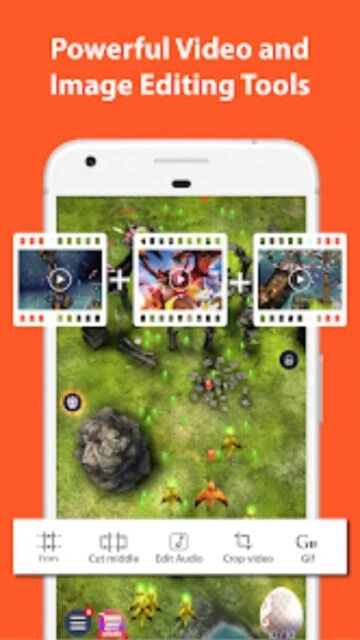
Beyond simple capture, the application serves as a mini-production studio. Users can merge clips, add subtitles, and compress files for easier sharing, making it a comprehensive solution for mobile content creation.
Features Of AZ Screen Recorder - Video Recorder
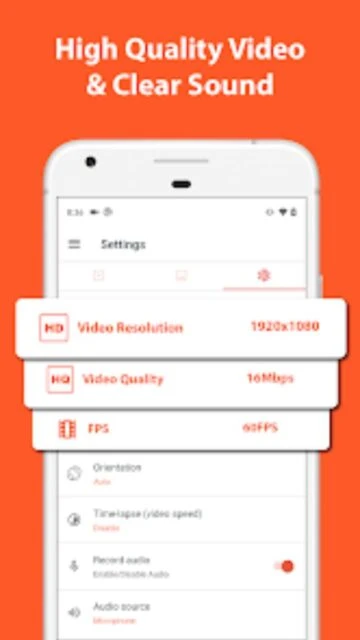
Record in Full HD 1080p at 60FPS
Capture internal audio directly from apps
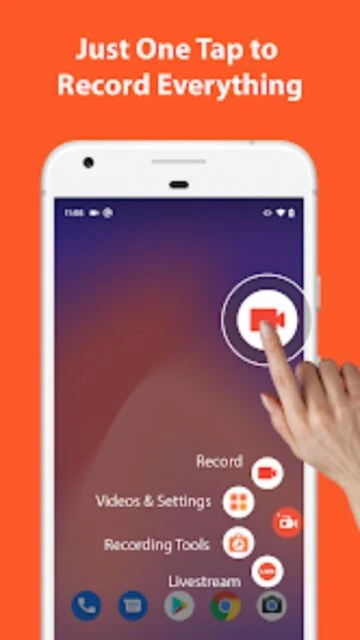
Floating window for quick control access
Draw on screen while recording
Shake device to stop recording capability
Wi-Fi transfer to computer network
Countdown timer before recording starts
No recording time limits
Premium Features in the Paid Plan
Removal of all in-app advertisements
Magic button for invisible controls
GIF converter for short clips
Trim and merge video segments
Draw on screen with custom colors
Live stream to multiple platforms
Extract frames from recorded video
High-speed video compression
Free / Pro $2.99
Free vs Premium Comparison
Feature
Free
Premium
Watermark
Removable (opt-in)
No Watermark
Ads
Banner & Interstitial
Ad-Free Experience
Resolution
Up to 1080p
Up to 1080p+
Live Stream
Basic support
Priority support
Video Editor
Basic Trim
Full Suite
Magic Button
Not Available
Included
Frequently Asked Questions
Does it record internal audio?
Yes, for devices running Android 10+, it captures internal sound directly without background noise.
Is there a recording time limit?
No, you can record for as long as your device's storage capacity allows.
Can I livestream to YouTube?
Yes, the app supports direct broadcasting to YouTube, Facebook, and Twitch.
Does it require root access?
No, AZ Screen Recorder works perfectly on unrooted devices running Android 5.0+.
How do I stop recording?
You can stop by shaking your phone or using the floating notification bar.
AZ Screen Recorder stands as the gold standard for mobile screen capture, delivering pristine 1080p/60FPS recording without requiring root access. Its intuitive overlay allows you to start recording instantly, making it perfect for capturing fleeting gaming moments or live streams.
Why Choose AZ Screen Recorder?
Content creators prioritize this app for its reliable performance and comprehensive toolkit that eliminates the need for PC-based editing software. It balances professional-grade settings with consumer-friendly usability.
Internal Audio: Records crystal-clear in-game sound alongside microphone commentary.
Facecam Overlay: Adds a personal reaction window perfect for Let’s Play videos.
Live Streaming: Broadcasts your screen directly to YouTube, Facebook, and Twitch.
How It Works
Upon launch, a floating control bubble appears on your screen. Tap the camera icon to start recording immediately, or open the gear icon to adjust resolution and bitrate. Once finished, shake your device to stop recording, then use the built-in editor to trim footage or convert it to GIF.
Who Should Use It?
Ideal for mobile gamers, tutorial creators, and professionals needing to record video calls. Its versatility serves both casual users sharing clips and serious YouTubers requiring high-fidelity output.
User reviews and ratings for AZ Screen Recorder - Video Recorder
See what users think about AZ Screen Recorder - Video Recorder. Read honest reviews and ratings from real users.
4.8
★★★★★
3 reviews
Perfect for gaming channel
by Marcus Chen
★★★★★
2025-11-20
I use this for my mobile legends gameplay. The 60fps recording is butter smooth and the internal audio is crisp. Best recorder available.
Solid but ads are heavy
by Sarah Jenkins
★★★★★
2025-10-15
Functionality is great and video quality is top notch, but the ads in the free version can be a bit intrusive after finishing a clip.
Editor is surprisingly good
by David K.
★★★★★
2025-09-28
I didn't expect the built-in editor to be this useful. I can trim and add music right on my phone before uploading.
Write a Review
AZ Screen Recorder - Video Recorder Screenshots & Photos
Browse through screenshots and photos of AZ Screen Recorder - Video Recorder to see how it looks and works.
AZ Screen Recorder - Video Recorder Videos
Watch videos to see how this app works and learn about its features.

 90
90