Avast Cleanup – Phone Cleaner – Storage optimizer and junk remover

Clean cluttered devices by safely deleting junk, optimizing photos, and automating storage maintenance for smoother everyday performance.

About Avast Cleanup – Phone Cleaner

Avast Cleanup – Phone Cleaner is a device optimization app focused on reclaiming storage and simplifying digital housekeeping on mobile phones. It helps users identify hidden clutter, unused apps, and oversized media that reduce available space and gradually slow everyday performance.

The app provides guided cleanups, photo and video management, contact deduplication, and privacy‑oriented tools such as private media lockers. By combining clear recommendations with automation options, Avast Cleanup lets users maintain faster, tidier devices without manually digging through folders or complex system menus.

Features Of Avast Cleanup – Phone Cleaner

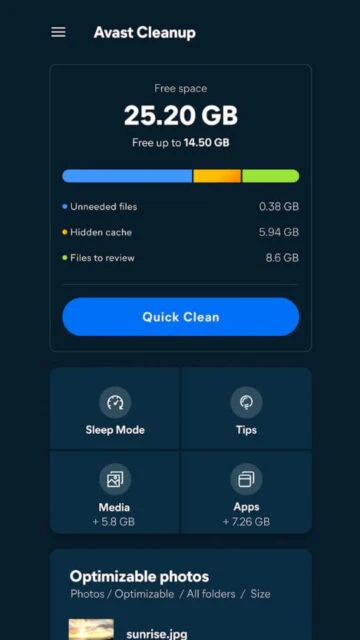
  • Smart storage analysis identifies junk files, caches, and leftovers consuming valuable space.
  • Photo cleaner detects blurry, similar, and redundant shots to streamline large image libraries.
  • Video management highlights oversized clips so users can compress or delete space hogs quickly.
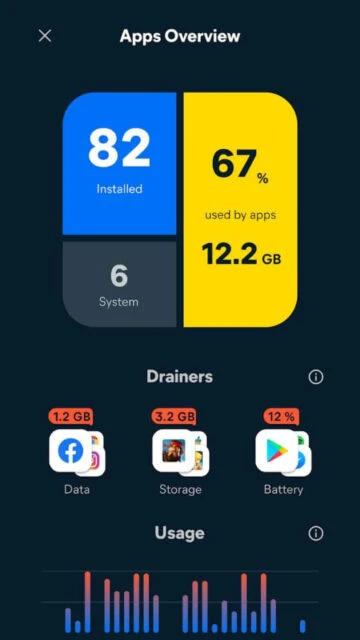
  • App manager lists rarely used applications, helping users uninstall or review them efficiently.
  • Contact cleaner merges duplicates and fixes incomplete entries while preserving backup recovery options.
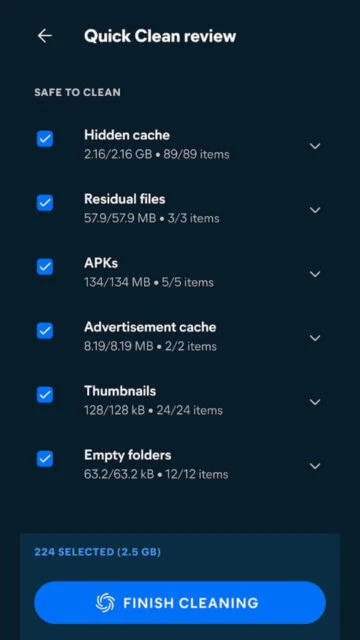
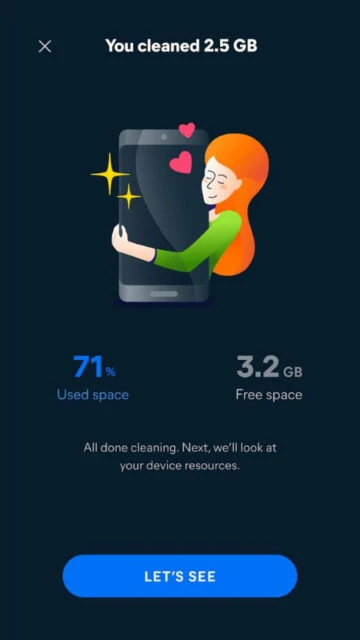
  • Quick clean workflow summarizes suggested actions, letting users confirm safe deletions in seconds.
  • Privacy locker hides sensitive photos and videos behind secure access to prevent casual snooping.
  • Cross‑platform support offers consistent Avast cleanup experience on both Android phones and iPhone.

Premium Features in the Paid Plan

  • Automatic scheduled cleanups run in the background, maintaining free space without manual intervention.
  • Advanced photo analysis unlocks cleaning of duplicate, similar, and low‑quality images beyond basic detection.
  • Media optimizer compresses large photos and videos, preserving quality while freeing substantial storage capacity.
  • Expanded private locker capacity stores more sensitive photos and videos securely with premium limits.
  • Deeper app insights reveal long‑term usage patterns to prioritize impactful uninstalls and hibernation decisions.
  • Priority cleanup rules let users define folders or file types that should always be cleaned automatically.
  • Premium support access provides faster assistance and troubleshooting for subscription customers when issues arise.
  • Ad‑reduced experience minimizes distracting promotions so users can focus on cleanup tasks comfortably.

Free with optional premium subscriptions

Free vs Premium Comparison

Feature Free Premium
Photo cleaning depth Identifies old, large images and screenshots for manual review and removal. Also cleans duplicate, similar, and lowu2011quality photos automatically with advanced filters.
Scheduled cleanups Only manual scans and cleanups triggered when user opens the app. Enables automated, recurring cleanups on customizable schedules to maintain free space.
Secret media locker Stores a limited number of private photos and videos in secure storage. Expands locker capacity, supporting larger, encrypted collections of sensitive media items.
Media optimization Shows which videos and photos consume the most storage without compression tools. Compresses selected media to smaller sizes while preserving visible quality and detail.
Contact cleanup Finds duplicate and incomplete contacts, allowing manual merging or deletion. Automates bulk cleanup with smarter merge suggestions and quick rollback from backups.
Advertising experience Displays regular inu2011app promotions and upgrade prompts during cleanup sessions. Reduces advertising, offering a cleaner, less interrupted interface during routine use.
Support access Relies on standard help articles and community resources for troubleshooting. Adds priority access to Avast customer support for billing and technical questions.

Frequently Asked Questions

Does Avast Cleanup delete important photos or documents automatically?

Avast Cleanup scans for junk, duplicates, and lowu2011quality items, but users always confirm what gets removed. Suggested deletions are shown clearly, and premium media optimization focuses on compressing or cleaning redundant files, not touching essential documents or irreplaceable content without explicit approval.

Is the app completely free, or do I need a subscription?

Avast Cleanup offers a robust free tier with manual cleanups, basic media detection, and contact tools. Optional premium subscriptions unlock automated scheduling, deeper photo analysis, expanded private storage, and media compression features. You can start with the free version, then upgrade only if advanced options prove valuable.

Will Avast Cleanup make my phone faster as well as freeing space?

By clearing cached data, redundant files, and rarely used apps, Avast Cleanup reduces background clutter that can slow everyday tasks. While it does not overclock hardware, reclaiming storage and trimming unnecessary processes often leads to smoother app launches, fewer storage warnings, and more stable overall performance.

How safe is it to store private photos in the secret locker?

The secret locker is designed to keep sensitive photos and videos hidden from casual access within the standard gallery. Content is protected behind inu2011app security controls, but users should still maintain deviceu2011level protection, avoid sharing unlocked devices, and consider backups if the media is especially critical or irreplaceable.

Can I undo changes if a cleanup removes something I still need?

For contacts, Avast Cleanup creates backups so you can restore previous states if a merge or deletion goes wrong. For media and files, it is best to review recommendations carefully before confirming. Once junk is permanently deleted, recovery options depend on device backups or external cloud copies, not the app itself.