Asana – Team project and task management app

Asana is a comprehensive work management platform that helps teams organize, prioritize, and collaborate on projects with intuitive task tracking and team communication.

About Asana: Work Management

Asana is a comprehensive work management platform that helps teams organize and track projects, tasks, and goals in one centralized workspace. The app enables teams to break down complex work into manageable tasks, assign ownership, set deadlines, and maintain clear visibility across all initiatives.

With support for multiple project views including lists, kanban boards, timelines, and portfolios, Asana adapts to how each team prefers to work. Built-in AI features, team communication tools, and seamless integrations with over 100 apps make Asana a complete solution for coordinating work across departments and keeping everyone aligned on priorities.

Features Of Asana: Work Management

  • Create unlimited projects and tasks with custom fields for capturing important work information
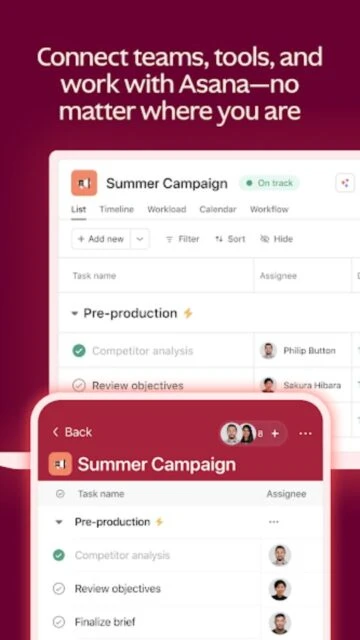
  • Switch between list, board, calendar, timeline, and Gantt chart views to match your workflow preference
  • Assign tasks to team members with clear due dates and ownership to avoid confusion
  • Collaborate directly on tasks with comments, file attachments, and mentions without external tools
  • Access your work anywhere with native iOS and Android mobile apps for on-the-go management
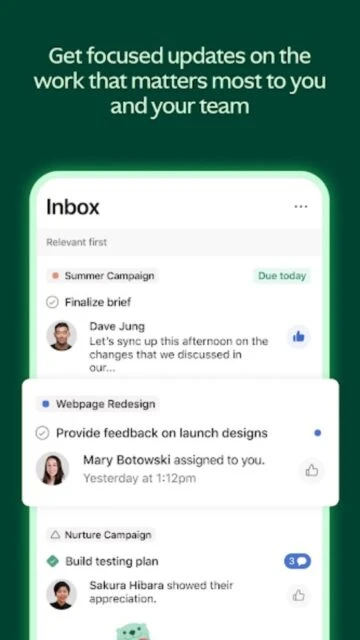
  • Receive automatic notifications and updates about assigned tasks and project progress in your inbox
  • Integrate seamlessly with 100+ apps including Slack, Microsoft Teams, Google Workspace, and Salesforce
  • Track project progress with custom dashboards and status update builders for transparent reporting

Premium Features in the Paid Plan

  • Timeline and Gantt chart views with task dependencies to visualize complex project schedules
  • Workflow builder with unlimited automation rules to eliminate manual, repetitive work tasks
  • Custom fields and forms to capture team-specific data and create standardized processes
  • Portfolio management to track multiple connected projects and see overall business progress
  • Goals and objectives tracking aligned with company strategy for better alignment
  • Advanced search and filtering capabilities for finding specific work across all projects
  • Universal reporting with custom dashboards and metrics for executive-level visibility
  • AI Studio with smart automation rules that auto-update dates, rename tasks, and check for duplicates

Free with in-app purchases; Starter $10.99/user/month, Advanced $24.99/user/month

Free vs Premium Comparison

Feature Free Premium
Projects and Tasks Unlimited tasks and projects for up to 2 users Unlimited everything plus private teams and unlimited guest collaborators
Project Views List, board, and calendar views with basic search All free views plus timeline, Gantt, and portfolio dashboards
Automation Manual workflows only Unlimited automation rules and workflow builder for complex sequences
Custom Fields Standard fields only Create custom fields to track team-specific information and metadata
Goals and Reporting Basic status updates only Goal tracking, portfolios, universal reporting, and executive dashboards
AI Features Limited AI assistance Full AI Studio with smart workflows, summaries, and intelligent automation
File Storage Unlimited storage with 100MB per file limit Unlimited storage and file size limits for large attachments
Team Permissions Basic sharing only Advanced admin console with granular team and project permissions

Frequently Asked Questions

Is Asana really free?

Yes, Asana offers a free plan forever for up to 2 users with unlimited tasks, projects, list/board/calendar views, and basic collaboration. Paid plans unlock advanced features like Gantt charts, automation, and portfolio management for teams that need more capabilities.

Can I use Asana for personal task management?

Absolutely. Many individual users love Asana's free plan for personal to-do lists and project tracking. The free plan includes all basic task management features. You can upgrade anytime if you add team members or need advanced features like timeline views and automation.

Does Asana work offline?

Asana requires an internet connection to sync data, but you can view previously loaded content on mobile. For full offline functionality, consider the web app where you can view cached data. Always reconnect to ensure your changes sync properly.

Can I import tasks from other apps?

Asana supports importing from spreadsheets, other project management tools, and has 100+ integrations with popular apps like Slack, Google Workspace, and Microsoft 365. You can also manually create tasks or use Asana's API for custom integrations.

What devices are supported?

Asana is available on iOS (17.0+), Android (5.0+), web browsers, and Chromebooks. The mobile apps provide full access to create, assign, and track tasks on-the-go, while the web version includes advanced features like portfolio management and reporting.

How secure is my data in Asana?

Asana encrypts data in transit and allows users to request data deletion. The platform meets enterprise security standards with compliance certifications. For sensitive data, review Asana's security documentation and consider paid enterprise plans with advanced security features and audit logs.