AppLock – Secure App Protection & Privacy

Lock apps with passwords, patterns, fingerprints to prevent unauthorized access and protect private data securely.

About AppLock

AppLock is a mobile security application that protects your privacy by allowing you to lock any installed app with passwords, patterns, or biometric authentication. It prevents unauthorized access to social media accounts, photos, messages, and sensitive data on your Android device.

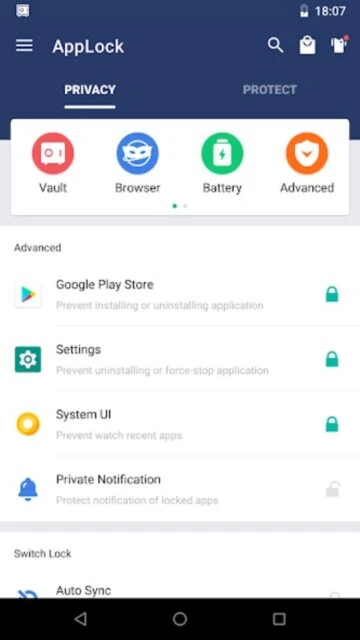
The app features advanced protection mechanisms including intruder selfies that capture photos of failed unlock attempts, a secure photo vault with cloud sync, and customizable lock themes. AppLock uses accessibility services and device administrator permissions to prevent uninstallation and ensure stable operation while minimizing battery consumption.

Features Of AppLock

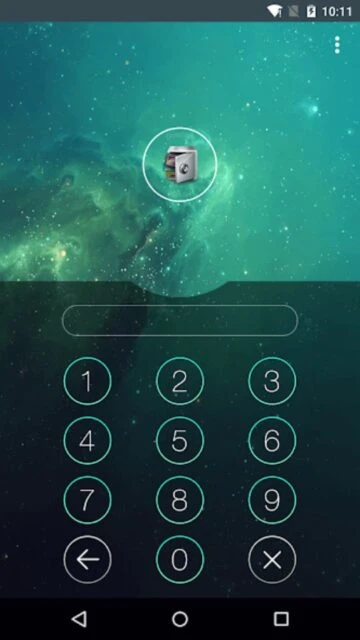
  • Lock apps with PIN, pattern, fingerprint, or Face Unlock authentication methods
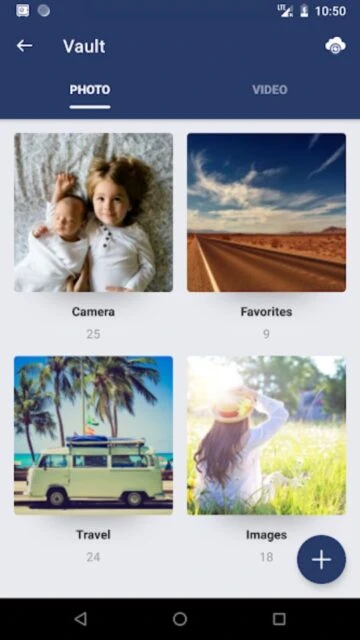
  • Hide sensitive photos and videos in secure vault with unlimited storage capacity
  • Capture intruder selfies automatically when wrong passwords are entered multiple times
  • Create customized app groups with individual lock schedules and auto-lock functionality
  • Disguise AppLock icon as calculator or compass to hide protection from others
  • Advanced Protection prevents app uninstallation or killing via task manager without password
  • Random keyboard input prevents shoulder surfing of PIN codes and patterns
  • Private incognito browser leaves no search history or browsing records behind
  • Time-based locking automatically enables or disables protection at scheduled times
  • Power-saving mode reduces battery consumption while maintaining full security features
  • Lock system settings to prevent children from modifying device configurations accidentally
  • Quick access widget enables or disables AppLock protection with a single tap

Premium Features in the Paid Plan

  • Remove all advertisements for uninterrupted app locking and protection experience
  • Access unlimited hidden photo and video storage without space limitations
  • Enable advanced parental controls to restrict app installations and screen time
  • Create multiple lock profiles with different apps and custom authentication methods
  • Use fingerprint and facial recognition with enhanced biometric security features
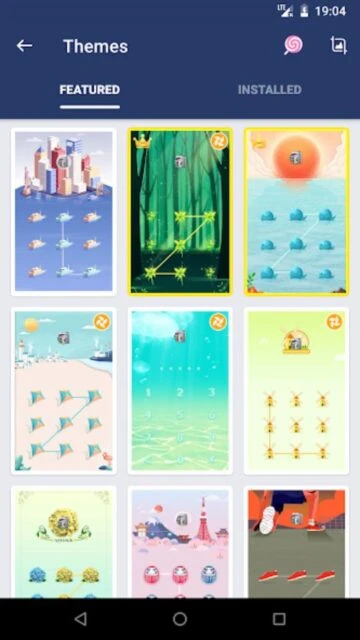
  • Customize lock screen themes and styles for personalized protection appearance
  • Enable location-based automatic locking when entering or exiting specific areas
  • Access advanced intruder alert features with detailed access attempt logs and timestamps
  • Priority customer support for technical issues and feature requests from premium subscribers
  • Cloud backup of all settings and locked app configurations across multiple devices

Free with in-app purchases and premium subscription options

Free vs Premium Comparison

Feature Free Premium
App Locking Methods PIN, pattern, fingerprint unlock All free methods plus facial recognition and advanced biometric options
Photo/Video Vault Limited storage with basic hiding Unlimited storage with cloud sync and advanced encryption
Advertisements Displays ads while using app features Completely ad-free experience
Intruder Selfie Basic photo capture on failed attempts Enhanced capture with detailed logs and notifications
App Groups Create basic groups with standard settings Unlimited custom groups with scheduling and location-based triggers
Lock Themes Basic lock screen themes Extended library with customization options

Frequently Asked Questions

What apps can AppLock protect?

AppLock can lock any installed app including social media, messaging, gallery, contacts, email, banking apps, and system settings. Simply select the apps you want to protect and set your authentication method. You can lock unlimited apps and organize them into custom groups.

Can I recover my password if I forget it?

Yes. AppLock provides multiple recovery options: answer your pre-set security questions, use your registered security email for a reset code, or check the FAQ section in AppLock settings. Ensure you set up recovery options when creating your account for future reference and security.

Does AppLock consume much battery?

No. AppLock includes a power-saving mode that minimizes battery consumption while maintaining full security features. The app runs efficiently in the background using accessibility services optimized for low resource usage on modern Android devices.

Is my data safe with AppLock?

Yes. AppLock uses encryption and only requires necessary permissions for device administrator and accessibility services to function. The app does not access or store your personal information, and all locked content remains private and secure on your device.

Can I set different passwords for different apps?

AppLock uses a master password for primary authentication. However, premium subscribers can create multiple lock profiles with different app groupings and customize unlock durations for convenience without re-entering passwords repeatedly within set time periods.