Amaze File Manager – Open source lightweight file explorer

Open-source, ad-free file manager following Material Design with comprehensive features including file encryption, WiFi transfer, cloud integration, and storage analysis.

About Amaze File Manager

Amaze File Manager is a free, open-source file management application built with Material Design guidelines, offering a beautiful and intuitive user interface. The app contains zero advertisements and no invasive tracking, prioritizing user privacy while delivering comprehensive file management capabilities. Team Amaze maintains active development with community contributions, ensuring regular updates and feature improvements.

The application supports standard file operations including copy, move, delete, rename, compress, and extract functions. Advanced features include WiFi peer-to-peer file transfer between Android devices, FTP server and client functionality, cloud storage integration, and intelligent storage analysis tools.

Features Of Amaze File Manager

  • Material Design interface with clean, modern aesthetic and intuitive navigation
  • Open-source code with transparent development and community contributions
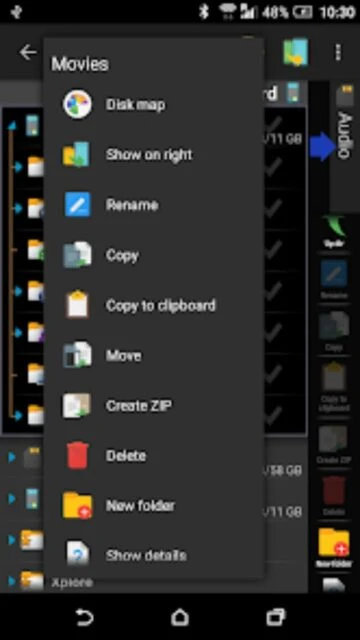
  • Comprehensive file operations including copy, move, cut, paste, delete, rename functions
  • WiFi peer-to-peer transfer enabling direct high-speed file transfer between two Android devices
  • Storage analysis identifying junk files, duplicate files, large videos, and unused applications
  • Image grouping by category including memes, low-light photos, blurry images, selfies, and group pictures
  • File encryption with AES standard encryption using password or fingerprint authentication
  • FTP server and client functionality for accessing files from PC or external FTP services

Premium Features in the Paid Plan

  • Cloud plugin supporting Google Drive, Dropbox, OneDrive, and other cloud storage providers
  • Advanced storage analysis with junk file detection and recommended cleanup
  • Image grouping and analysis for memory optimization
  • WiFi P2P file transfer with peer discovery and QR code pairing
  • File encryption with AES standard and biometric authentication
  • FTP server mode for remote access from PC web browser
  • SMB client support for accessing Windows network shares
  • Root explorer for rooted devices with SQLite database viewing

Free with optional donations

Free vs Premium Comparison

Feature Free Premium
Cost and Ads Completely free with optional donation, zero ads Same - no premium tier or paid version available
Cloud Integration Basic cloud storage browsing Optional cloud plugin for enhanced provider support
WiFi File Transfer Peer-to-peer transfer between two Android devices Same - feature available in free version
File Encryption AES standard encryption available Same - encryption available in free version
FTP Functionality FTP server and client support included Same - no additional FTP features in premium
Storage Analysis Full storage analysis and cleanup recommendations Same - analysis available in free version

Frequently Asked Questions

Is Amaze File Manager truly ad-free?

Yes, Amaze is completely ad-free. Being open-source and community-driven, it contains zero advertisements and no tracking mechanisms. Developers accept optional donations for continued support, but core functionality remains free without any premium tier or paywalls for essential features.

How does WiFi P2P file transfer work?

WiFi P2P transfer allows two Android devices on the same WiFi network to exchange files directly without internet. Initiate transfer on sending device, scan QR code on receiving device, and files transfer at WiFi speeds. No cloud storage or intermediate server required, ensuring privacy and speed.

Can I access cloud storage through Amaze?

Yes, with the optional cloud plugin, Amaze integrates with Google Drive, Dropbox, OneDrive, and other cloud providers. Install plugin, authenticate with your cloud account, and browse cloud files alongside local storage. Download files to device or upload from device to cloud.

How does storage analysis help optimize my device?

Storage analysis identifies junk files, duplicate photos, large old downloads, unused apps, and system caches consuming space. Amaze groups similar images and shows file size breakdowns. Users can safely delete identified files to free storage space and improve device performance.

What file types can Amaze compress or extract?

Amaze supports viewing and extracting ZIP, RAR, and 7Z archive formats. Files compress to ZIP format for sharing or backup. Extracted files save to selected destination folder. Archives display as normal folders within Amaze, simplifying browsing without external extraction tools.

Does Amaze require root access to function?

No, Amaze works fully on non-rooted devices for standard file management. Root explorer access is optional for rooted devices only, enabling system-level modifications. Standard users can disable root features in settings and use Amaze safely with normal user permissions.