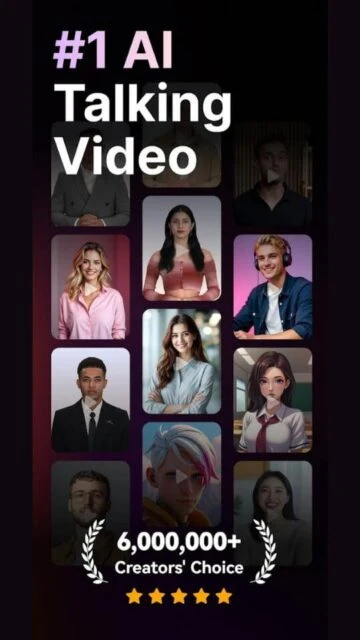
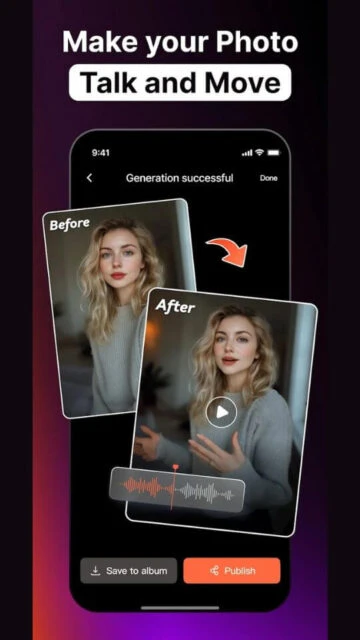
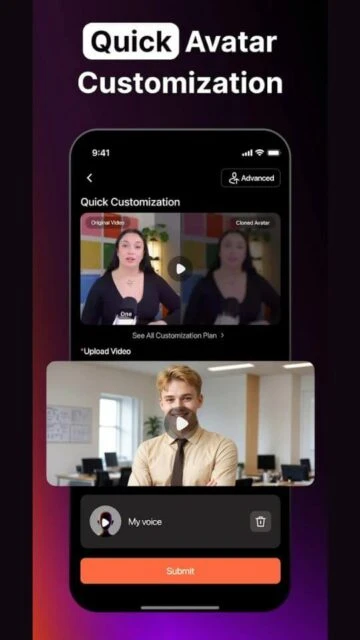
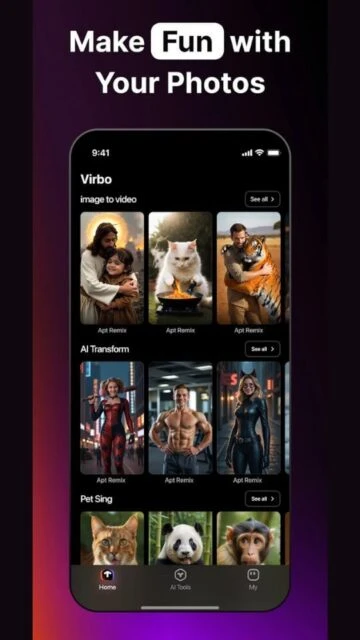
Wondershare Virbo emerged as an AI-powered video generator focused on creating realistic talking avatar videos from text scripts. It targeted marketers, educators, and content creators seeking quick, professional videos without cameras or actors, using over 350 lifelike avatars, 400 voices, and support for 80+ languages.
The tool streamlined video production through AI script generation, lip-sync, and translation features across web, desktop, iOS, and Android platforms. However, Virbo discontinued new operations on June 30, 2025; existing paid users retain app access, while others face limitations.
How to Get Started with Virbo
Onboarding in Virbo begins with a simple sign-up via email or Google on the web or app, granting immediate access to templates and a free trial with limited credits. Users select avatars and input scripts, previewing AI-generated videos in real time before exporting.
- Create Account – Sign up on virbo.wondershare.com or download the app from App Store/Google Play; expect instant access to a dashboard with tutorial prompts and 300+ avatars.
- Choose Template or Avatar – Pick from industry-specific templates or customize avatars, voices in 90 languages; the interface shows lip-sync previews as you type scripts.
- Input Script and Generate – Enter text or use AI script writer integrated with ChatGPT; generation takes seconds, with options for effects, music, and translation.
- Preview and Edit – Review the video for lip-sync accuracy and naturalness; tweak backgrounds, fonts, or add stickers before finalizing.
- Export Video – Download in HD or share directly; paid plans unlock watermark removal and commercial rights.
Who Should Use Virbo
Virbo suits users needing fast, avatar-based video content without production gear, ideal for social media, tutorials, or marketing where realism matters. Its AI handles scripts and voices efficiently, but post-2025 discontinuation limits new users to legacy access.
Ideal Users
- Small business owners crafting promo videos – they gain professional results quickly, saving on actors and editing time with 80+ language support for global reach.
- Educators producing lessons – teachers create engaging talking-head explainers from slides, enhancing remote classes without filming setups.
- Social media influencers testing ideas – quick iterations let them experiment with avatars for TikTok or YouTube shorts, focusing on content over polish.
- Non-native speakers localizing content – translation and voice cloning features deliver natural multilingual videos effortlessly.
Not Ideal For
- Advanced filmmakers seeking custom animations – lacks deep editing tools like keyframes or 3D modeling found in pro software.
- Budget-free teams needing unlimited exports – credit-based trials and discontinuation cap free use severely.
- Offline-heavy creators in remote areas – requires stable internet for generation, with no robust local processing.
Virbo Platform Compatibility
Virbo offers broad access via web, Windows/Mac desktop apps, iOS, and Android, but mobile versions focus on lighter editing while web/desktop handle full 1080p exports. Post-discontinuation, app updates halted; legacy installs work, but new downloads may fail on latest OS versions.
| Platform |
Minimum Version |
Unique Features |
Limitations |
| iOS |
iOS 12.0 |
Mobile script input, quick shares to social |
No desktop-level templates; credit limits faster |
| Android |
Android 7.0 |
Avatar previews on-device |
Smaller template library; occasional sync issues |
| Web |
Modern browsers |
Full avatar library, AI script gen |
Internet mandatory; no offline saves |
| Desktop |
Windows 10, macOS 10.14 |
Batch exports, higher res |
Download-only post-2025; no Linux support |
Virbo Integrations and Ecosystem
Virbo integrates modestly, linking AI tools like ChatGPT for scripts and cloud storage for exports, building a workflow for solo creators.
- Script Generation – Uses ChatGPT API to auto-write or refine text, speeding content creation directly in the editor.
- Export Platforms – Direct uploads to YouTube, TikTok, or Google Drive; simplifies sharing without extra steps.
- Voice Libraries – Partners with ElevenLabs-like tech for 400+ voices; expandable via custom uploads in pro plans.
- Template Marketplace – Wondershare ecosystem shares assets with Filmora; cross-import for hybrid workflows.
Best Alternatives to Virbo
Virbo’s end demands pivots to enduring AI video options from vetted lists; prioritize those handling avatar realism and script automation akin to its core.
- HeyGen dominates with 175+ languages, photo-real avatars, and gesture syncing, empowering marketers for hyper-personalized global content at scale.
- Renderforest fuses AI generation with 10,000+ templates and royalty-free music, delivering broadcast-ready videos for YouTube or ads in minutes.
- InVideo AI parses long-form text into edited clips with voiceovers and transitions, ideal for podcasters converting audio to visuals swiftly.
- Canva leverages Magic Media AI for instant video from prompts, seamless in design workflows with collaborative editing for teams.
- Microsoft Designer crafts AI videos via Copilot prompts, excelling in integrated Office exports for professional presentations.
Virbo vs Top Competitors
Scrutiny hits automation level, collaboration fit, and output versatility—pivotal for daily creators navigating 2026 tool shifts.
| Dimension |
Virbo |
HeyGen |
Renderforest |
InVideo AI |
| AI Automation |
Script-to-avatar basic |
Full cloning + gestures |
Template + scene build |
Narrative editing pro |
| Collaboration |
Share links only |
Team workspaces |
Project invites |
Real-time co-edit |
| Free Exports/Mo |
Limited legacy |
3 credits (1 min) |
Unlimited watermarked |
10 min weekly |
| Unique Edge |
400 voices stock |
Enterprise security |
Music/animation lib |
Stock footage huge |
| Platforms |
Web/iOS/Android frozen |
Web/full apps |
Web/mobile |
Web/Android |
Virbo Privacy and Security Overview
Virbo followed Wondershare’s standard practices, encrypting data in transit and at rest while minimizing collection to user scripts and generated videos. However, as a cloud AI service, it logged usage for improvements; post-discontinuation, data access risks linger for legacy users.
| Security Aspect |
Implementation |
User Control |
| Data Encryption |
AES-256 for storage/transit |
Toggle export encryption |
| Authentication |
Email/Google SSO, 2FA optional |
Manage via Wondershare account |
| Data Collection |
Scripts, IP, usage analytics |
Opt-out in settings; delete on request |
| Third-Party Sharing |
None disclosed; ChatGPT for scripts |
Review partners in policy; revoke access |
Virbo Accessibility Features
Virbo provided basic accessibility through voice options and simple interfaces, aiding diverse creators, though it lacked advanced screen reader depth or color-blind modes. Updates ceased in 2025, freezing improvements.
- Screen reader compatibility on web – Interfaces use semantic HTML for tools like VoiceOver/NVDA, announcing avatar selections and script edits clearly.
- Multilingual voiceovers – 80+ languages with adjustable speeds help non-native users or those with speech impairments produce content.
- High-contrast themes – Built-in dark mode and font scaling improve visibility for low-vision users during editing.
- Keyboard navigation – Full shortcut support bypasses mouse needs, streamlining workflows for motor-limited individuals.
- Subtitles auto-generation – AI adds timed captions in multiple languages, boosting reach for hearing-impaired audiences.
Power User Tips for Virbo
Legacy Virbo users can maximize frozen features by chaining AI tools and batching outputs, compensating for no updates.
- Leverage ChatGPT integration on desktop – Pipe complex multi-scene scripts through the AI writer, then split into segments for precise lip-sync control across 10-minute videos.
- Custom avatar tweaks via web – Upload photos for cloning (pro only), fine-tune expressions with keyframes; export as templates for reuse in Filmora workflows.
- Batch translate on mobile – Queue 80 languages simultaneously for global campaigns; use offline previews to check sync before cloud render.
- Keyboard shortcuts for speed – Map ‘Ctrl+G’ to generate, ‘Space’ for preview loops; combine with external script editors for pros.
- Export hacks post-DC – Save high-res MP4s locally, then upscale in free tools like Handbrake to bypass credit caps.
Virbo Support and Community
Support shifted post-June 2025 discontinuation: Wondershare aids paid legacy users via tickets, but forums went read-only.
- Official Help Center – Comprehensive guides at virbo.wondershare.com/guide cover legacy workflows; search for avatar troubleshooting.
- Community Forum – Archived threads on Wondershare site offer user fixes for common sync issues; no new posts since 2025.
- Social Media – Twitter/YouTube channels share tutorials; monitor for migration tips to HeyGen or Synthesia.
- Contact Support – Email [email protected] for billing/legacy access; response times average 48 hours for subscribers.