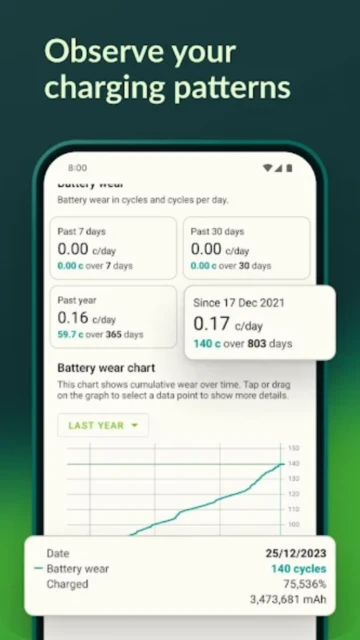
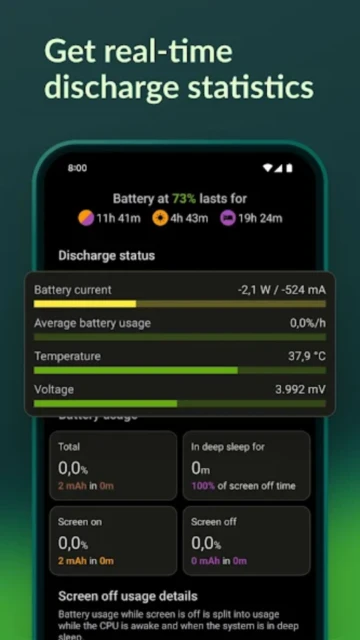
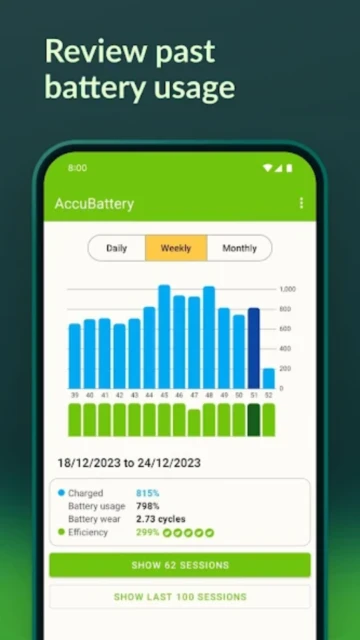
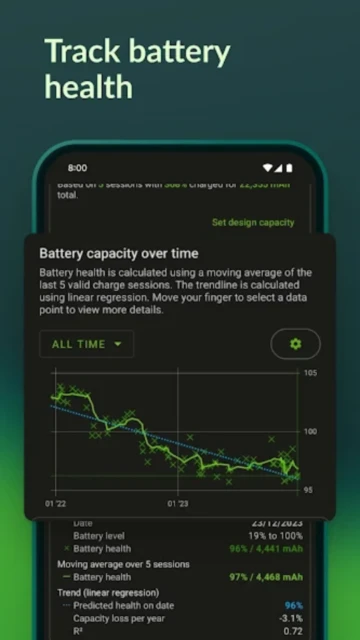
AccuBattery stands apart in the crowded utility category by focusing on the chemistry of lithium-ion batteries rather than generic task killing. Instead of promising impossible battery life extensions, it provides precise data on your battery’s physical health, measuring wear in real-time based on your charging habits. This guide explores how to leverage AccuBattery’s scientific approach to extend your phone’s usable lifespan by months or even years.
How to Get Started with AccuBattery
To get accurate readings, AccuBattery requires a brief calibration period where it learns your device’s specific energy consumption profile.
- Set Design Capacity – Input your battery’s manufacturing capacity (in mAh) located in phone specs.
- Grant Usage Access – Allow the app to monitor foreground app activity for precise drainage analysis.
- Perform First Discharge – Use your phone normally until the battery drops below 15% to establish a baseline.
- Charge Uninterrupted – Charge your device to 100% in one go to generate your first health estimate.
Who Should Use AccuBattery
This tool is essential for users who plan to keep their devices for more than two years and want to maintain peak hardware performance.
- Long-term Owners – People keeping phones for 3+ years who need to minimize physical battery degradation.
- Used Phone Buyers – Buyers verifying if a “refurbished” phone actually has a healthy battery.
- Tech Enthusiasts – Users who want to measure exactly how much power specific chargers deliver.
- NOT ideal for – Users looking for an automated “one-click” battery saver or task killer.
AccuBattery Platform Compatibility
Due to iOS system restrictions on hardware access, AccuBattery is exclusive to the Android ecosystem where it can read raw charging controller data.
| Platform |
Min. Version |
Unique Features |
Limitations |
| Android |
8.0+ |
Read raw charge controller current |
Some OEMs kill background processes |
| iOS |
N/A |
Not Available |
Apple blocks battery cycle access |
| Web |
N/A |
N/A |
No hardware interface available |
| Desktop |
N/A |
N/A |
Mobile hardware specific |
AccuBattery Integrations & Ecosystem
While AccuBattery operates primarily as a standalone diagnostic tool, its data export capabilities allow for deeper external analysis.
- CSV Data Export – Export granular session history to analyze long-term degradation trends in Excel.
- System Overlay – Integrates a real-time current usage meter over other apps.
- Quick Settings Tile – Adds a toggle to notification shade for quick session checking.
- Notification Channel – Persistent ongoing notification for live charge speed monitoring.
Best Alternatives to AccuBattery
If you need active system modification or root-level features, these alternatives might better suit your specific power management needs.
- Battery Guru – Best for users who want to modify system behaviors (Doze) alongside monitoring.
- GSam Battery Monitor – Best for identifying specific “app sucking” wakelocks that drain power.
- Electron – Best for a simpler, Material Design-focused interface for basic health stats.
- Naptime – Best for aggressively forcing Doze mode to save power during standby.
AccuBattery vs Top Competitors
AccuBattery distinguishes itself through its passive, observation-based “Charge Alarm” methodology versus aggressive system optimizers.
| Feature |
AccuBattery |
Battery Guru |
GSam Battery Monitor |
| Pricing |
Freemium / $3.99 Lifetime |
Sub / Ad-Supported |
Free / $2.49 |
| Key Strength |
Wear estimation accuracy |
System modification |
App usage granularity |
| Target Users |
General consumers |
Power users (ADB/Root) |
Debuggers |
| Unique Feature |
Charge Alarm (80% rule) |
Doze Customization |
Wakelock Detector |
| Offline Mode |
Yes |
Yes |
Yes |
AccuBattery Privacy & Security Overview
Since battery data is inherently linked to device usage patterns, AccuBattery maintains a strict local-first data policy.
| Security Aspect |
Implementation |
User Control |
| Data Encryption |
Local Database |
N/A (Stored on device) |
| Authentication |
None required |
No account needed |
| Data Collection |
Device specs, usage stats |
Can opt-out of analytics |
| Third-Party Sharing |
Aggregated crash logs |
Strictly for debugging |
AccuBattery Accessibility Features
The app prioritizes readability for its data-dense interface, ensuring metrics are legible for visually impaired users.
- Screen Reader – Full TalkBack support for reading graph data points and stats.
- Visual – AMOLED Black theme (Pro) offers high contrast for low vision.
- Motor – Large touch targets for the charge alarm slider.
- Languages – Localized in over 20 languages including RTL support.
Power User Tips for AccuBattery
Unlock precise metrics by configuring the app to bypass your phone manufacturer’s aggressive battery optimizations.
- Lock in Memory – Pin the app in your “Recents” menu to prevent the OS from killing the monitoring service.
- Disable Optimization – Whitelist AccuBattery in Android settings to ensure 24/7 cycle tracking.
- Measure Cable Quality – Use the “Charging Current” tab to test which USB cables deliver the fastest amps.
- Reset Health Stats – If you replace your battery, manually reset history to restart health calibration.
- Set Dual Alarms – Configure an alarm for 80% (health) and another for low battery warnings.
AccuBattery Support & Community
Digibites offers robust documentation to help users understand the complex terminology regarding battery chemistry.
- Official Help Center – accubattery.zendesk.com details the science behind the math.
- Community Forum – Active Reddit threads discussing health accuracy.
- Social Media – Developer updates via Twitter/X on new Android version support.
- Contact Support – Email support directly from the app settings menu.

 67
67